


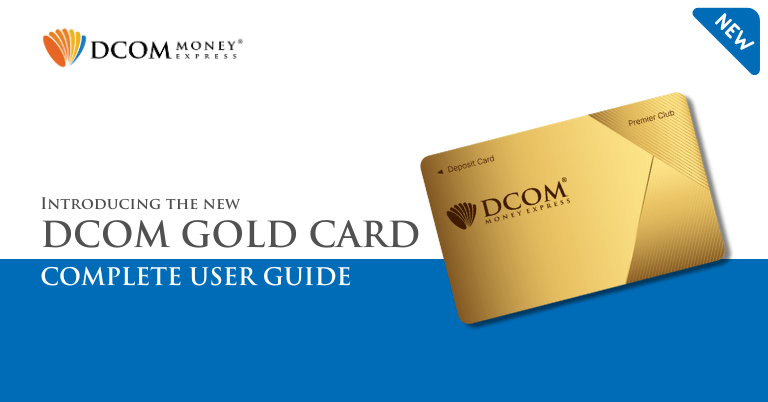
Unlock a World of Convenience, meet the New DCOM Premier Club Card.
Global Remittance, Reimagined. Experience total freedom with the NEW DCOM Card. Thanks to our partnership with Lawson Bank, you can now send money home from over 13,500 ATMs anytime, 24/7.
We aren’t just making it easier; we’re making it cheaper. Enjoy the lowest ATM fees in Japan and keep more of your hard-earned money where it belongs. Fast. Affordable. Nationwide. Your world just got smaller.
Here’s what you need to know about the newest DCOM Card:
- ATM Fee
- How to Deposit
- How to withdraw cash
- Set your PIN (for withdrawal)
- Change your PIN
- How to block cards
- How to Reactivate your card
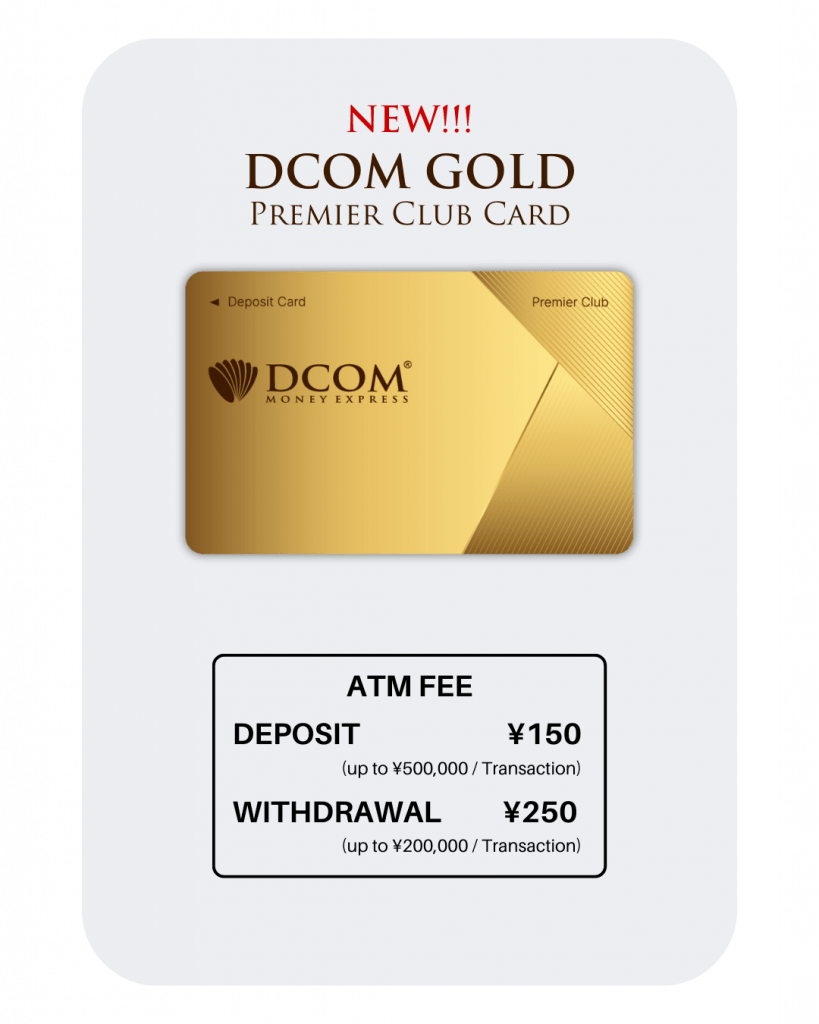
1. ATM Fee
ATM Fee: ¥150 per transaction (up to ¥500,000 per deposit)
Withdrawal Fee: ¥250 per transaction (up to ¥200,000 per withdrawal)
2. How to Deposit using Lawson ATMs
This card is exclusive for use at Lawson ATMs across Japan.
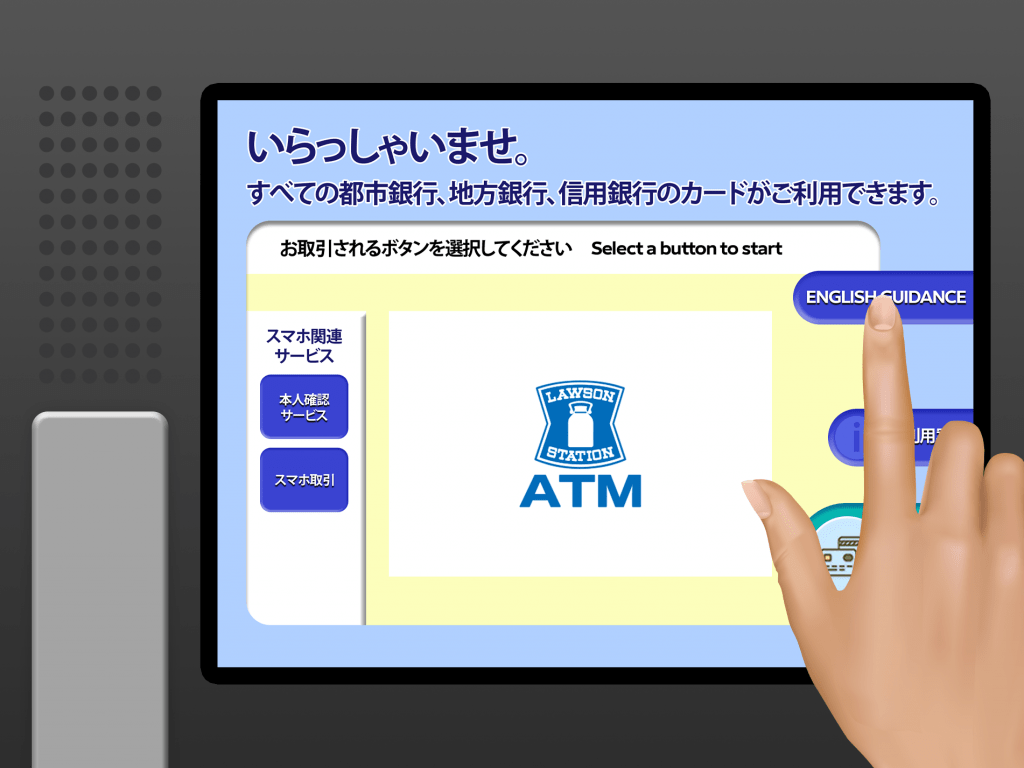
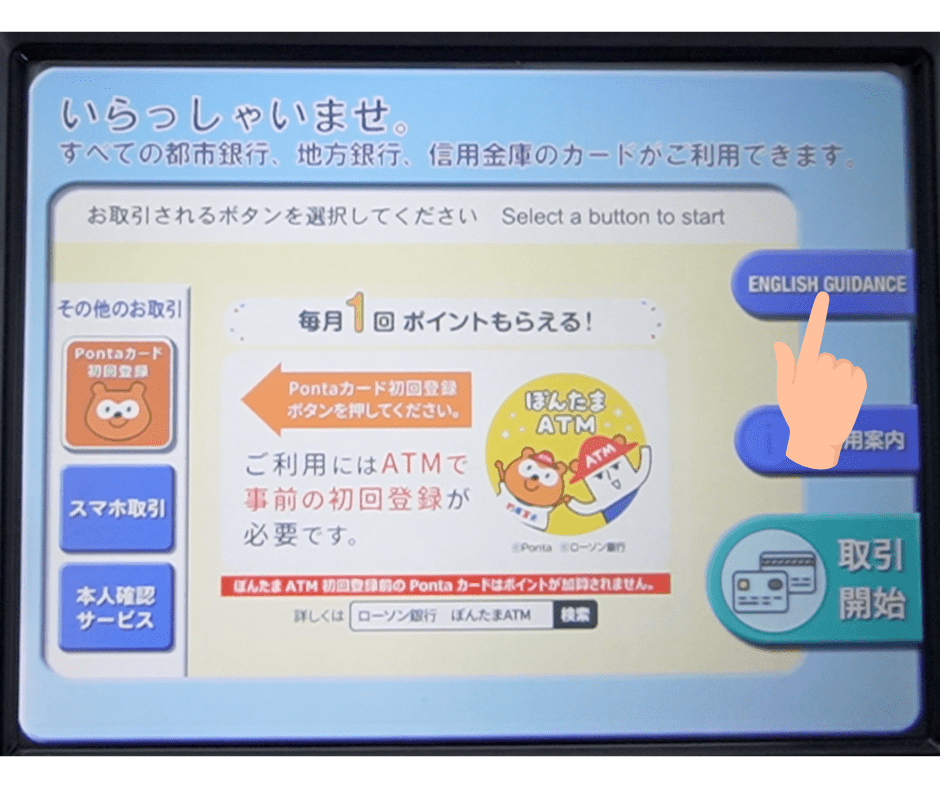
2.1 Start: Tap the “English Guide” button on the screen.
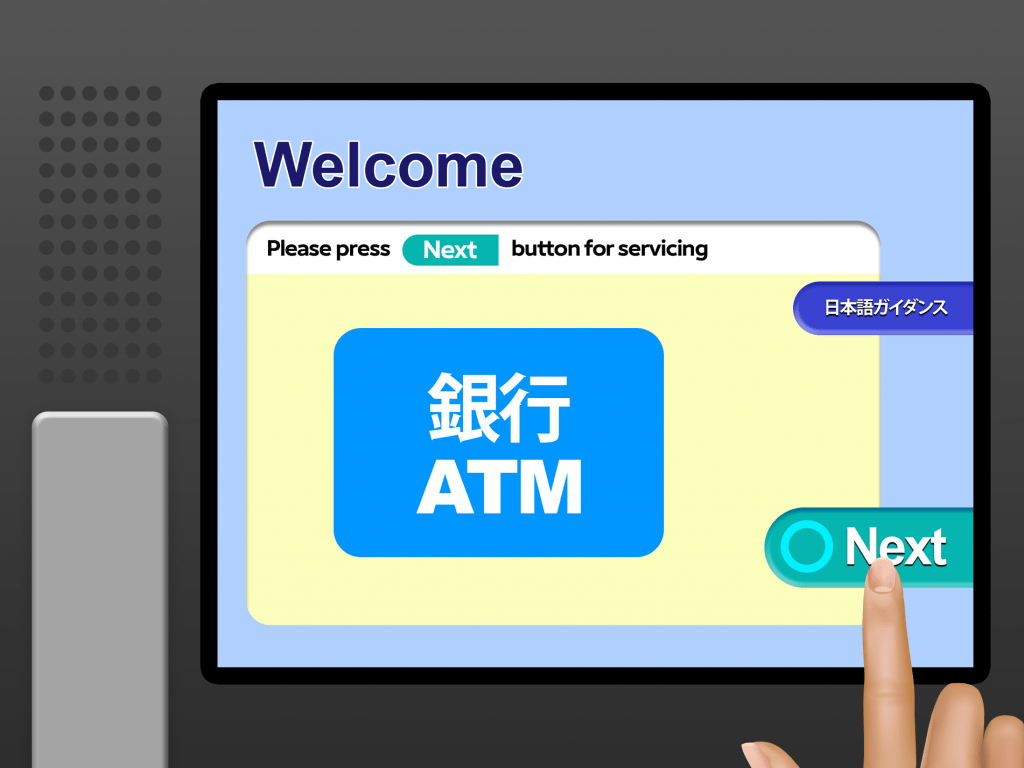
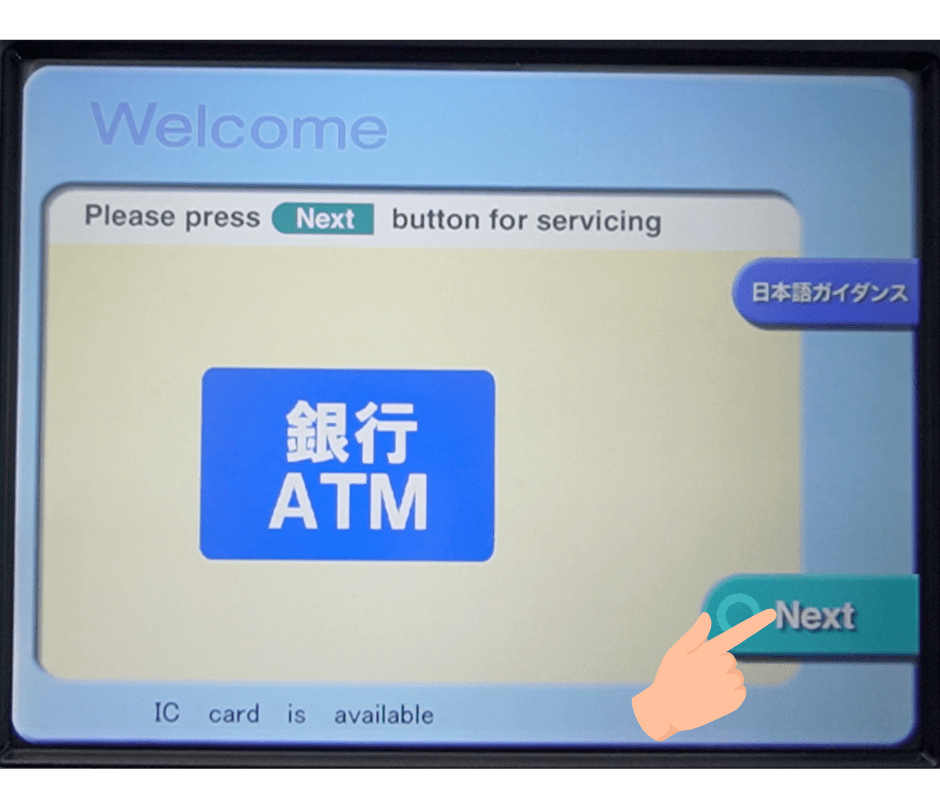
2.2 Proceed: Click “Next” to continue.
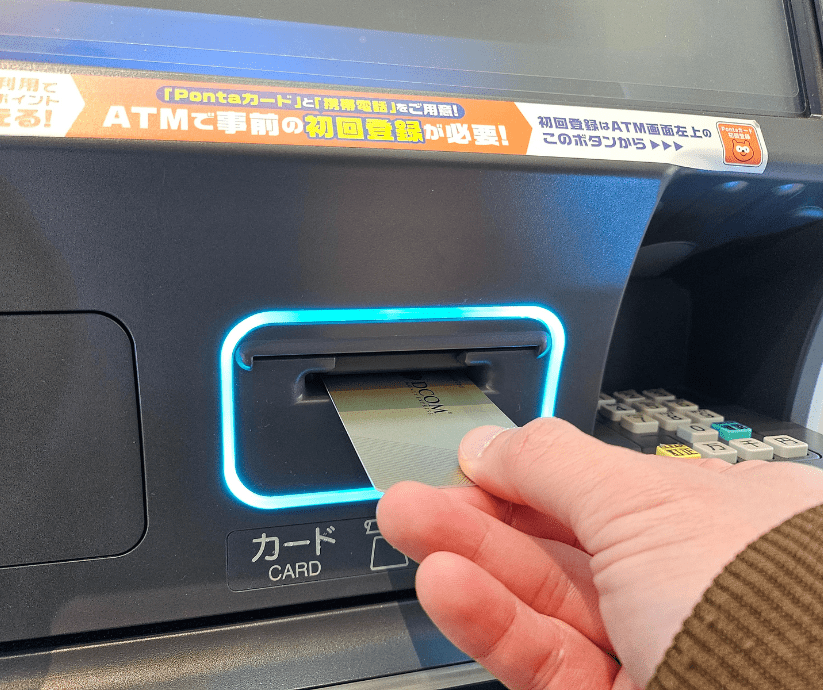
2.3 Insert Card: Slide your DCOM Card into the machine.
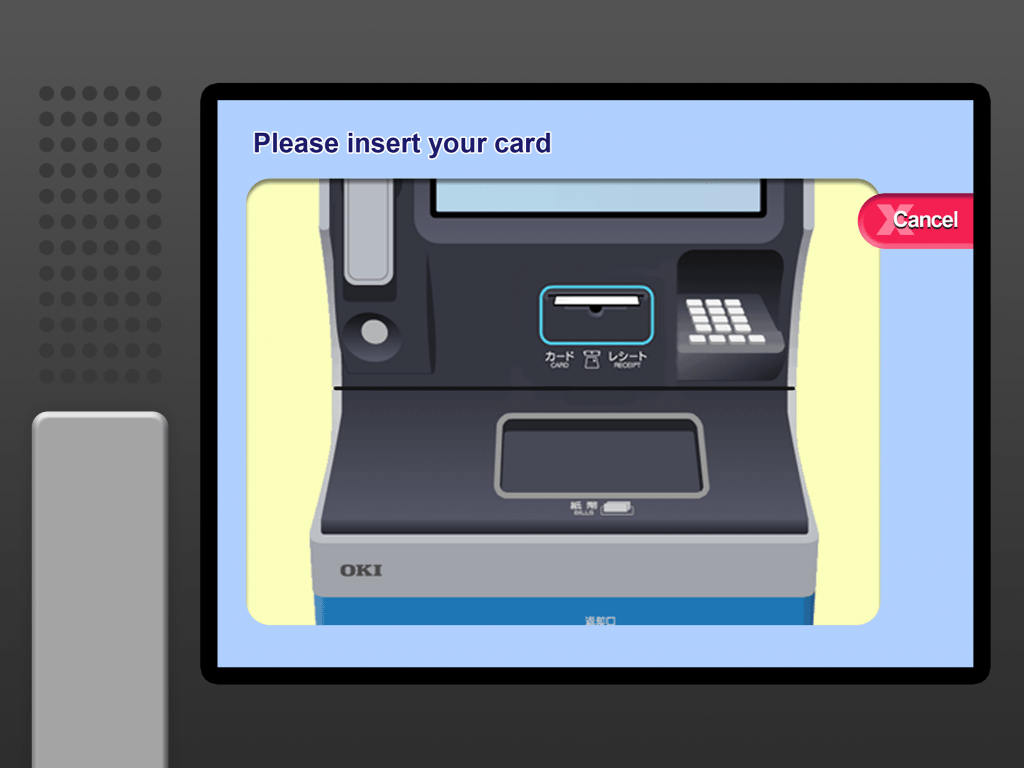
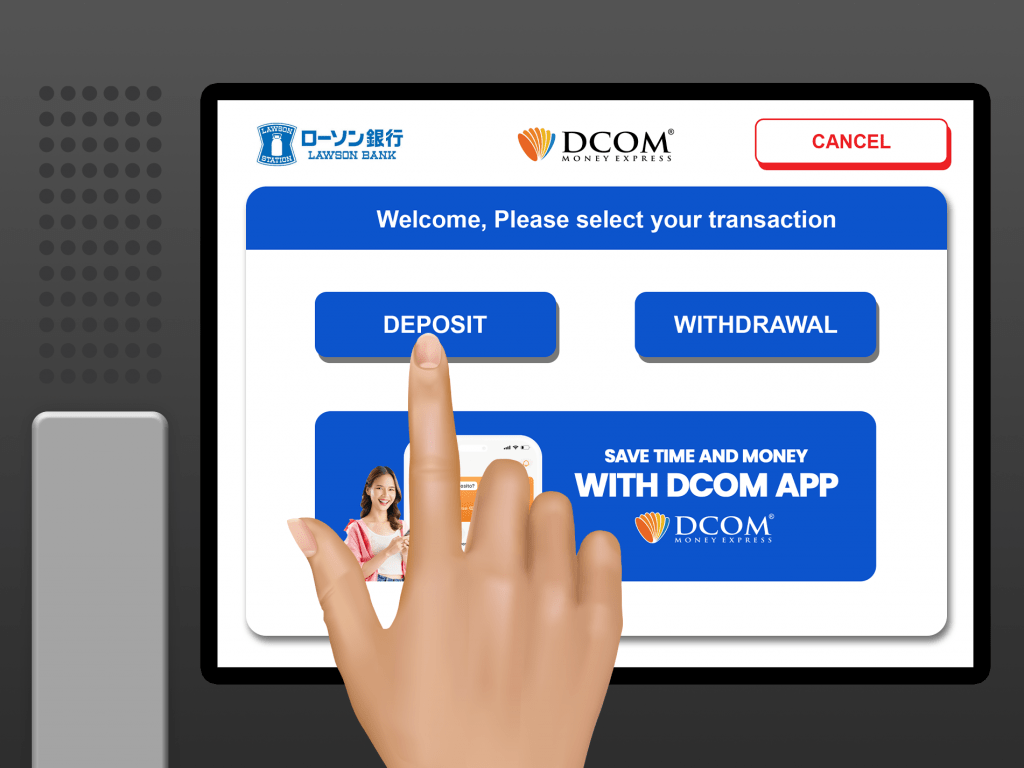
2.4 Click “Deposit”
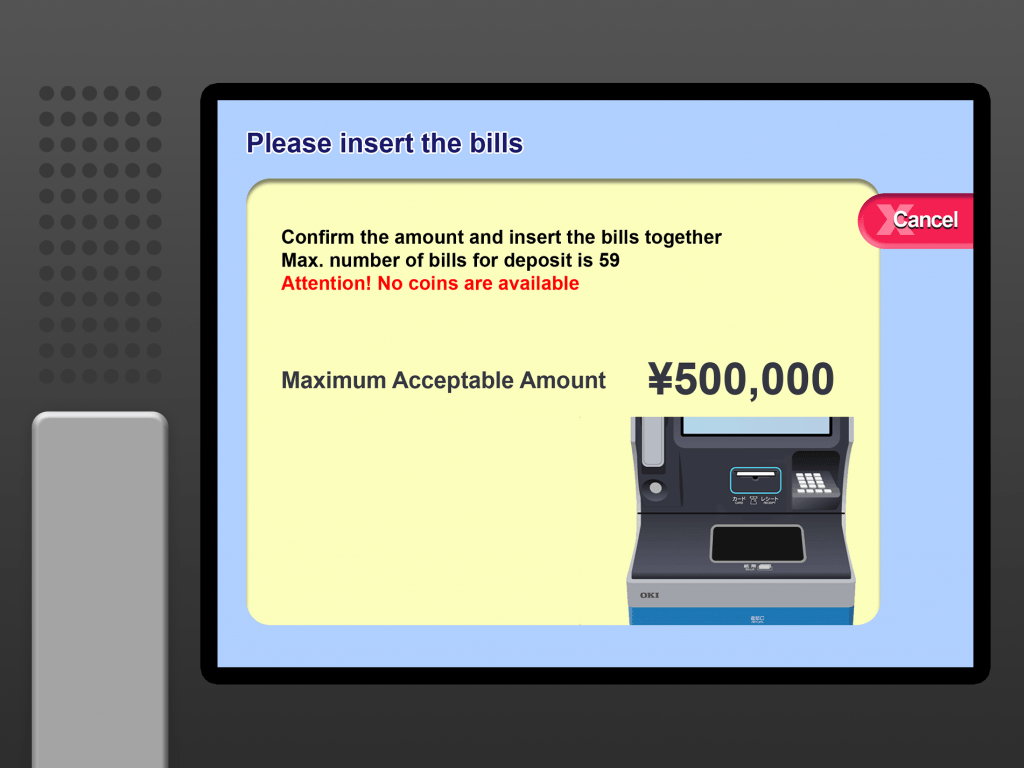
2.5 Insert the cash you wish to Deposit
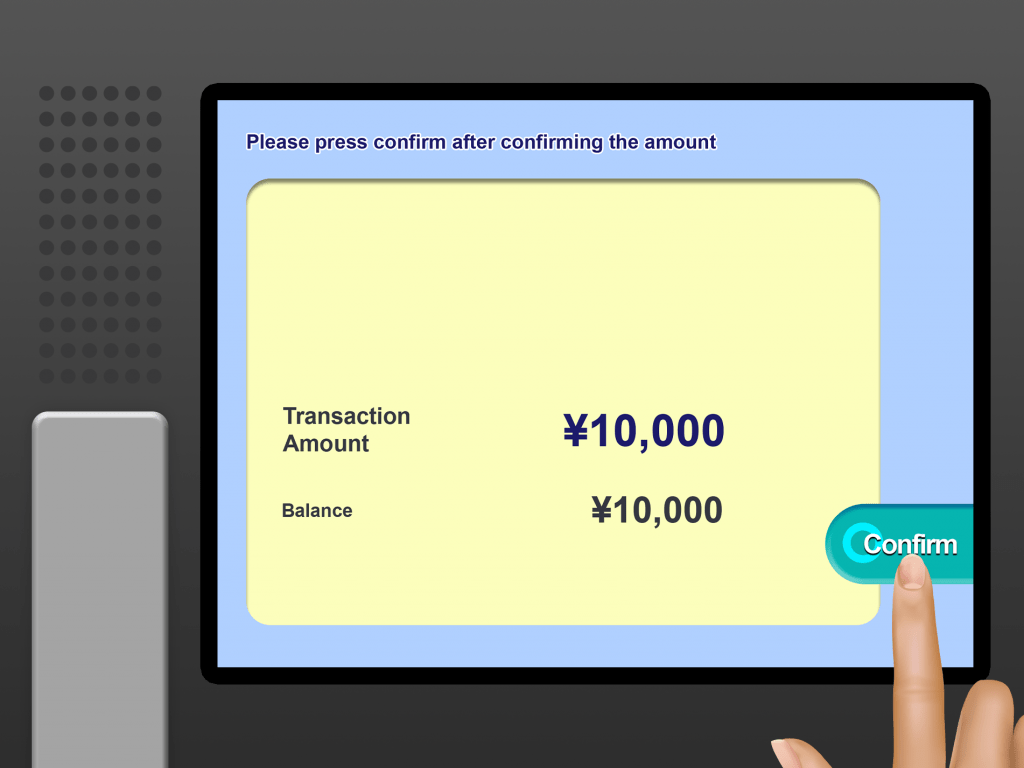
2.6 Check the details and click “Confirm” twice
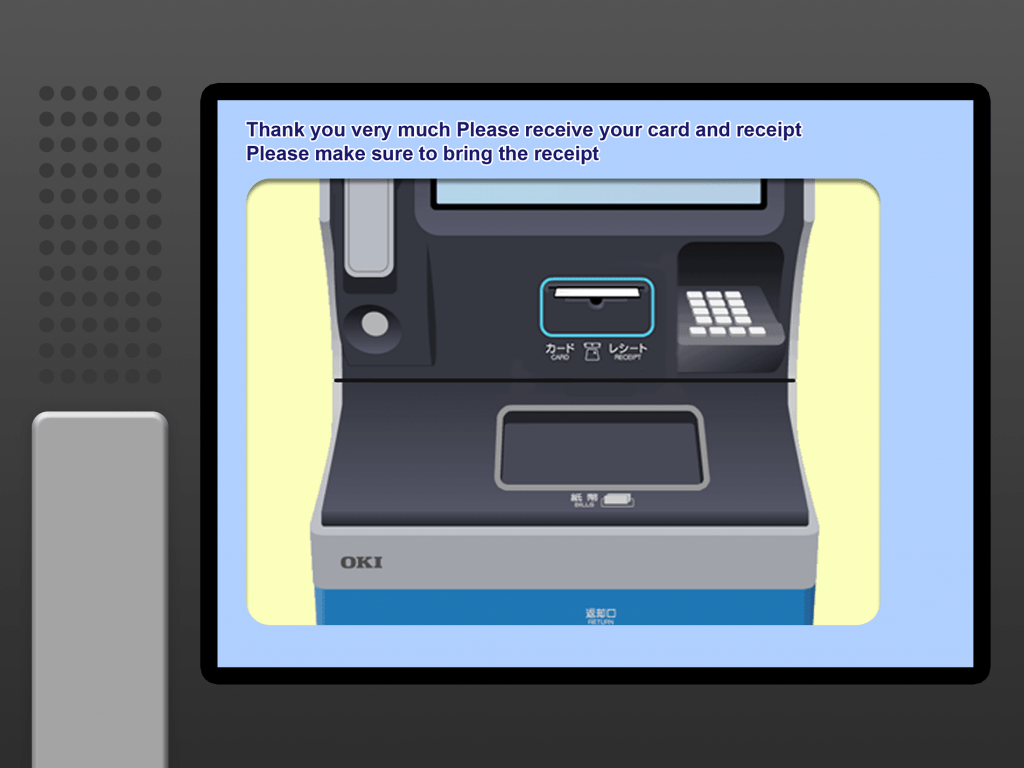
2.7 Finish: Don’t forget to grab your DCOM Card, Receipt, and any change!
Instant Updates!
No more waiting! Your deposit reflects in your DCOM Account in real-time. Check your balance now via DCOM Money Express App to see your updated funds instantly.
3. How to withdraw Cash
Withdraw anywhere, anytime!
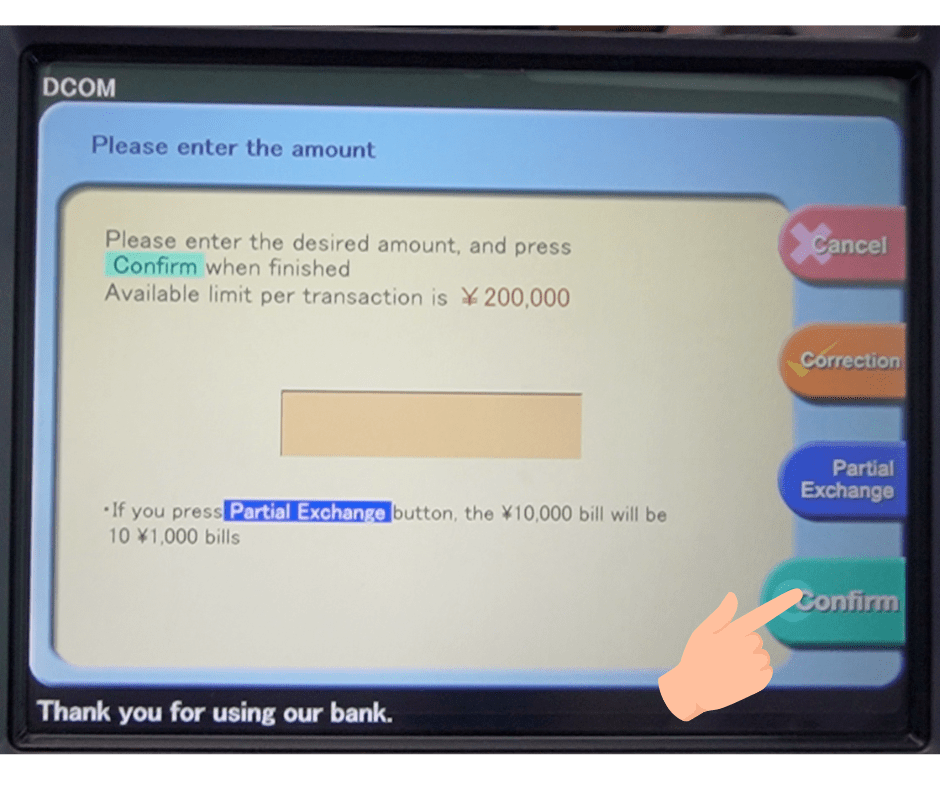
Get your cash when you need it! Use your DCOM Deposit Card at any Lawson Bank ATM for only ¥250. Withdraw up to ¥200,000 in one go!
Fast, secure, and hassle-free. That’s the DCOM Gold experience.
3.1. Select “English Guidance” on the screen.
3.2. Tap “Next.”
3.3. Insert your DCOM Card.
3.4. Select “Withdrawal.”
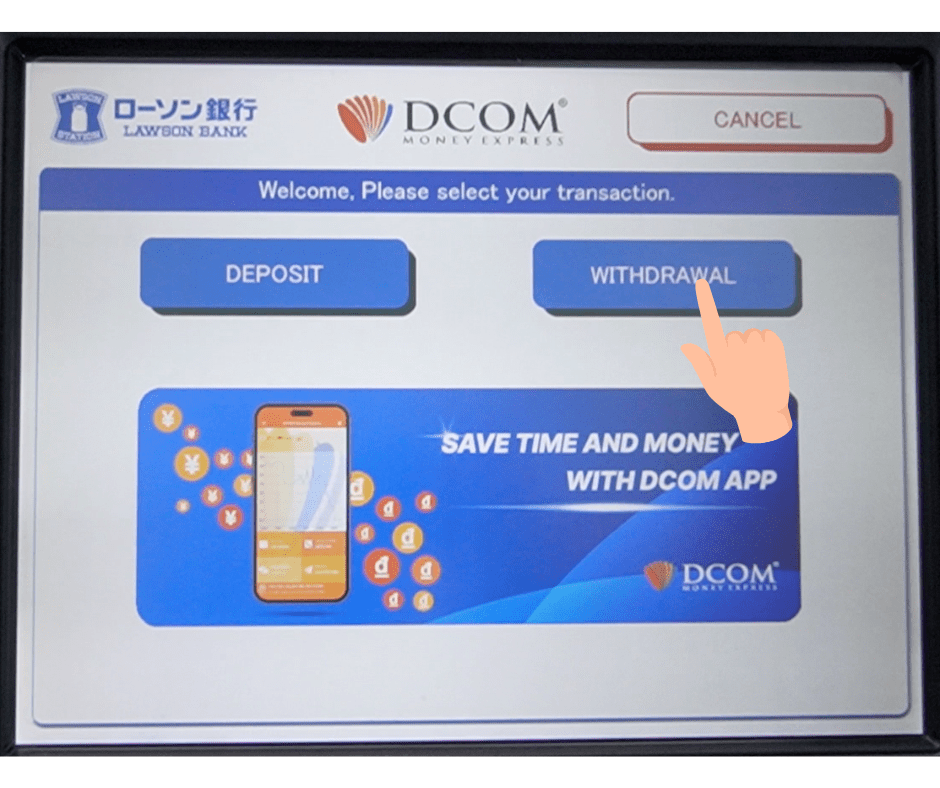
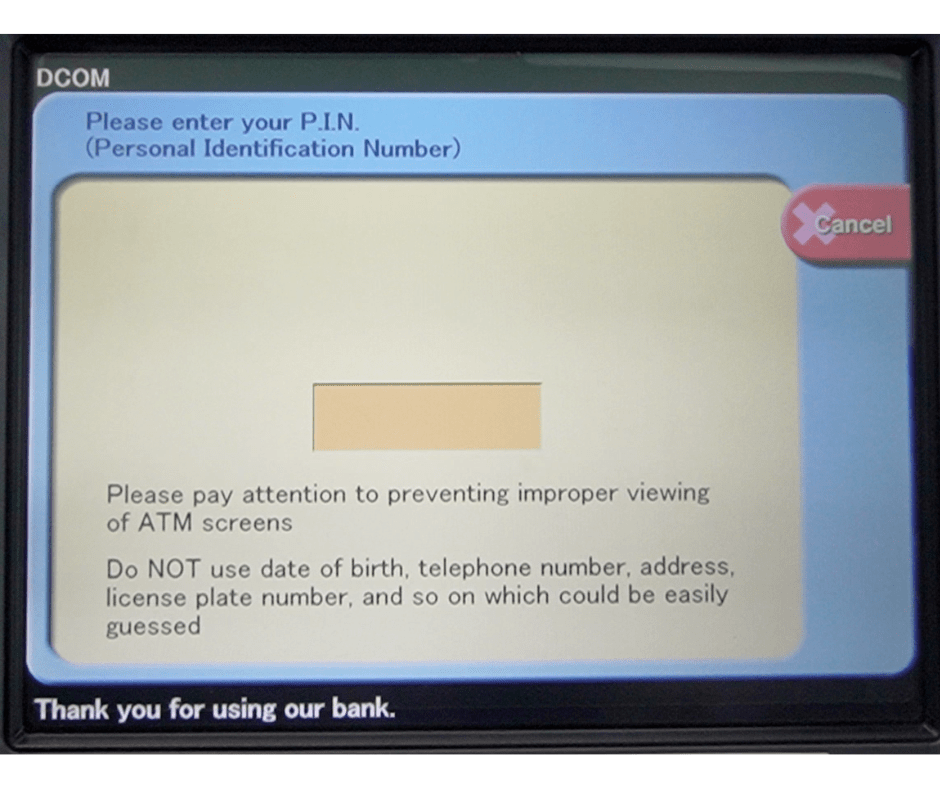
3.5. Enter your 4-digit PIN.
f. Enter the amount you wish to withdraw and tap “Confirm.”
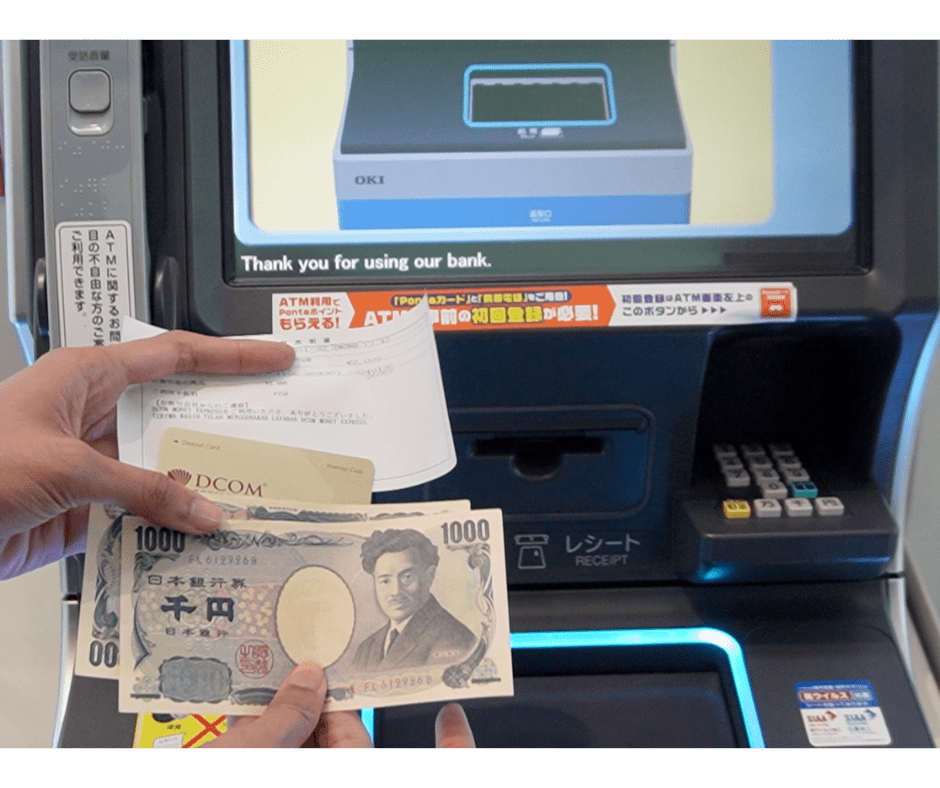
g. Collect your Cash, Card, and Receipt.
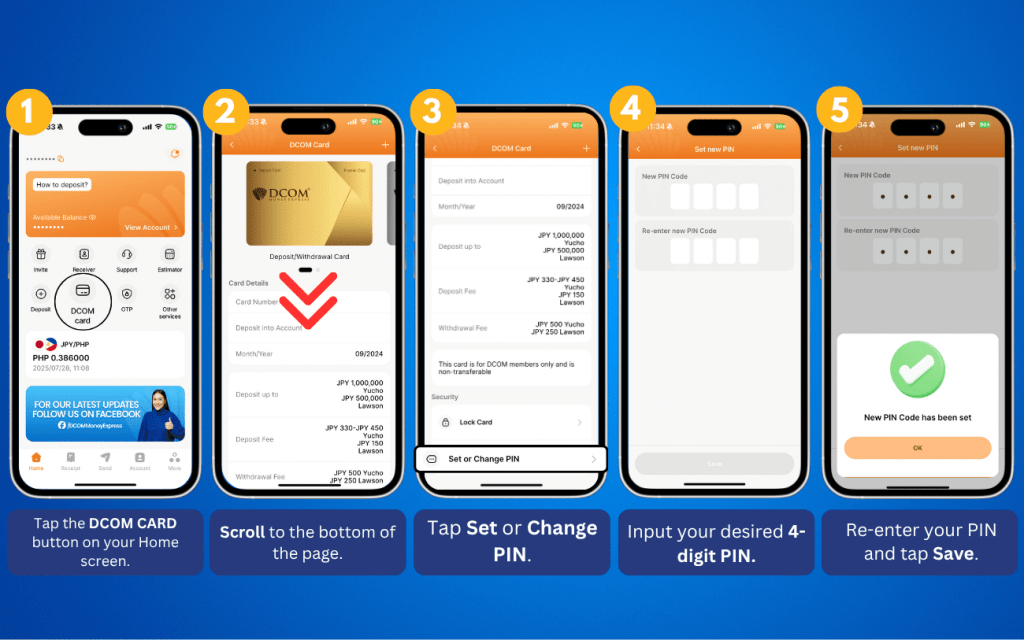
4. Set up/Change your PIN (for withdrawal)
You now have the power to withdraw money using the NEW DCOM Gold Card at any Lawson ATM.
To utilize this feature, you must first set up your PIN. Here’s how:
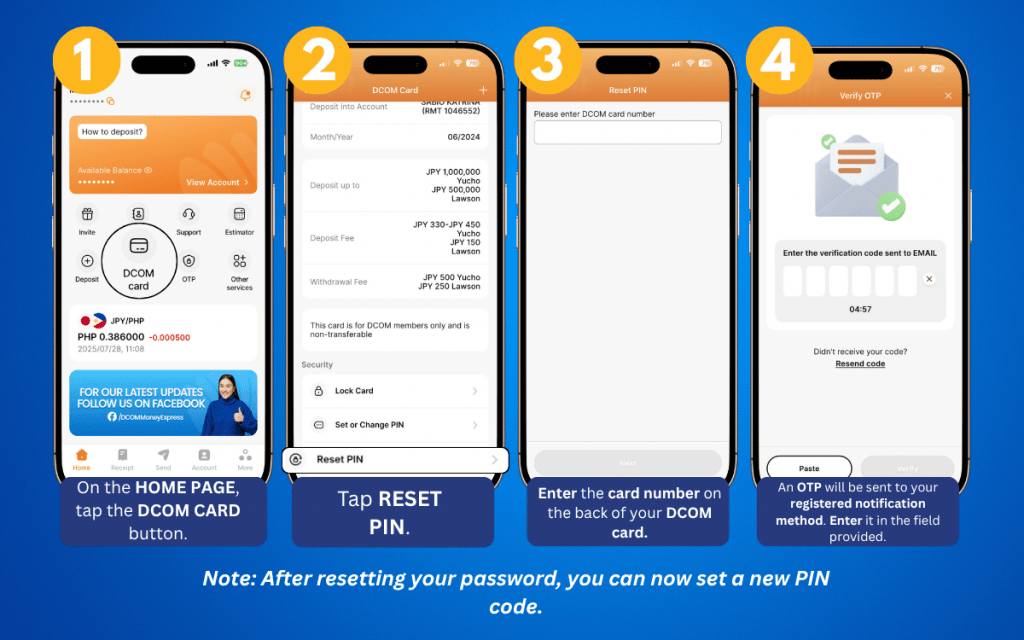
5. Reset PIN code
Your security is our priority. If you suspect your PIN code has been compromised, you can quickly reset it using the DCOM App. Enjoy peace of mind knowing you can manage your card’s security anytime, anywhere.
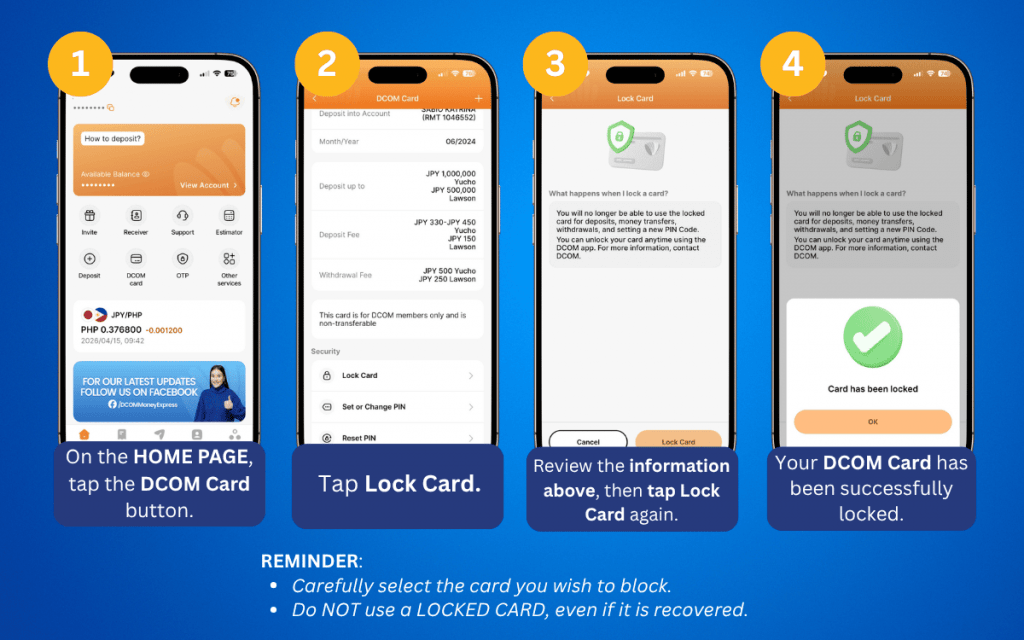
6. How to block cards
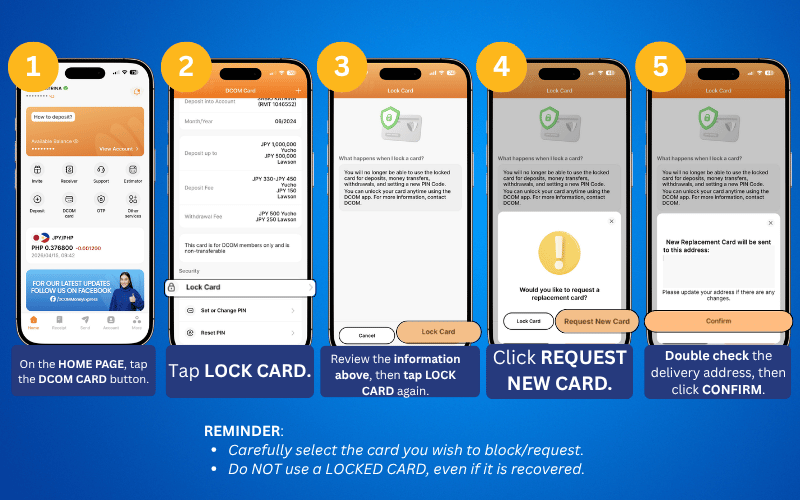
Your security, in your hands. With our latest update, you can instantly block a lost or stolen card no calls needed. Enjoy total control and peace of mind, anytime, anywhere.
If you wish to request a replacement card, you can do so by:
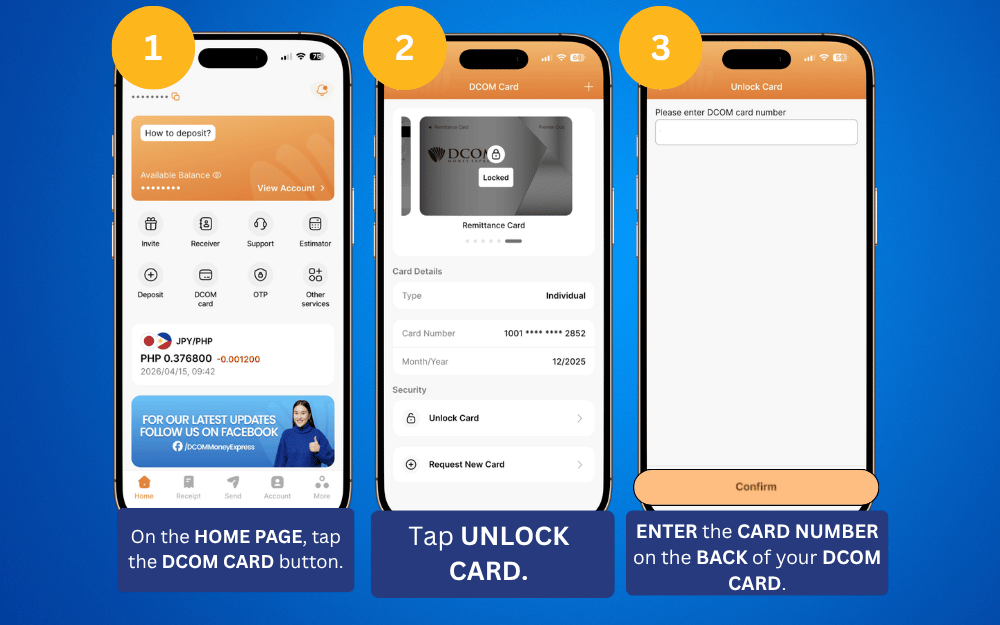
7. How to Unlock your DCOM card
Found your card? Follow these steps to unlock it:
Meet your new DCOM Card: Faster. Better. Easier. 💳
Discover all the new things you can do in just a few taps. Encountered a glitch? Our support team has your back! We’re here to make every transaction as smooth as possible.
Try it today and experience the DCOM difference!