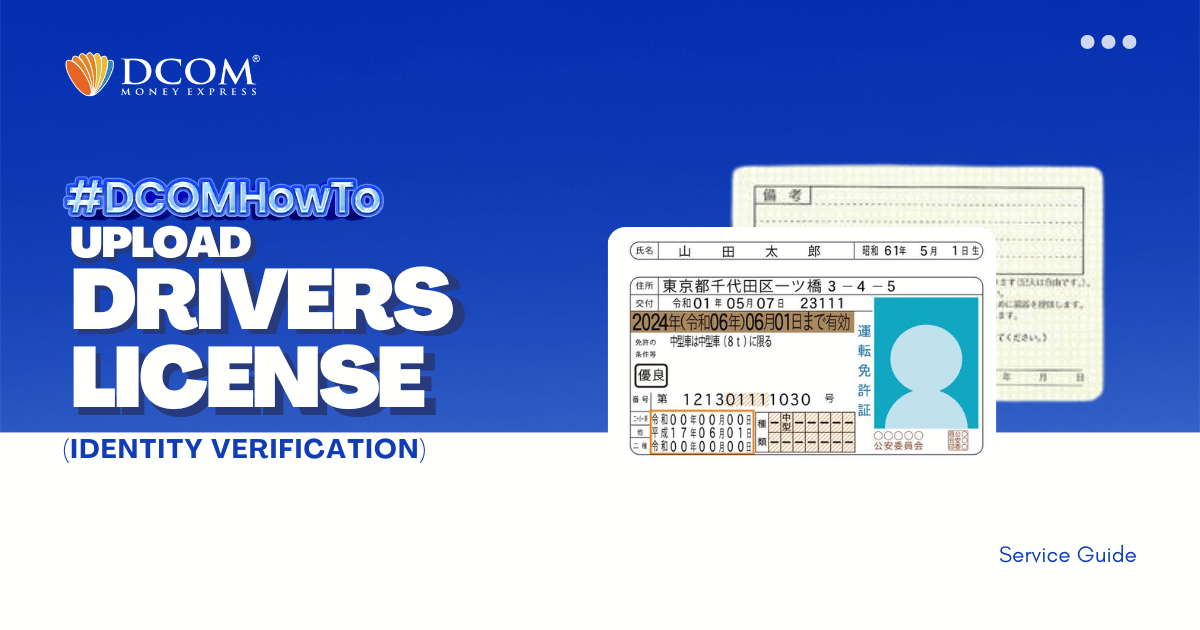
Experience hassle-free registration with DCOM App version 5.7. Follow our step-by-step guide to uploading your Driver’s License via biometrics. The modern way of remitting money is here.
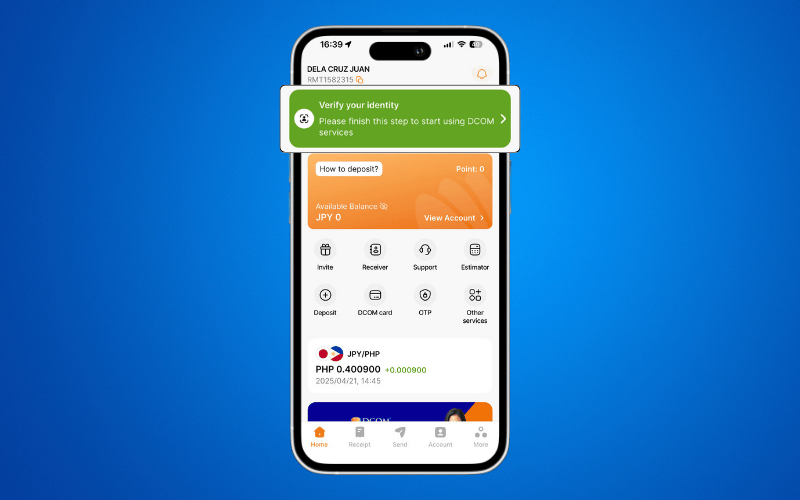
Step 1: Tap the “VERIFY YOUR IDENTITY” notification on the Home Page.
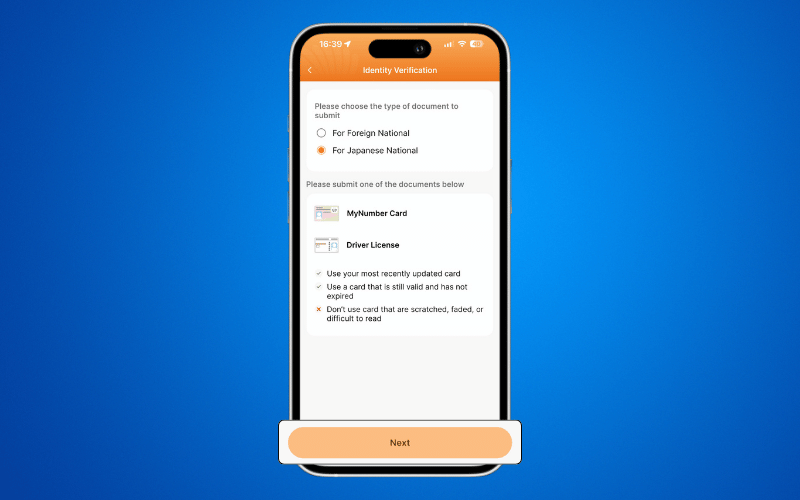
Step 2: Select your Nationality to view the required documents, then click NEXT.
Step 3: Capture a clear photo of the Front of your Driver’s License.
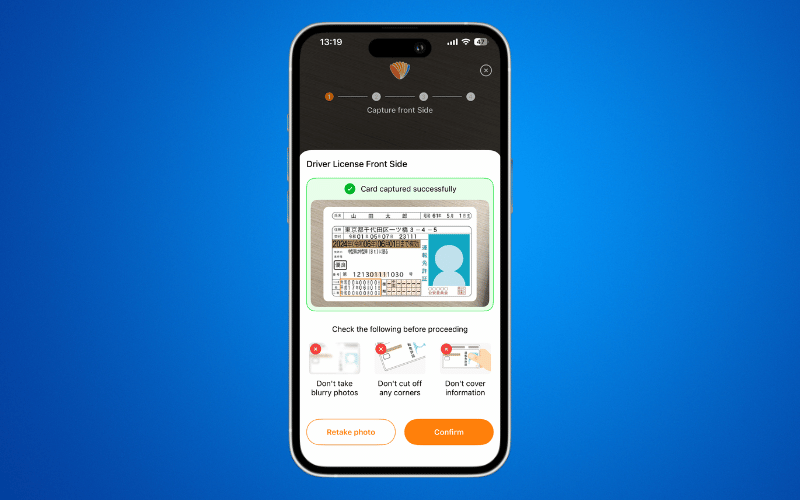
Step 4: Capture a clear photo of the Back of your Driver’s License.
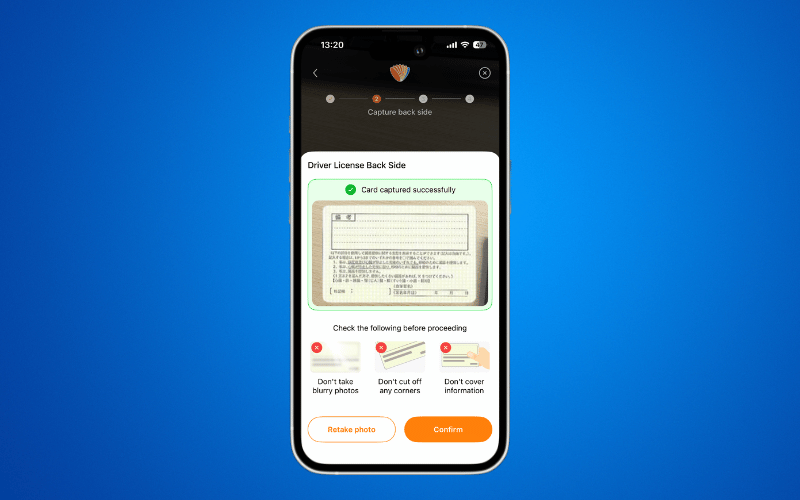
Step 5: Perform the NFC Scanning.
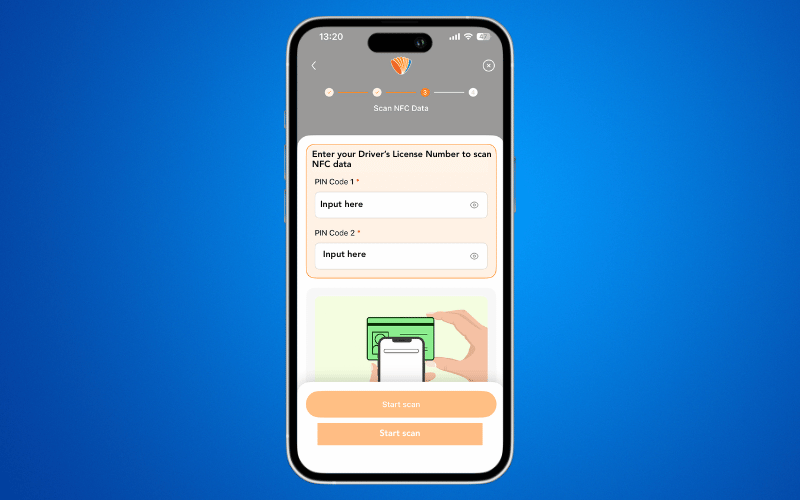
Step 6: Review the guidelines for Face Verification carefully.
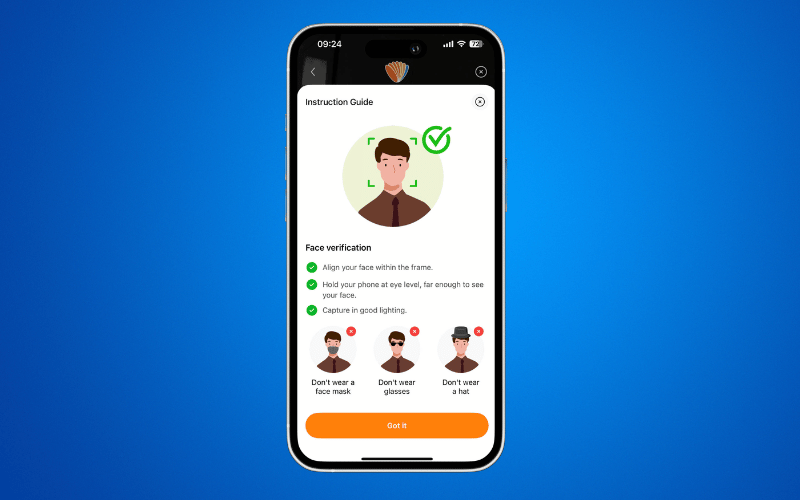
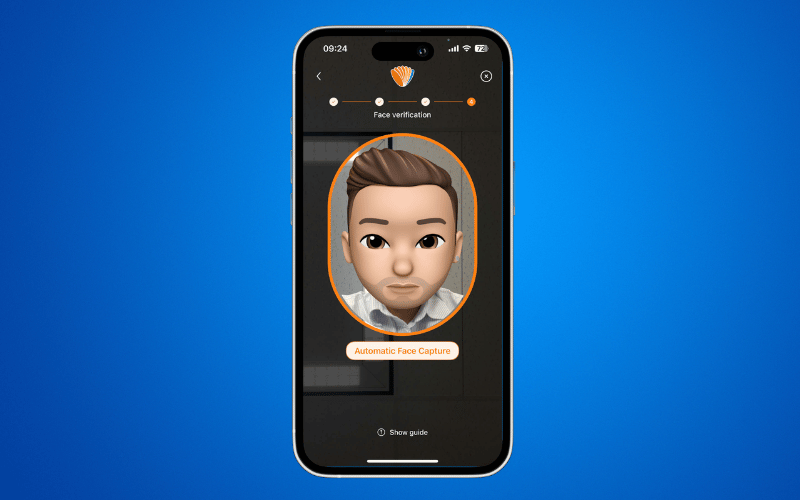
Step 7: Complete the face verification process.
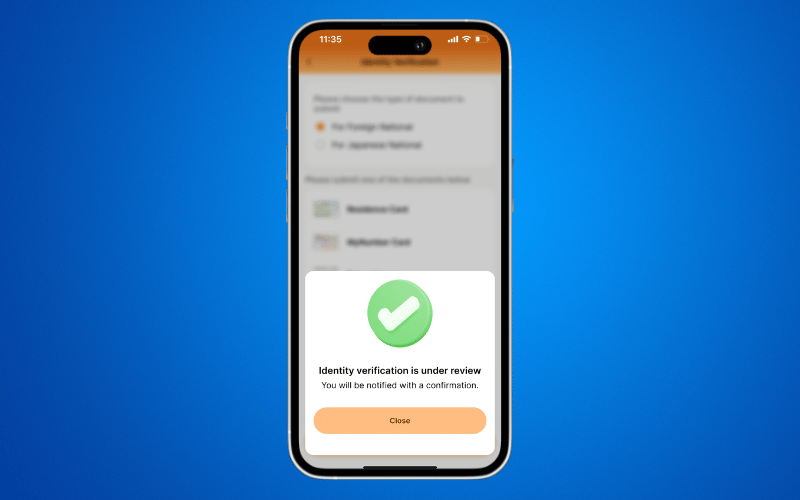
Step 8: Your Account Biometric Verification has been successfully submitted.