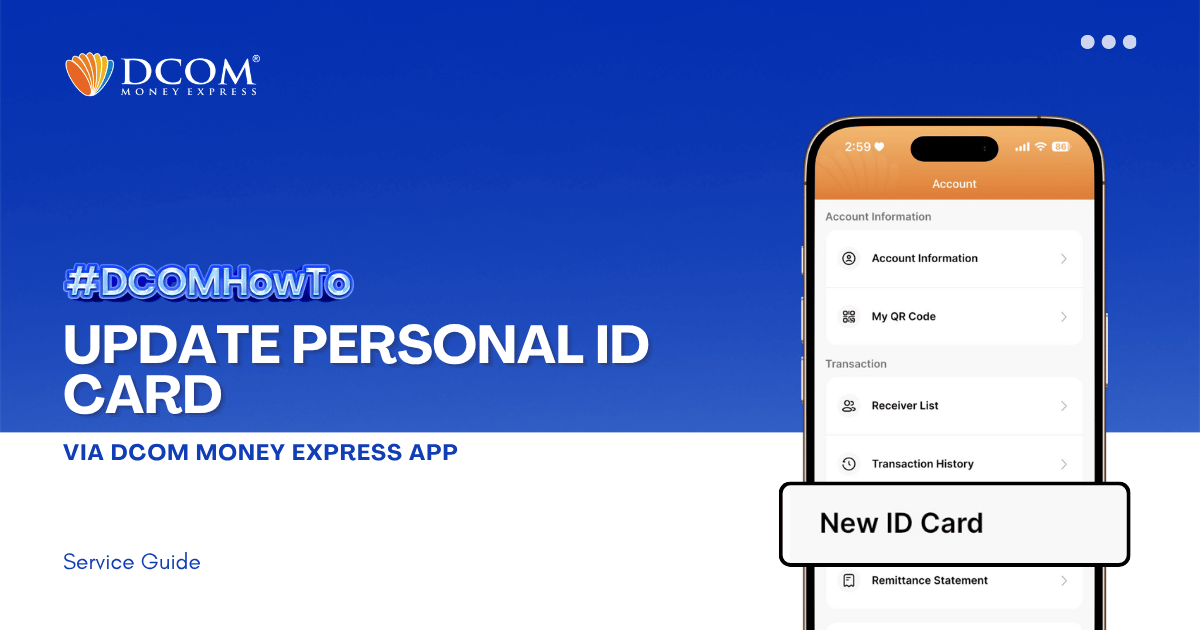
Keep your account active and secure by ensuring your latest identification documents are registered. To enjoy the latest features and a smoother upload experience, please ensure that your DCOM App is updated to version 5.7 before you begin.
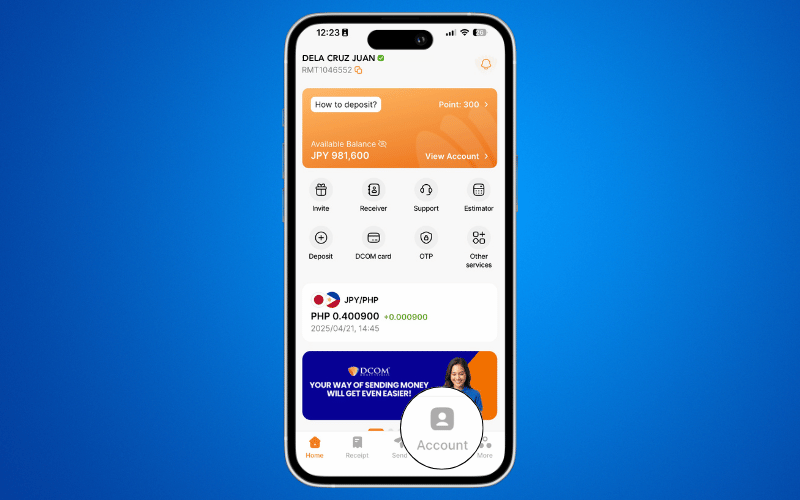
Step 1: From the Main Screen, tap ACCOUNT.
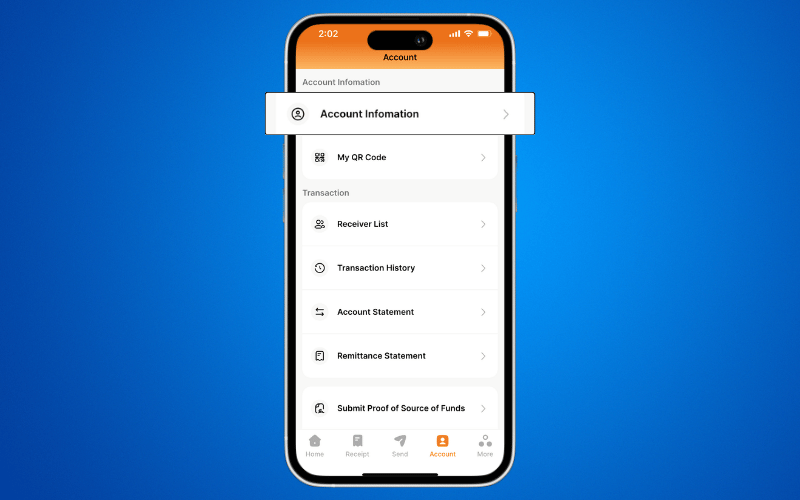
Step 2: Select ACCOUNT INFORMATION.
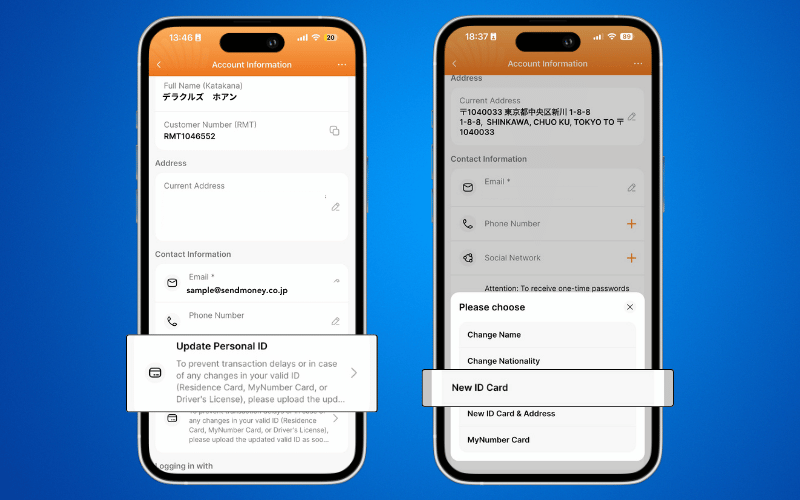
Step 3: Tap UPDATE PERSONAL ID and select NEW ID CARD.
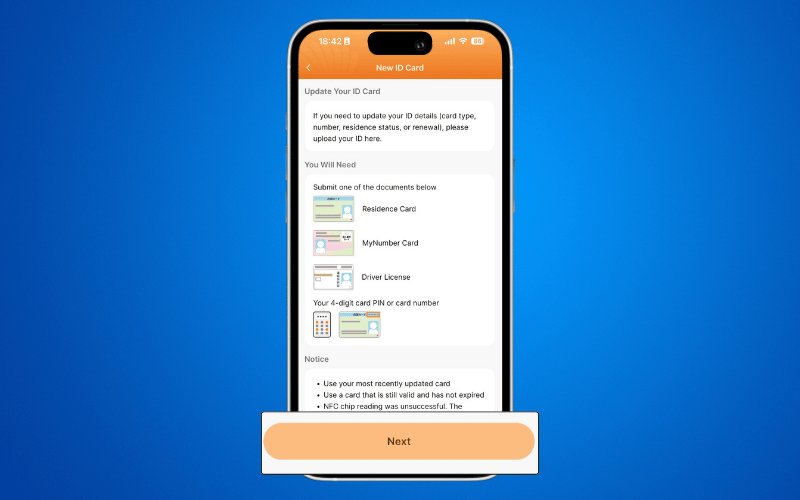
Step 4: Prepare the required ID or information and tap NEXT.
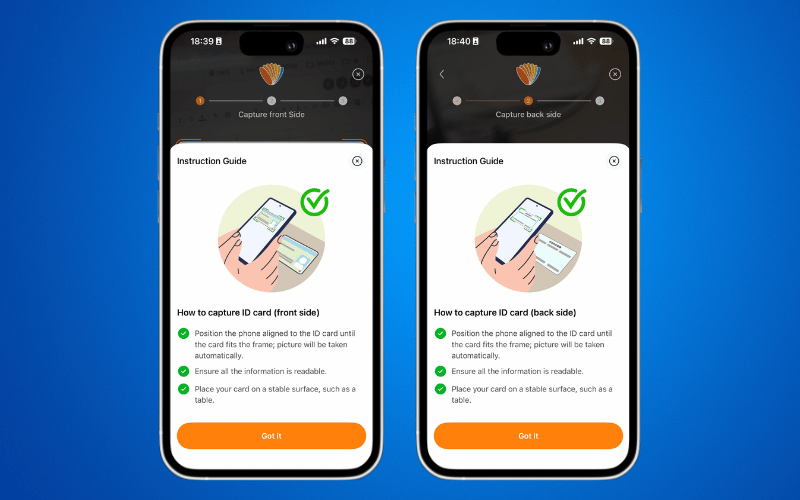
Step 5: Capture a photo of your Residence Card (Front and Back) as instructed on the screen.
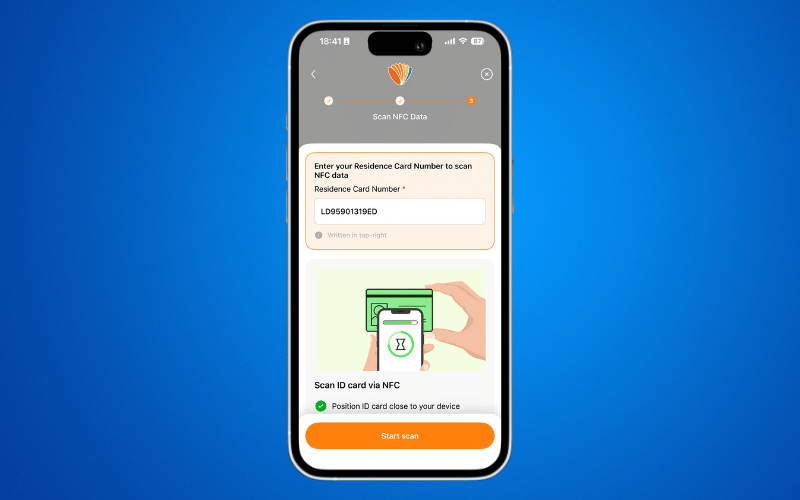
Step 6: Verify the Residence Card Number and tap START SCAN.