


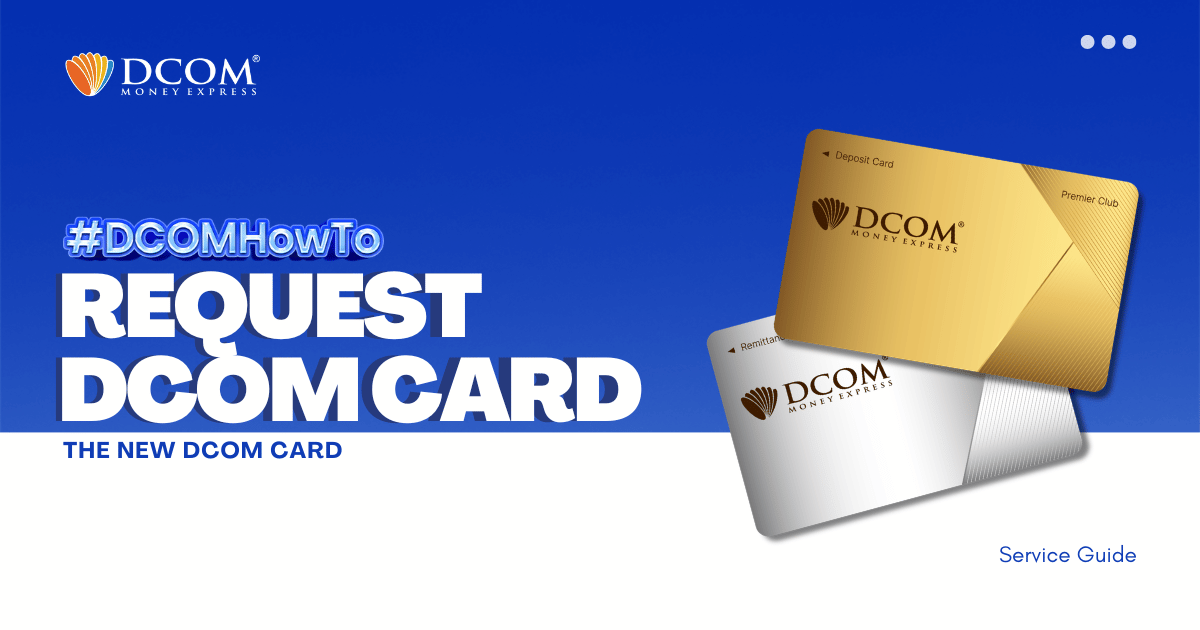
IMPORTANT NOTICE FOR CUSTOMERS REGISTERED BEFORE FEBRUARY 1, 2024 ‼️
DCOM successfully transitioned to an upgraded card system on January 2, 2024. If you are still using an old card (card number starting with “BA…”), please request your new card today by updating to the latest version of the DCOM Money Express App (Version 5.7). Please be advised that starting July 1, 2026, any deposits attempted with old cards may experience significant processing delays.
Why Upgrade to the New DCOM Card?
- ✅ New DCOM Cards: Fully support both deposits and withdrawals at Yuucho Bank, Lawson Bank, and Seven Bank ATMs. Services are available 24/7, including weekends and holidays.
- ⚠️ Old DCOM Cards: Strictly limited to deposits at Yuucho Bank ATMs only.
Note for NEW DCOM Card Users: Customers who are already using the new DCOM card system are not affected and may continue using their cards as usual.
How to Request Your New DCOM Card (Step-by-Step):
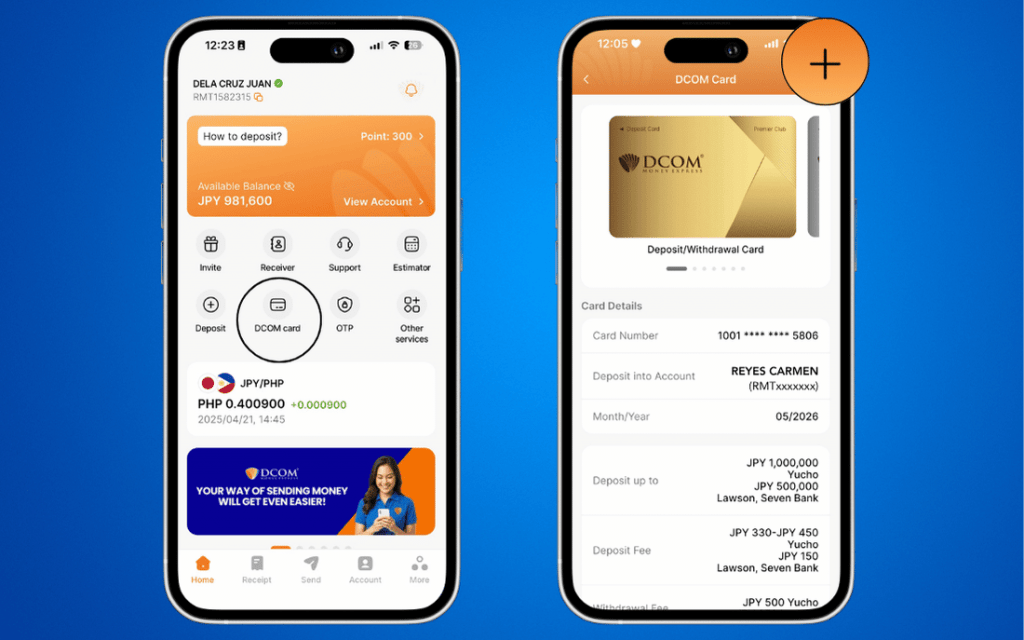
1. On the main screen, go to the DCOM Card section. Click the PLUS (+) ICON.
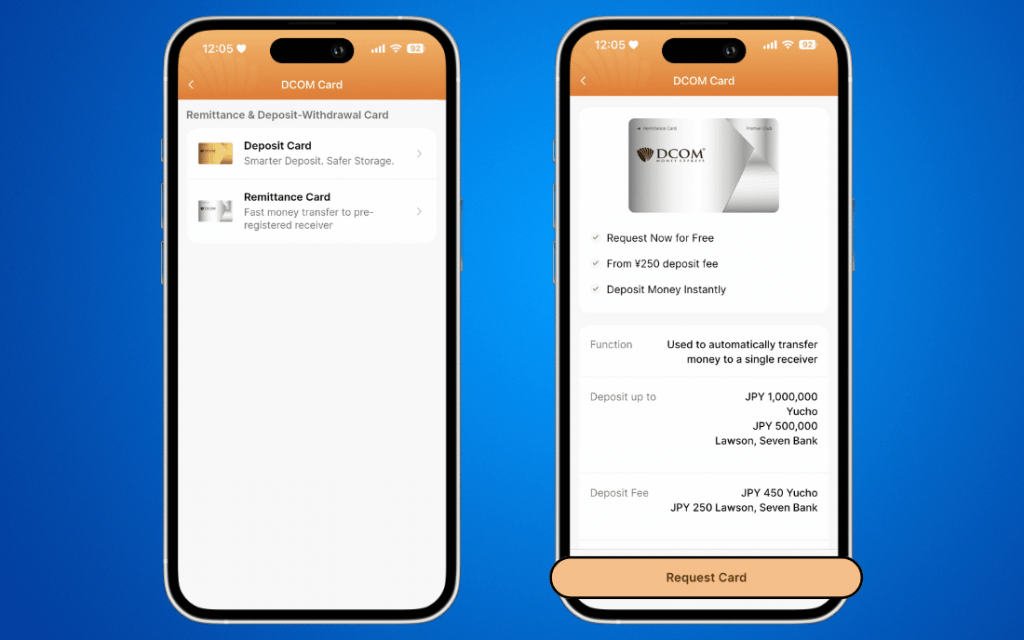
2. Choose the type of card you want to request. Then, click REQUEST CARD.
3. Review your registered shipping address. Then, press CONFIRM.
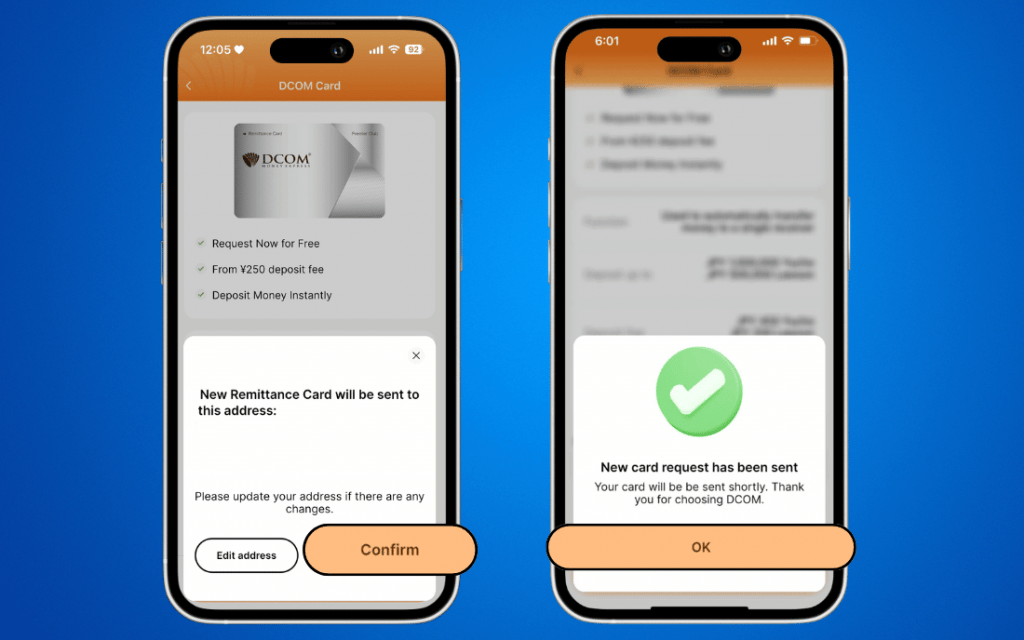
Your new DCOM card will be delivered to the registered address within 2 to 3 JP Post Office working days.
Contact Customer Service
For inquiries or assistance regarding the card application process, please reach out to our team through the following official channels:
- In-App Call: Free calls directly via the DCOM App. Press 3 for Filipino Customer Call Support.
- Facebook Messenger: m.me/DCOMFilipino type HELP to talk to agent.