


To provide you with the most convenient remittance experience, DCOM Deposit Cards are now usable at Seven Bank ATMs. Whether you are at a 7-Eleven or a major train station, your deposit is just a few taps away.
Follow this guide on how to use your DCOM Deposit Card at Seven Bank ATMs.
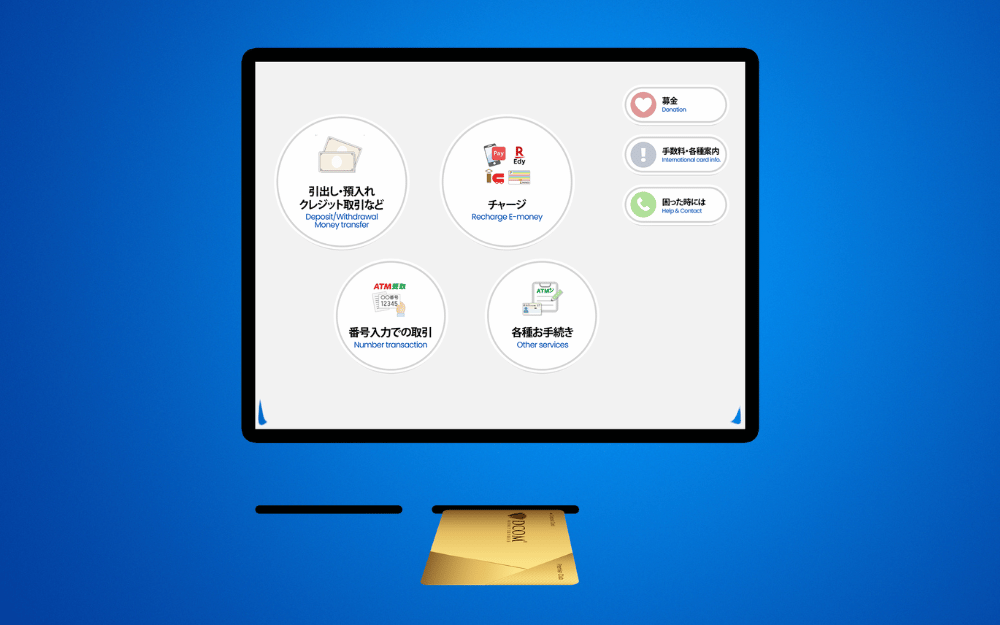
Step 1: Insert your DCOM Card
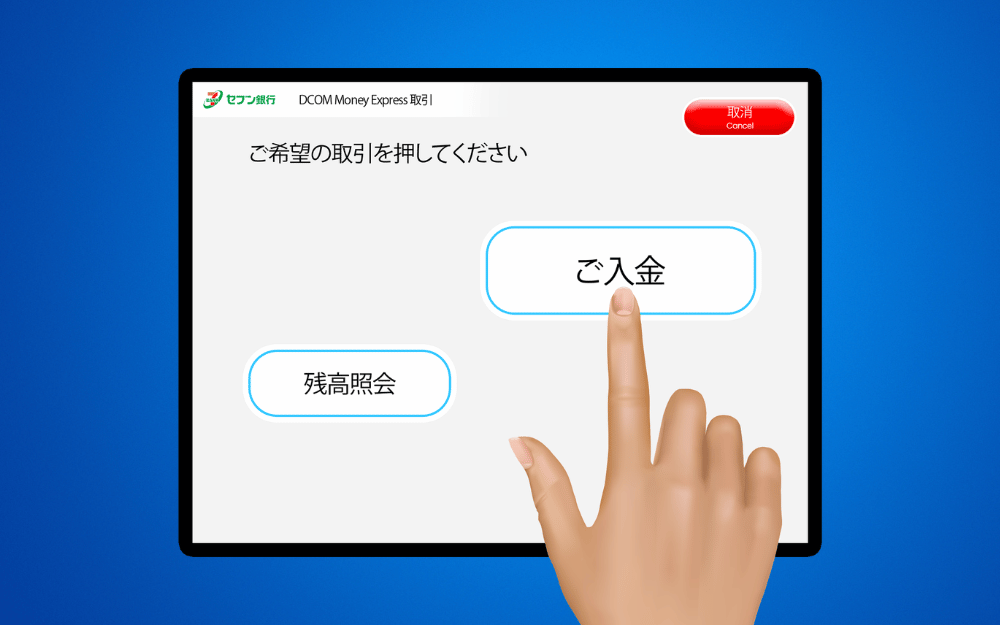
Step 2: Press ご入金 (DEPOSIT)
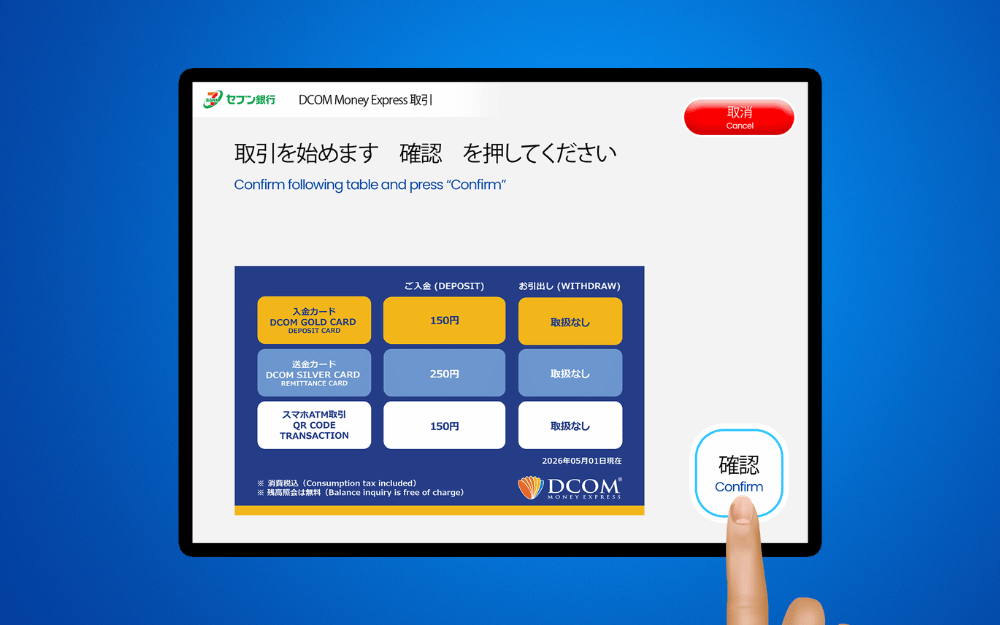
Step 3: Press 確認(CONFIRM)
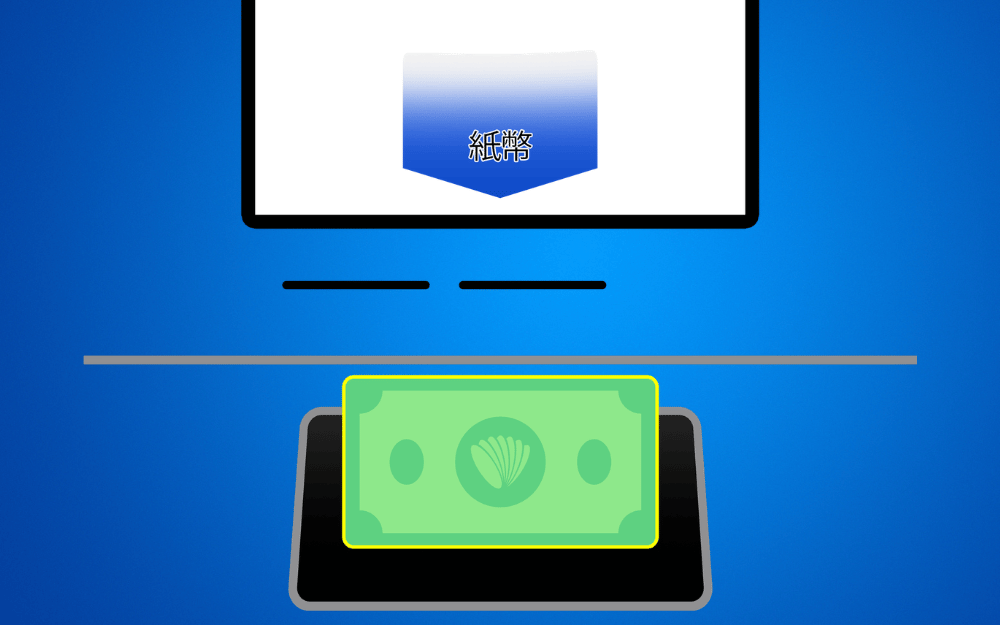
Step 4: Insert your money (paper bills only)
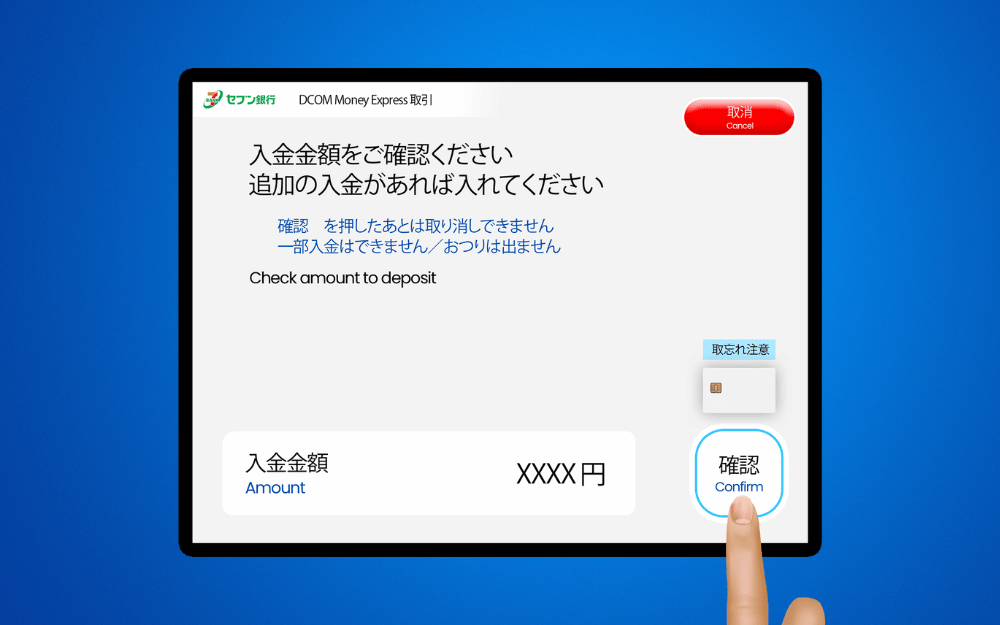
Step 5: Check the details and press 確認(CONFIRM)
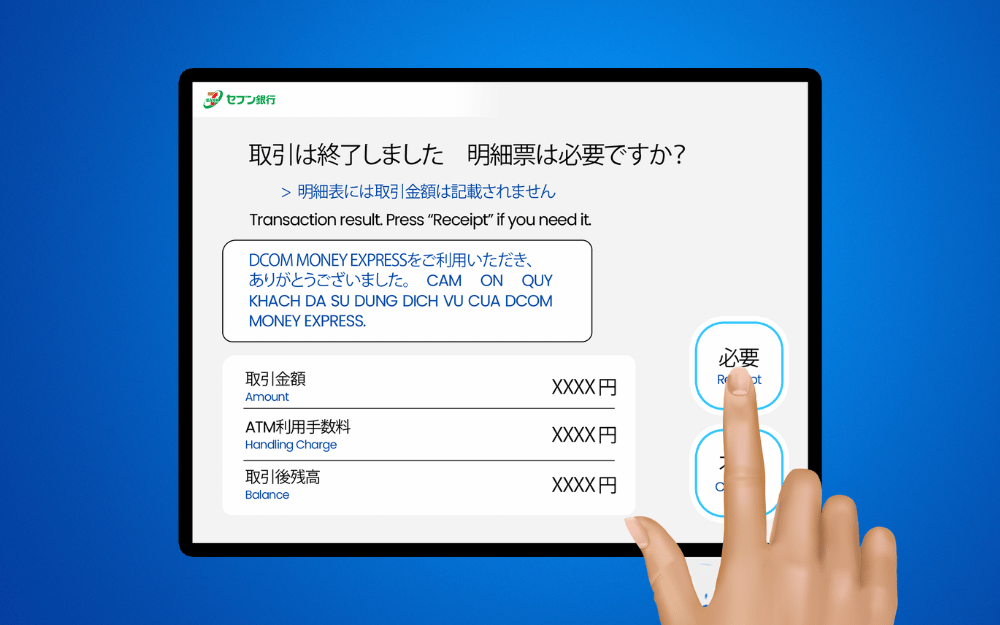
Step 6: Press 必要 to get your receipt
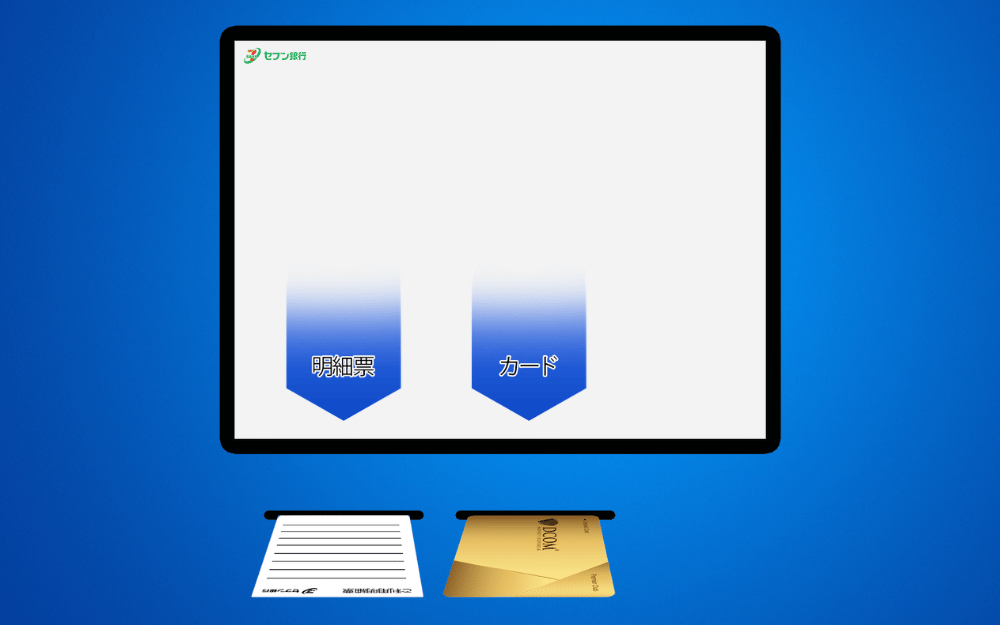
Step 7: Take your DCOM Card and receipt
Why Seven Bank is Your Best Way to Deposit:
- You Asked, We Delivered: Launched by popular demand to give you the service you deserve.
- Total Freedom, 24/7: Skip the bank queues! Use any of the 27,000+ 7-Bank ATMs anytime, anywhere.
- Speedy Remittance: Real-time updates mean your money reaches your loved ones without the wait.
- Simple & Secure: A hassle-free process designed to keep your hard-earned money safe and sound.
Want to know how to send money using the DCOM App?
Click the link below for our easy-to-follow guide: https://help.sendmoney.jp/en-send-money/