
Sign Up

Continue with Facebook
Continue with Google
or use

Have an account? Sign In Now

Sign In

Continue with Facebook
Continue with Google
or use

Forgot Password?

Don't have account, Sign Up Here

Forgot Password

Lost your password? Please enter your email address. You will receive a link and will create a new password via email.

Have an account? Sign In Now

You must login to ask question.

Continue with Facebook
Continue with Google
or use

Forgot Password?

Need An Account, Sign Up Here
Sign InSign Up

DCOM Money Express

DCOM Money Express Logo DCOM Money Express Logo

DCOM Money Express Navigation

  • EnglishEnglish
    • Tiếng ViệtTiếng Việt
    • 日本語日本語
    • EnglishEnglish
    • TagalogTagalog
    • Bahasa IndonesiaBahasa Indonesia
Search
Ask A Question

Mobile menu

Close
Ask a Question
  • Home
  • New Registration
  • DCOM Card
  • DCOM App
  • OTP and Password
  • Service fee and Exchange rate
  • Remittance Statement
  • Send Money
  • Receive Money
  • Submit Identify Documents
  • Others
  • EnglishEnglish
    • Tiếng ViệtTiếng Việt
    • 日本語日本語
    • EnglishEnglish
    • TagalogTagalog
    • Bahasa IndonesiaBahasa Indonesia
Home/ Questions/Q 705628
DCOM Filipino Help Center

DCOM Filipino Help Center

  • 38 Questions
  • 1 Answer
  • 0 Best Answers
  • 330 Points
View Profile
  • 0
DCOM Filipino Help Center
Asked: 01-05-20262026-05-01T10:00:03+09:00 2026-05-01T10:00:03+09:00

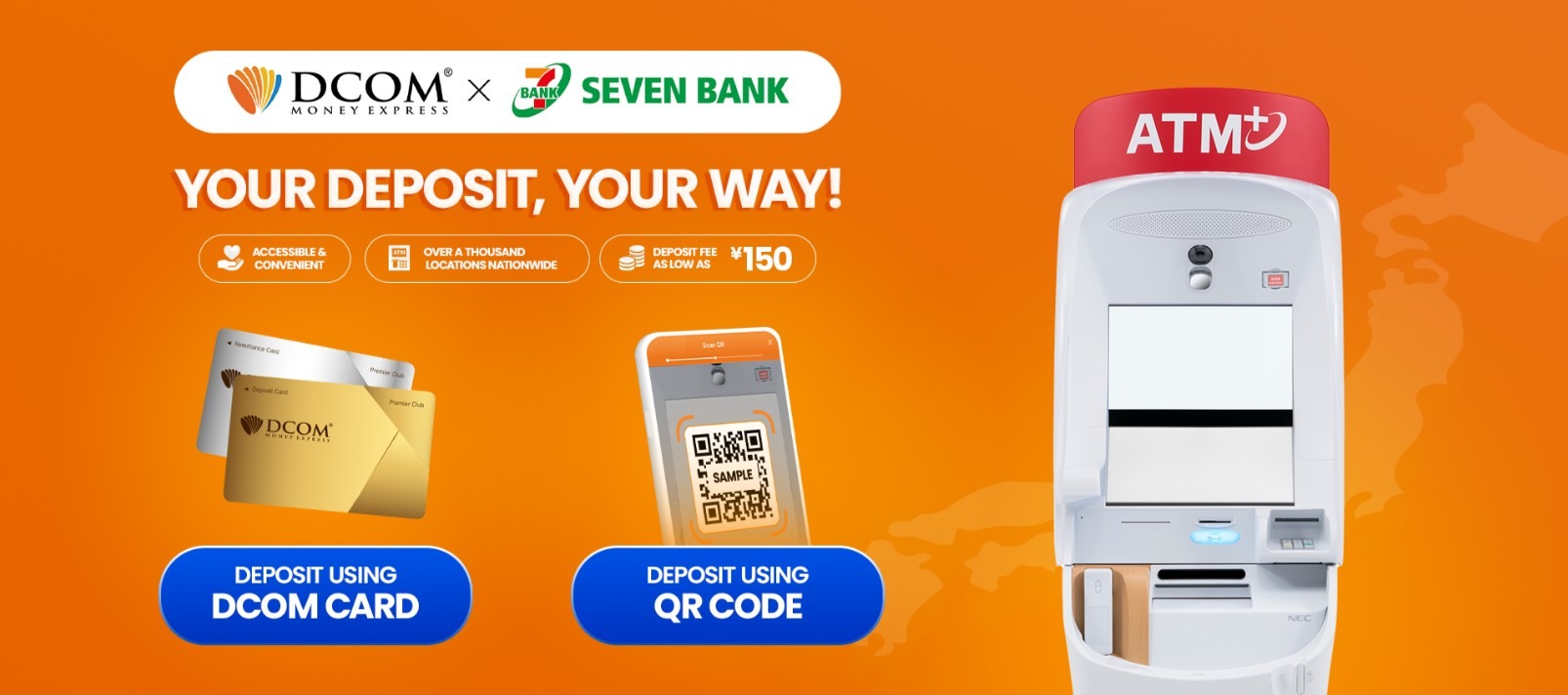
More Ways to Send, More Places to Reach: DCOM x Seven Bank is Officially Live!

Share
  • Facebook

  • 0

Starting May 1, 2026, DCOM is officially expanding! In addition to Yucho and Lawson, you can now top up your account at any of the 28,000+ Seven Bank ATMs across Japan. Whether you have your DCOM card ready or just your smartphone, managing your remittances is now more flexible than ever.

Why Choose Seven Bank for DCOM?
✅Real-Time Updates: Funds are reflected in your DCOM account within minutes.
✅Automation: Use a Remittance Card to automatically send money to your recipient no need to even open the app!
✅Maximum Accessibility: Find us at over 28,000 locations nationwide, 24/7.

Note: Seven Bank ATMs currently support deposits only. While your Deposit Card allows withdrawals at Yucho and Lawson, please use Seven Bank specifically for adding funds.

Option 1: Deposit Using Your DCOM Card

Perfect for those who prefer using their physical Deposit or Remittance card.

Service Fees and Limits:

  • Deposit Card: Only ¥150 per transaction (Maximum ¥500,000)
  • Remittance Card: Only ¥250 per transaction (Maximum ¥500,000)

Follow this guide on how to use your DCOM Deposit/Remittance Card at Seven Bank ATMs.

Step 1: Insert your DCOM Card
Step 2: Press ご入金 (DEPOSIT)
Step 3: Press 確認(CONFIRM)
Step 4: Insert your money (bills only)
Step 5: Check the details and press 確認(CONFIRM)
Step 6: Press 必要 to get your receipt
Step 7: Take your DCOM Card and receipt.

Click here for full guide:
How to deposit using DCOM Deposit Card via Seven Bank ATM
How to deposit using DCOM Remittance Card via Seven Bank ATM

Option 2: No Card? No Problem! Deposit using QR Code at Seven Bank ATM

  • Deposit Card: Only ¥150 per transaction (Maximum ¥500,000)
  • Remittance Card: Only ¥250 per transaction (Maximum ¥500,000)

Follow this guide below:

Step 1: Press DEPOSIT/WITHDRAWAL MONEY TRANSFERS
Step 2: Choose SCAN QR CODE USING SMARTPHONE
Step 3: Open your DCOM APP and select DEPOSIT
Step 4: Choose Deposit (QR Code)
Step 5: Scroll down to the bottom then press VERIFY and SCAN QR
Step 6: Scan the QR code displayed on the ATM and tap NEXT
Step 7: Input the COMPANY CODE from your DCOM APP to the Seven Bank ATM screen
Step 8: Press 確認(CONFIRM)
Step 9: Check the details and press 確認(CONFIRM)
Step 10: Press 確認 (CONFIRM)
Step 11: Insert your money (bills only)
Step 12:Check the details and press 確認(CONFIRM)
Step 13: Press 必要 to get your receipt
Step 14: Get you receipt. Check your DCOM Balance by refreshing your app

Click here for full guide:
How to deposit at Seven Bank ATM using QR Code

Watch our video tutorials for Seven Bank ATM Deposit:

  • How to use a Deposit Card at Seven Bank ATM
  • How to use a Remittance Card at Seven Bank ATM
  • How to use QR Code Top-Ups at Seven Bank ATM

Other Methods:

  • Guide: Depositing via Lawson ATM
  • Guide: Depositing via Yucho ATM


  • 0 0 Answers
  • 515 Views
  • 0 Followers
  • 0
Answer
    Leave an answer

    Leave an answer
    Cancel reply

    Browse

    Sidebar

    Ask A Question

    User Ranking

    DCOM Vietnam Help Center

    DCOM Vietnam Help Center

    • 2 Questions
    • 1k Points
    DCOM Indonesia Help Center

    DCOM Indonesia Help Center

    • 0 Questions
    • 340 Points
    DCOM Filipino Help Center

    DCOM Filipino Help Center

    • 38 Questions
    • 330 Points
    DCOM Help Center

    DCOM Help Center

    • 0 Questions
    • 206 Points
    DCOM Vietnam Help Center

    DCOM Vietnam Help Center

    • 0 Questions
    • 175 Points
    • Popular
    • Answers
    • Customer

      Can I send dollars to the Philippines using DCOM?

      • 0 Answers
    • Customer

      Can I send money to Hongkong / US via DCOM

      • 1 Answer
    • Customer

      How to send money to banks in the Philippines?

      • 0 Answers
    • Customer

      Is there a fee for requesting Remittance Statement?

      • 0 Answers
    • Customer

      How to add my receiver's GCASH or Paymaya in the

      • 1 Answer
    • Isabelita Fernandez Hatayama
      Isabelita Fernandez Hatayama added an answer Thanks. 06-12-2024 at 12:10 pm
    • DCOM Vietnam Help Center
      DCOM Vietnam Help Center added an answer You cannot use the DCOM card to withdraw money from… 04-12-2020 at 8:35 pm
    • DCOM Filipino Help Center
      DCOM Filipino Help Center added an answer Unfortunately, We don't have that service yet. Just follow our… 03-12-2020 at 11:36 pm
    • DCOM Help Center
      DCOM Help Center added an answer Choose ACCOUNT DEPOSIT > GCASH (PAYMAYA) 02-12-2020 at 5:39 pm
    • DCOM Help Center
      DCOM Help Center added an answer As of now, we are not yet available for the… 02-12-2020 at 5:37 pm

    Question Tags

    dcom direct card dcom fee dcom philippines dcom receive money dcom receiver dcom register dcom registration dcom remittance dcom remittance statement dcom remittance time dcom send money dcom verification how to register dcom one-time password otp

    Explore

    • Home
    • New Registration
    • DCOM Card
    • DCOM App
    • OTP and Password
    • Service fee and Exchange rate
    • Remittance Statement
    • Send Money
    • Receive Money
    • Submit Identify Documents
    • Others

    Footer

    About


    DCOM Money Express, a money transfer service to more than 200 countries, based in Tokyo, Japan. Operated by D. COMMUNICATIONS, INC. under Money Transmitter Registered No. 00001 issued by the Hokuriku Local Finance Bureau of Japan since 2011.

    HEAD OFFICE

    Address: 6F Across Shinkawa Bldg.,
    1-8-8 Shinkawa, Chuo-ku, Tokyo.
    Tel: 03-6661-2477
    Fax: 03-6661-9181
    E-mail: cs@sendmoney.co.jp

    DCOM NAGOYA BRANCH

    Address: 1B, 1F Nagoya Sakae Bldg,
    5-1 Buheicho, Higashi-ku, Nagoya-shi, Aichi.

    Connect with us

    Copyright © 2021 D. Communications, Inc. All Rights Reserved.