


We’ve heard your suggestions! You can now fund your account using only your smartphone. It’s the fastest, most recommended way to send money home via any of the 27,000+ Seven Bank ATMs nationwide.
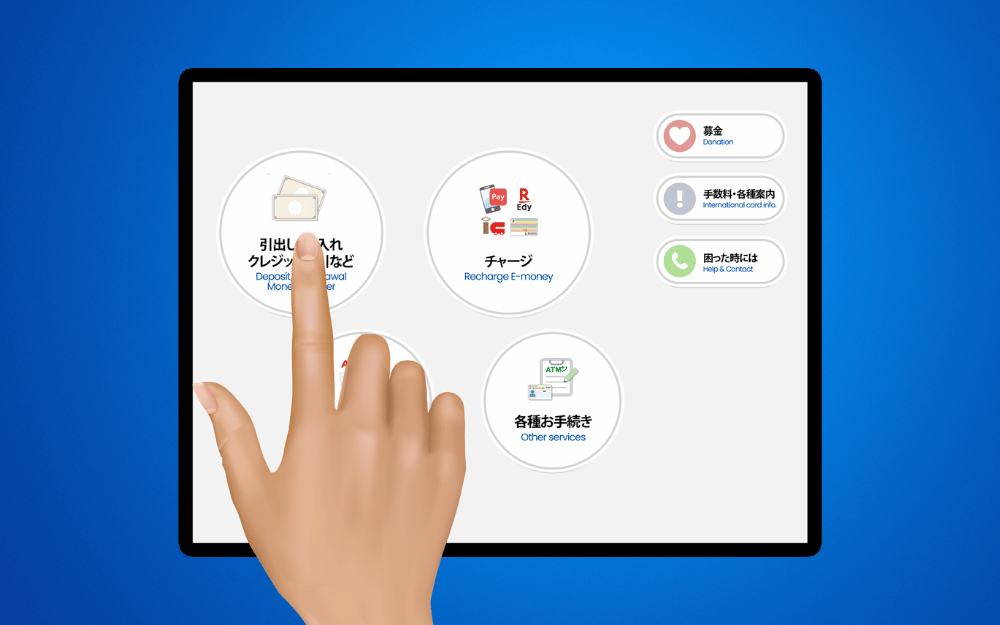
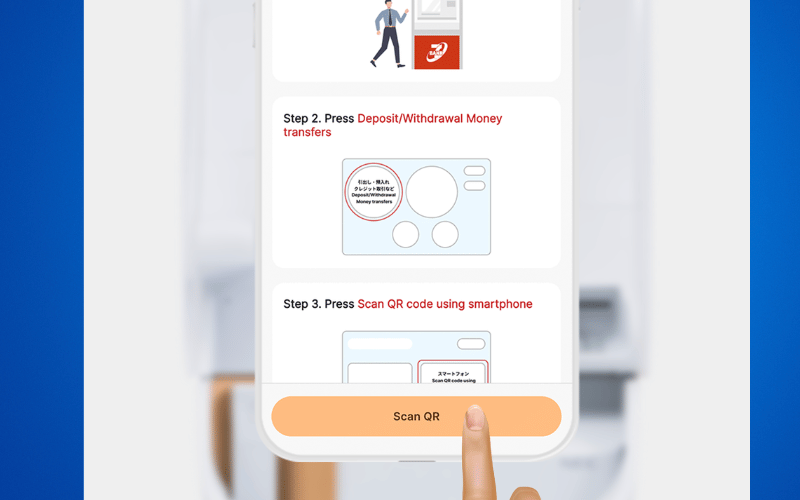
Step 1: On the ATM screen, press DEPOSIT/WITHDRAWAL MONEY TRANSFERS
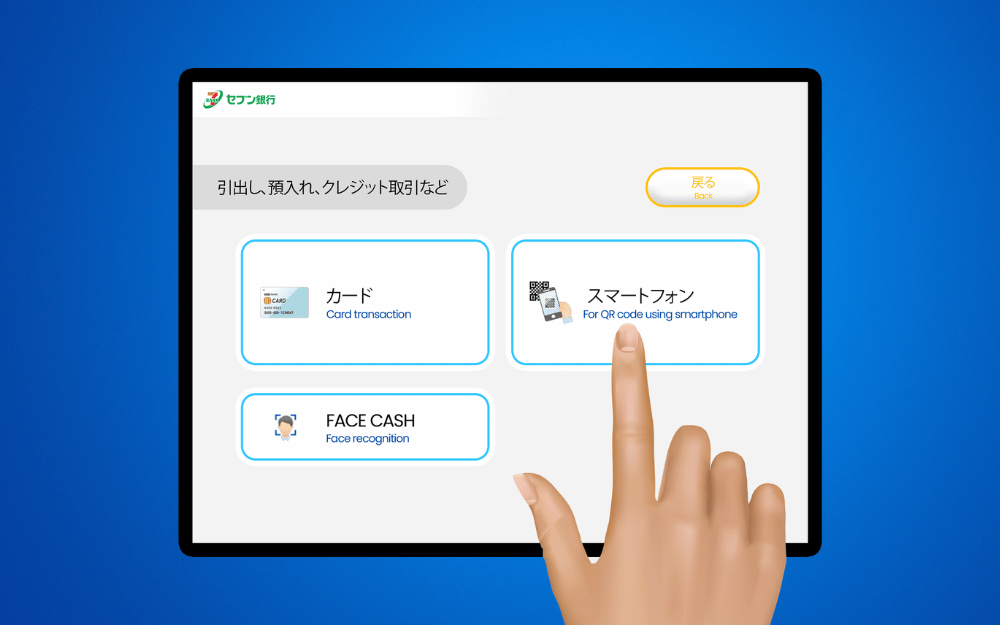
Step 2: Choose SCAN QR CODE USING SMARTPHONE
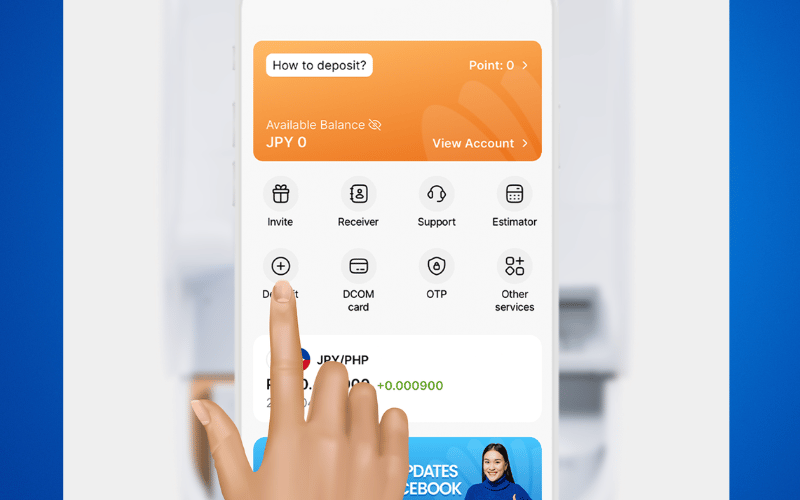
Step 3: Open your DCOM APP and select DEPOSIT
Step 4: Choose Deposit (QR Code)
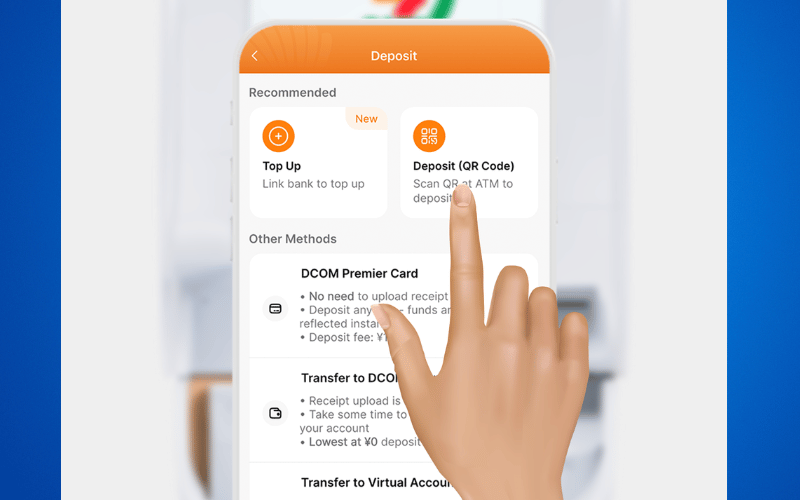
Step 5: Scroll down to the bottom then press VERIFY and SCAN QR
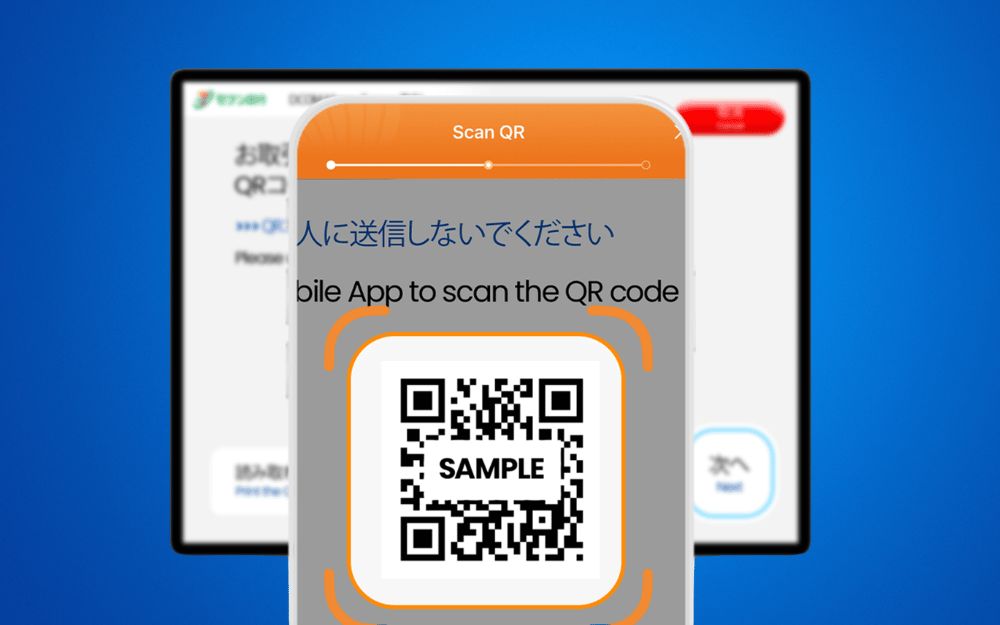
Step 6: Scan the QR code displayed on the ATM and tap NEXT
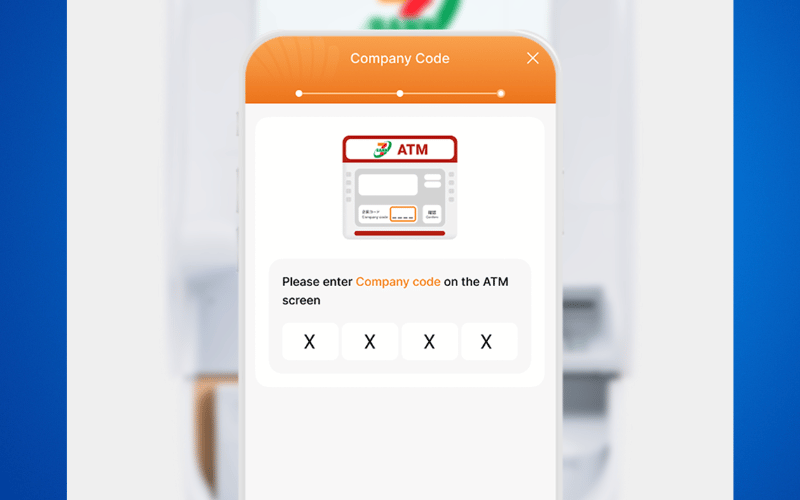
Step 7: Input the COMPANY CODE from your DCOM APP to the Seven Bank ATm screen
Step 8: Press 確認(CONFIRM)
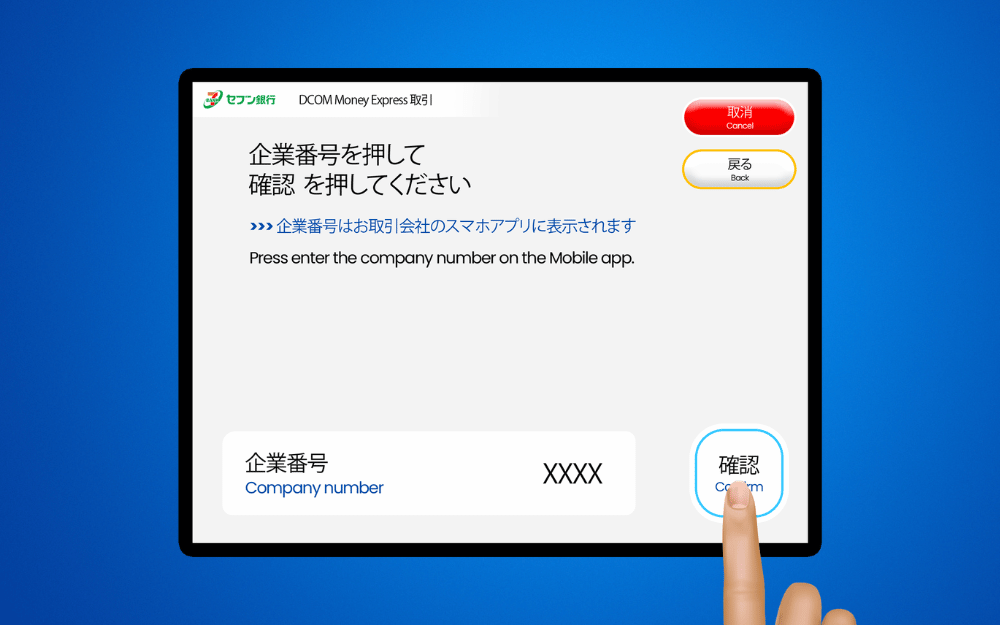
Step 9: Check the details and press 確認(CONFIRM)
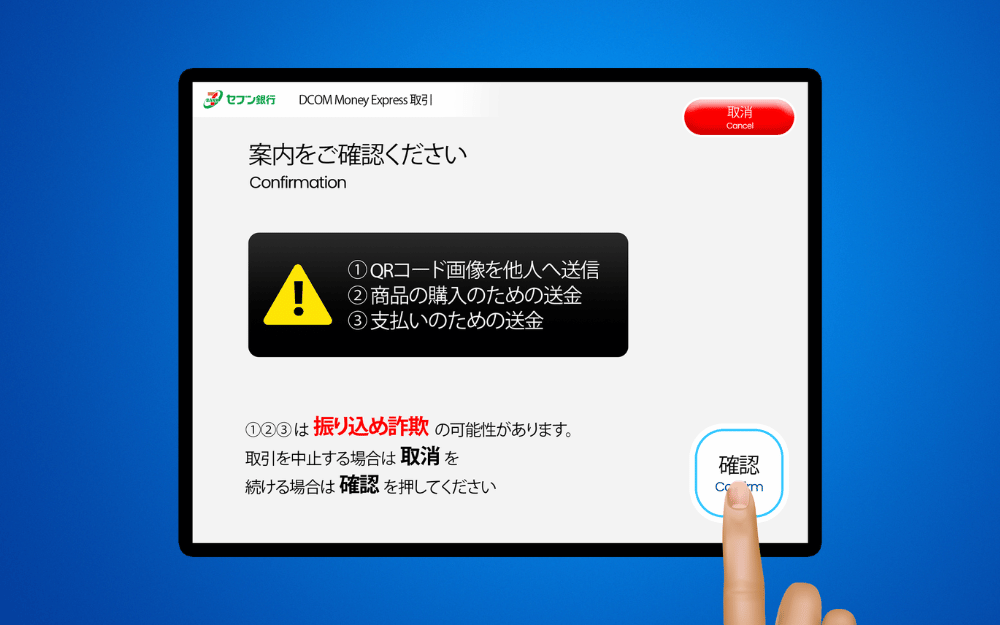
Step 10: Press 確認 (CONFIRM)
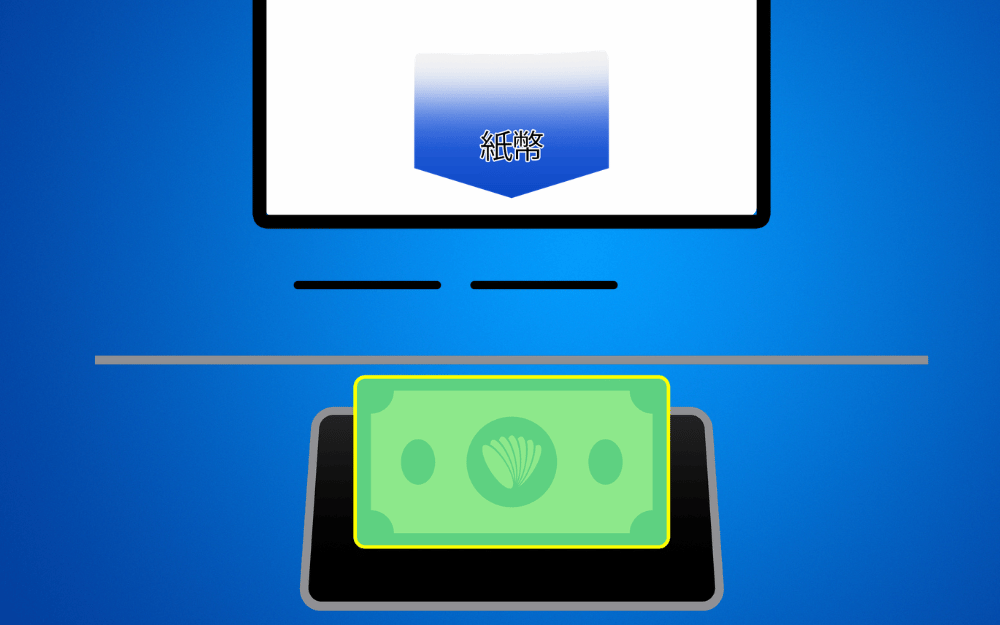
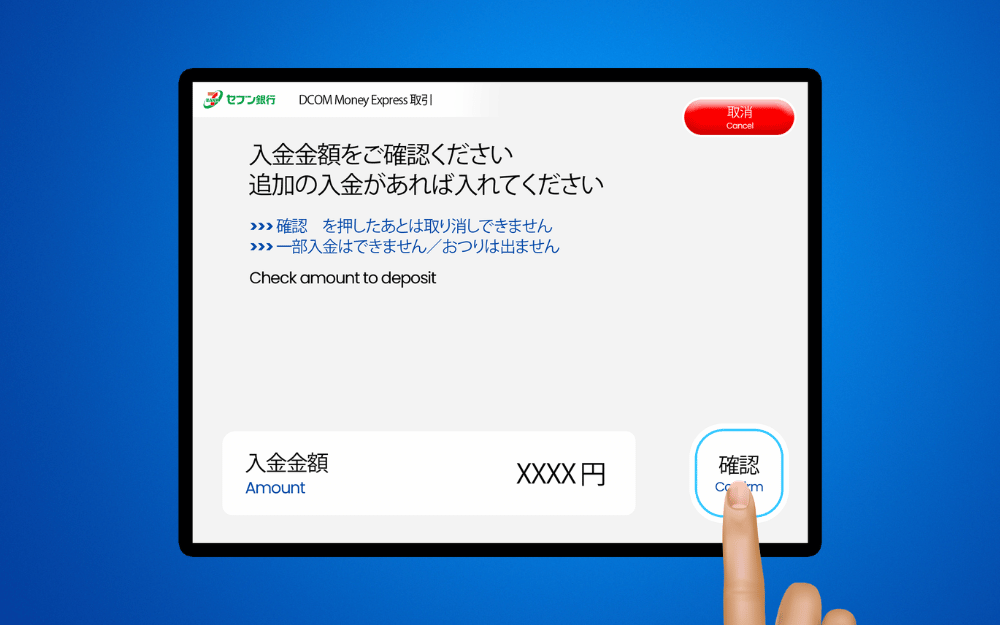
Step 11: Insert your money (bills only)
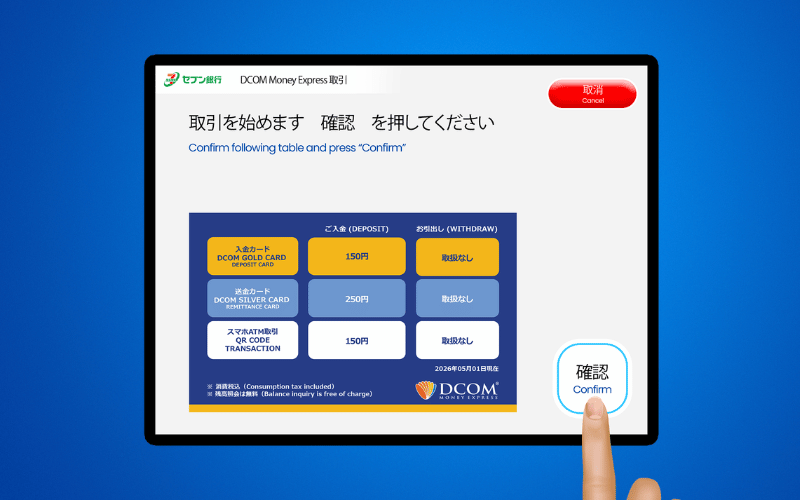
Step 12: Check the details and press 確認(CONFIRM)
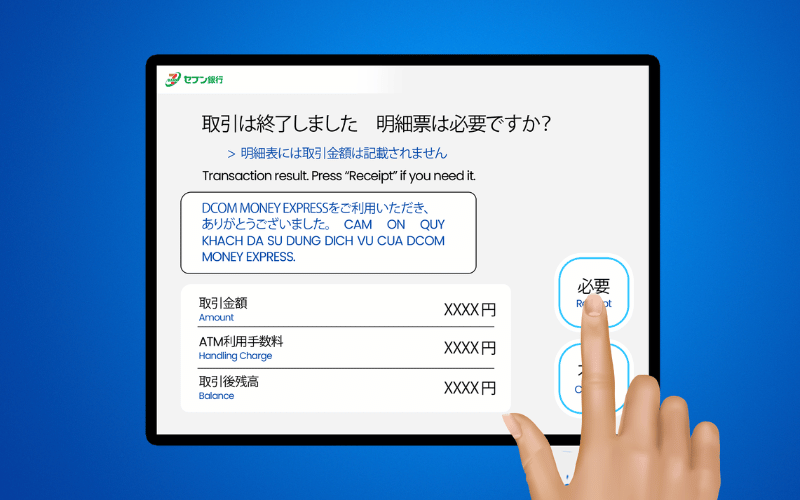
Step 13: Press 必要 to get your receipt
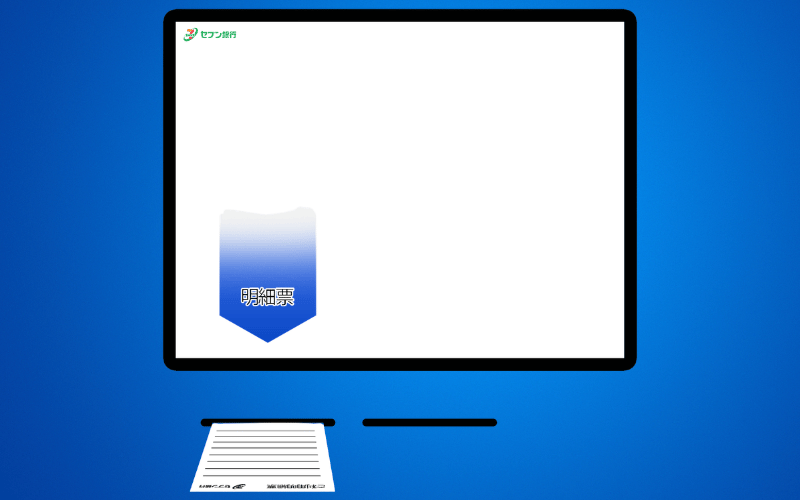
Step 14: Get you receipt. Check your DCOM Balance by refreshing your app
Why Choose Seven Bank QR Code Deposit?
- Customer-Driven Innovation: This service was launched specifically because our customers asked for cardless convenience.
- Card-Free Freedom: Deposit anytime, even if you left your DCOM card at home.
- Total Accessibility: Available 24/7 at any 7-Eleven, making it the most convenient way to remit.
- Real-Time Balance: Your app updates instantly, so you can send support to your loved ones without waiting.
Want to know how to send money using the DCOM App?
Click the link below for our easy-to-follow guide: https://help.sendmoney.jp/en-send-money/