


To enjoy seamless, hassle-free deposits via DCOM Direct Banking, ensure your current Japanese phone number is registered to your JP Bank account. Here is your quick ATM guide:
📌 Important Reminder: Please note that changing your phone number are only available in Japanese. Select Japanese as your language on the ATM screen before proceeding.
STEP 1: Insert your JP Bank Cash Card.
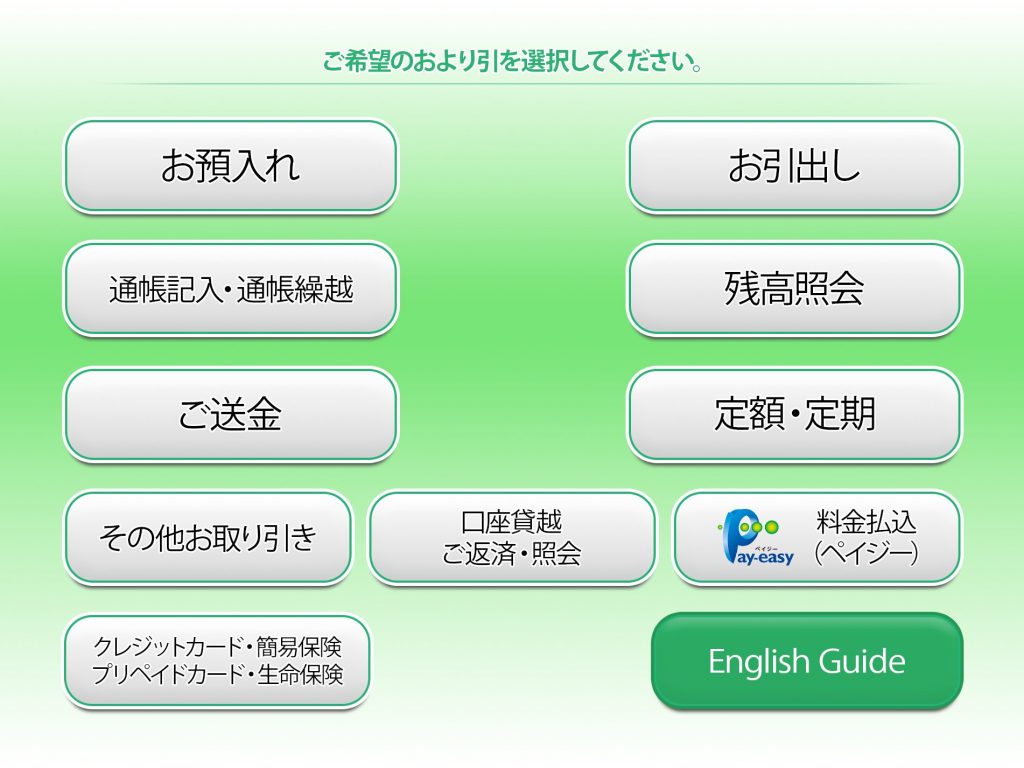
STEP 2: Select その他お取り引き.
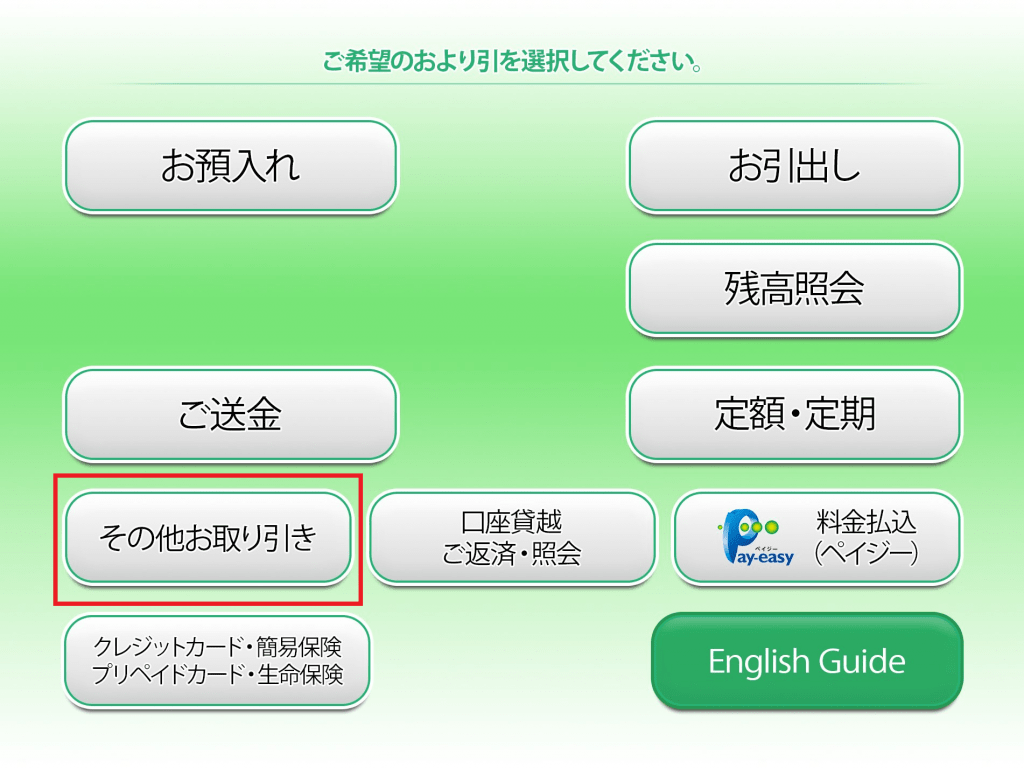
STEP 3: Choose 電話番号変更.
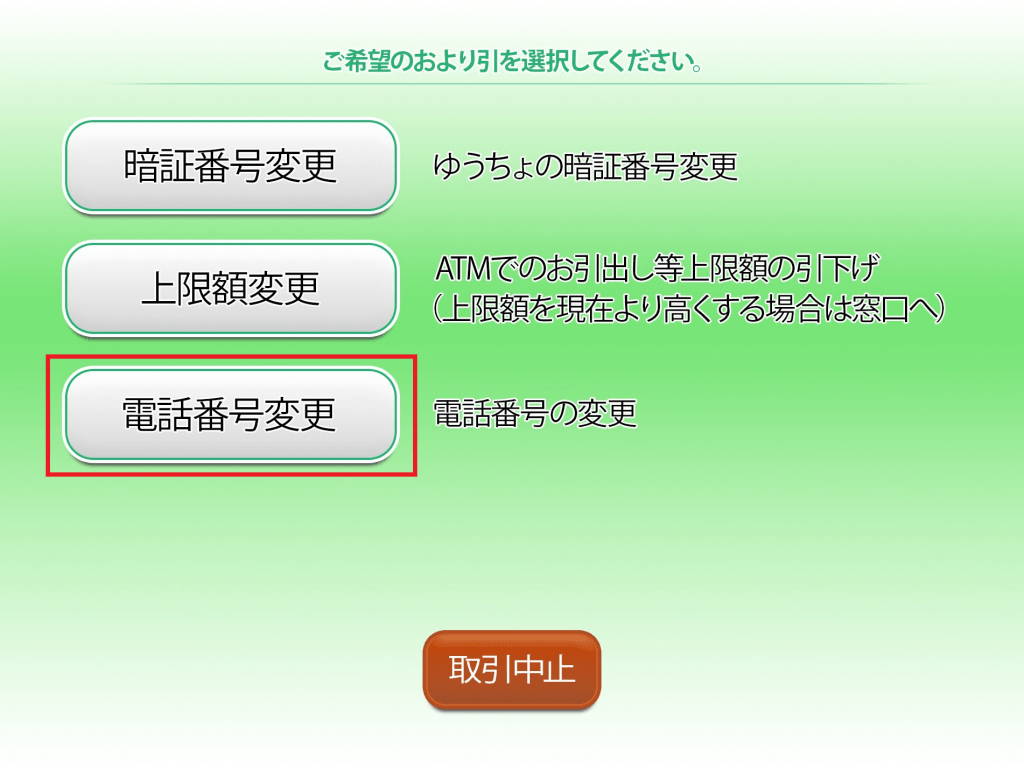
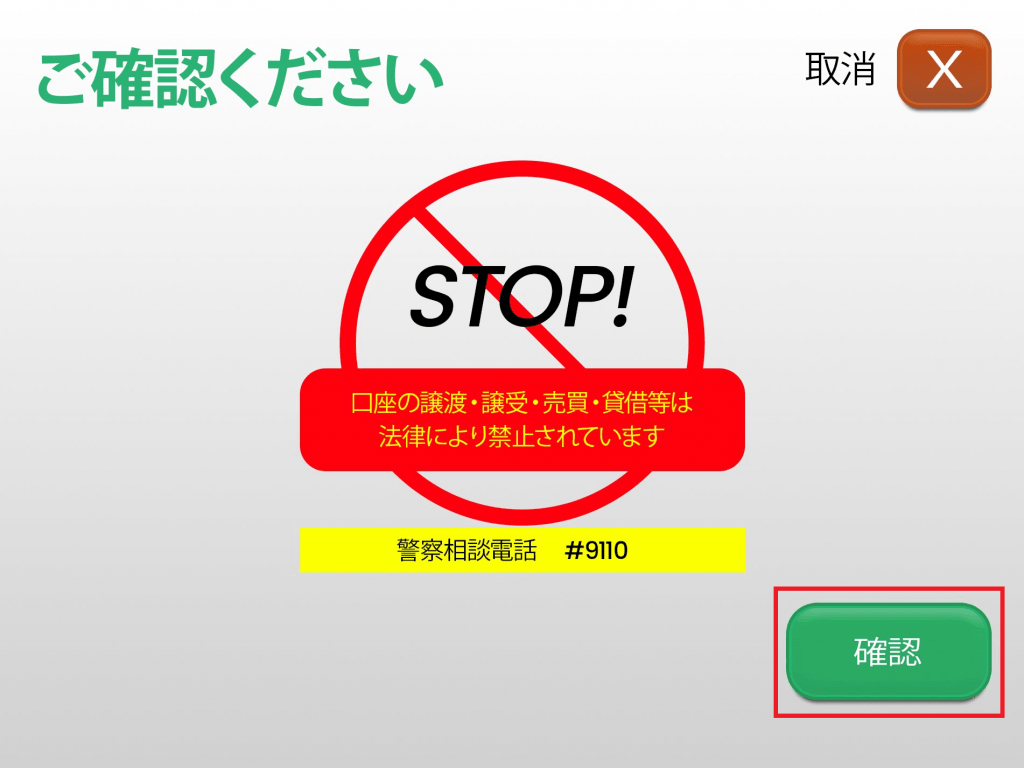
STEP 4: Review the notification and press 確認.
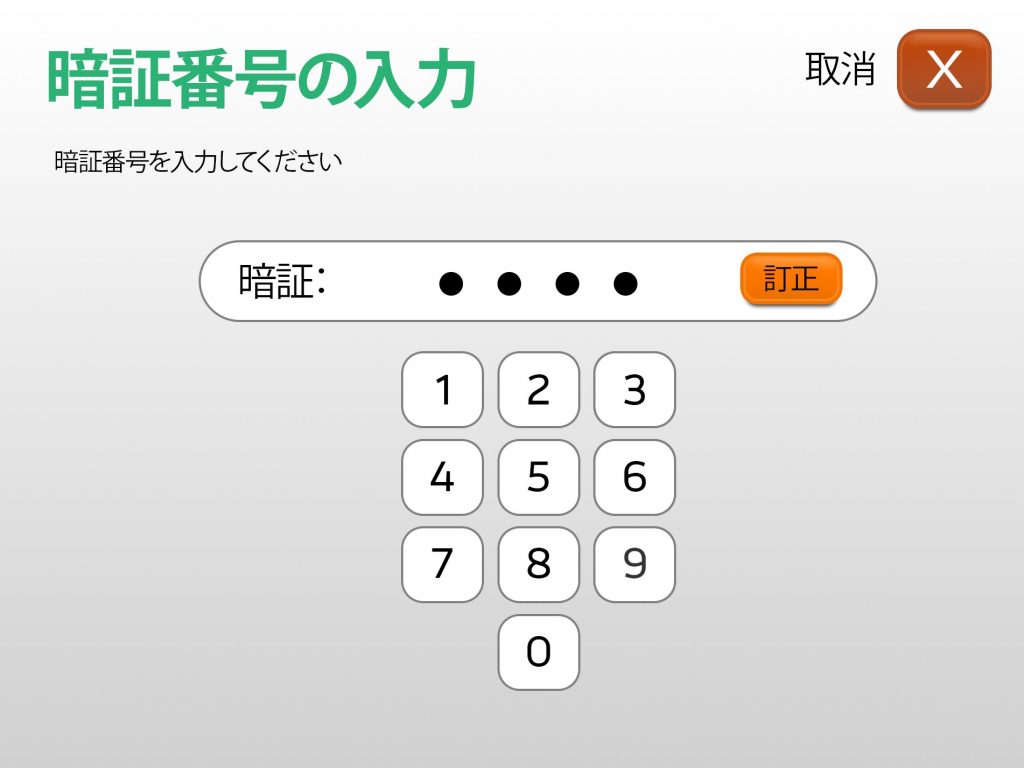
STEP 5: Enter your 4-digit PIN code.
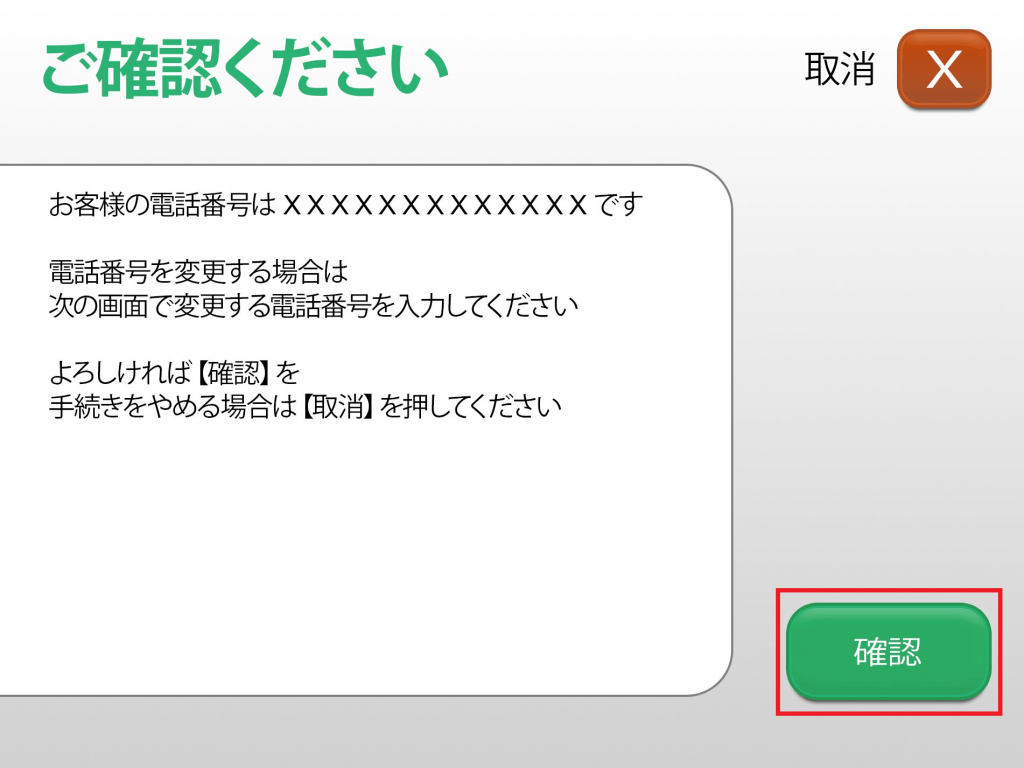
STEP 6: Verify your old phone number and press 確認.
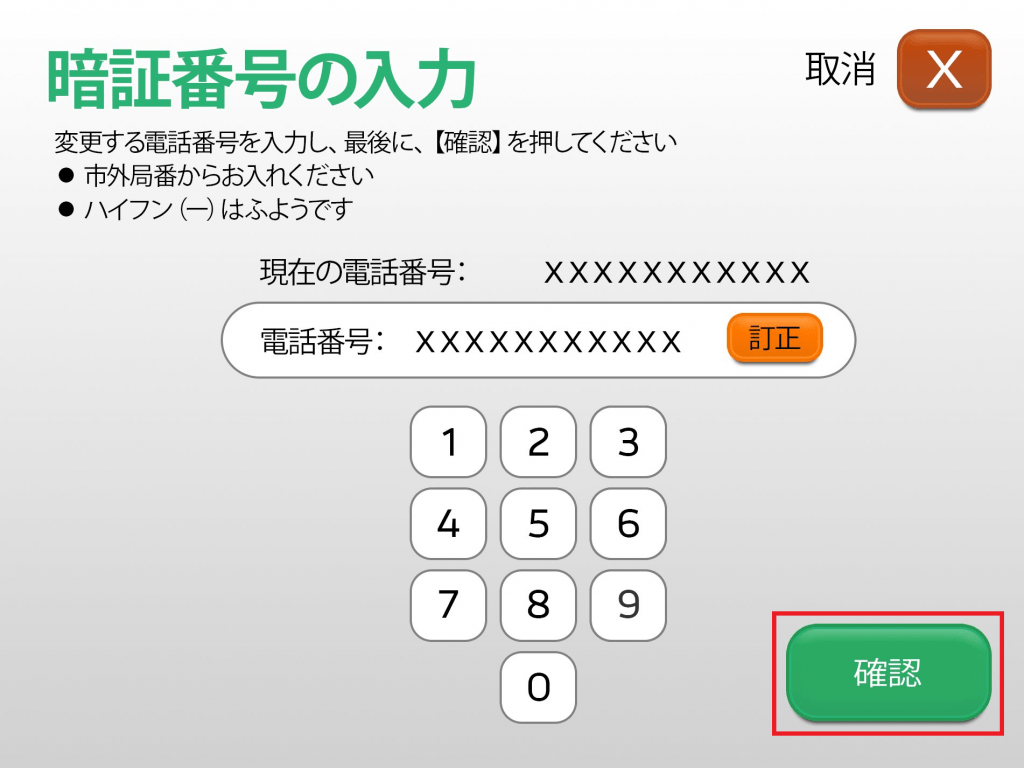
STEP 7: Enter your NEW Japanese phone number and press 確認.
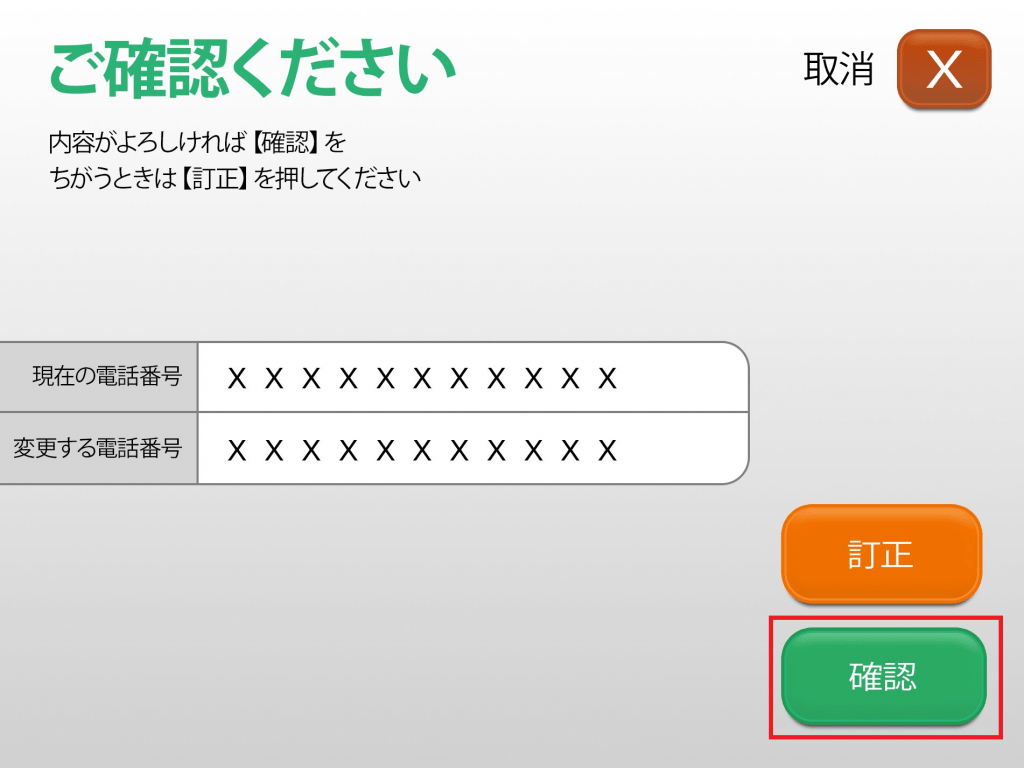
STEP 8: Double-check your new number and press 確認.
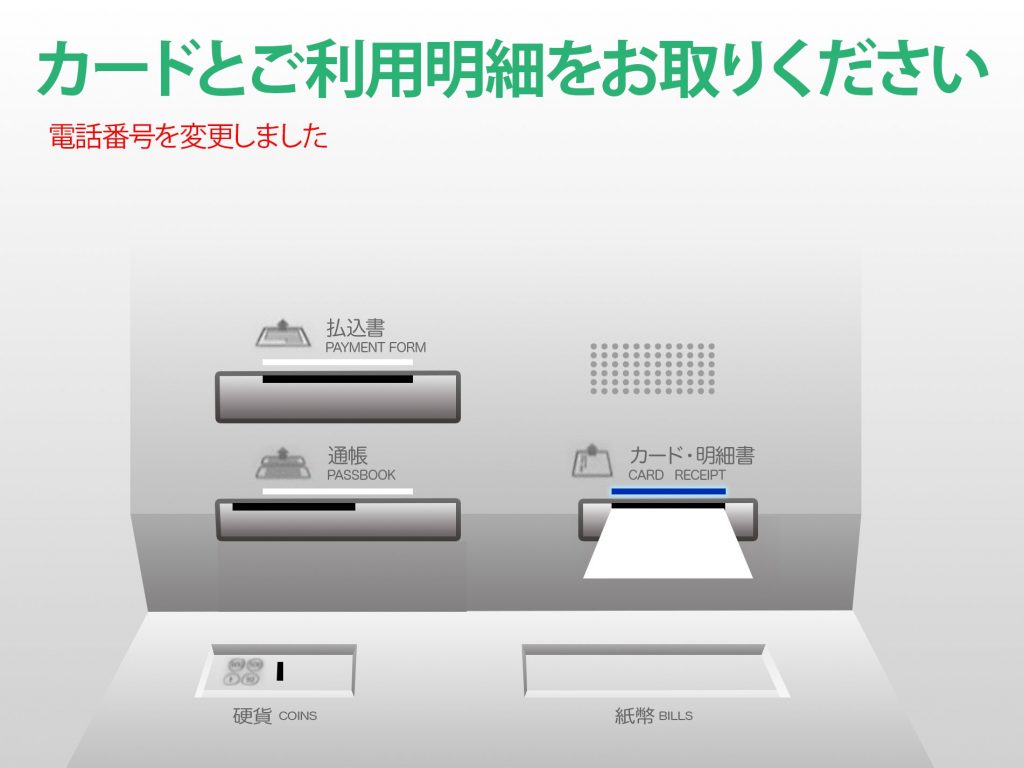
STEP 9: Retrieve your Cash Card and transaction Receipt.
What’s Next?
Don’t wait in line start sending money instantly! Now that your Japanese phone number is fully updated, you are officially ready to experience fast and hassle-free deposits.
- Ready to connect your account? 👉 Link your JP Bank Account to DCOM now to get started.
- Already set up? 👉 Skip the lines and TOP-UP directly to send money home today!