


Seamlessly connect your bank to the DCOM App for the fastest way to top up. No paperwork, no delays just a few taps to get your balance ready for your next transaction. Follow this guide below:
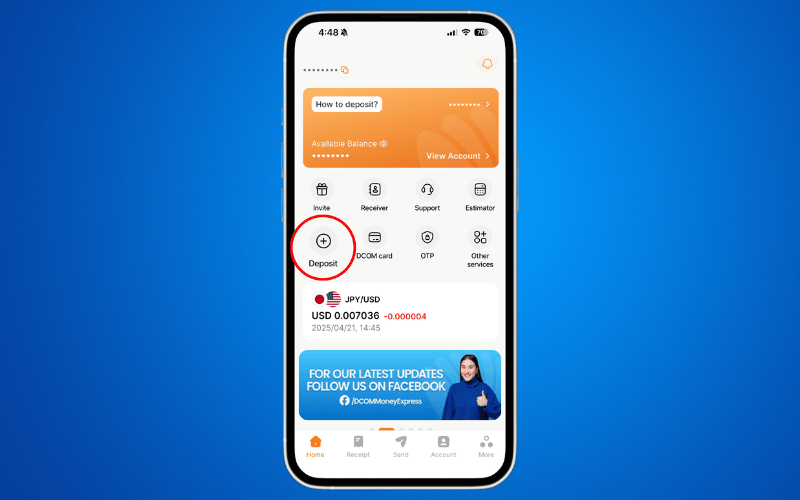
Step 1: Open the DCOM App and press DEPOSIT.
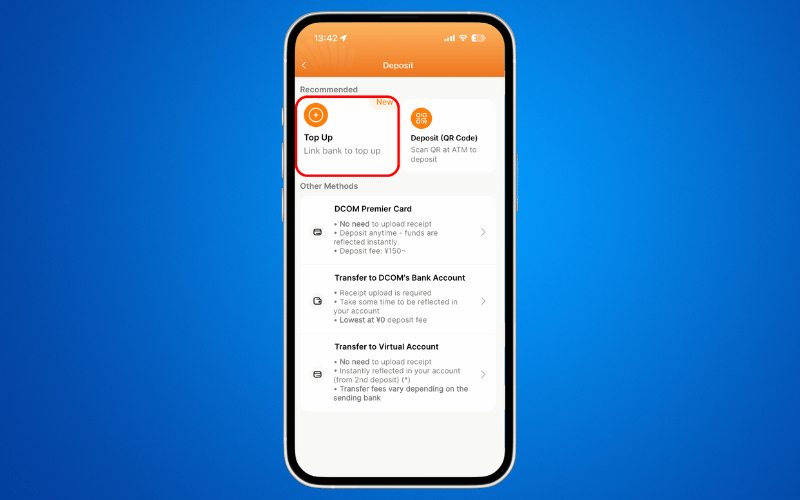
Step 2: Choose TOP-UP.
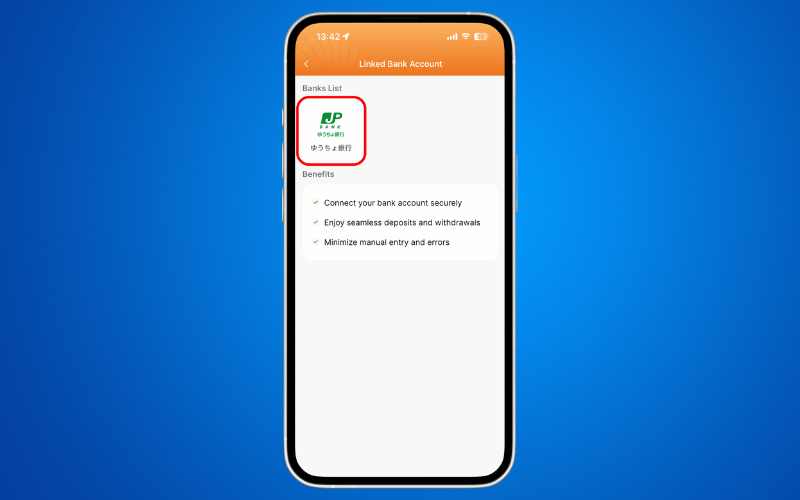
Step 3: Press JP POST BANK.
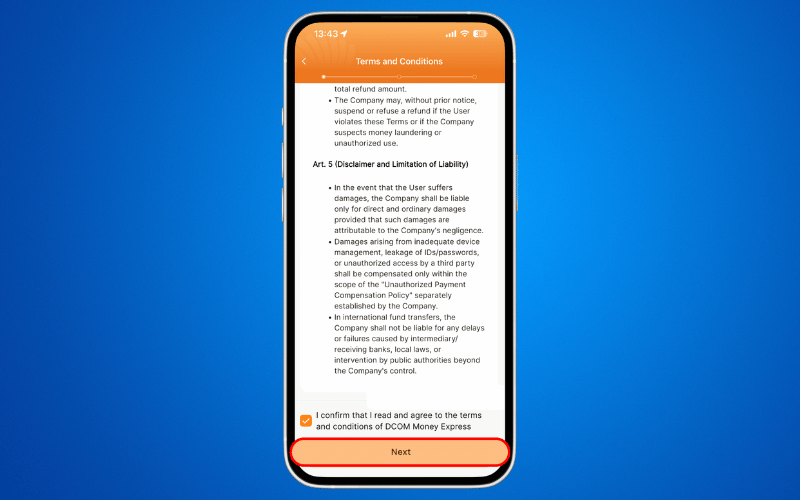
Step 4: Read and agree to the TERMS AND CONDITIONS and click NEXT.
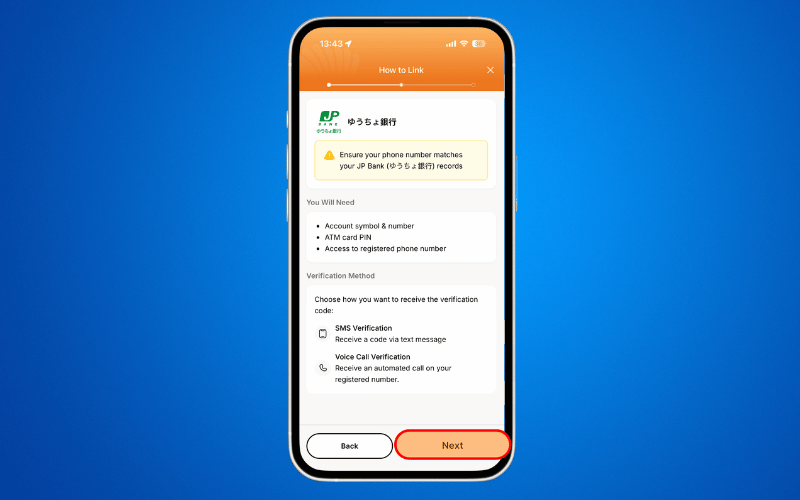
Step 5: Read and prepare the requirements and press NEXT.
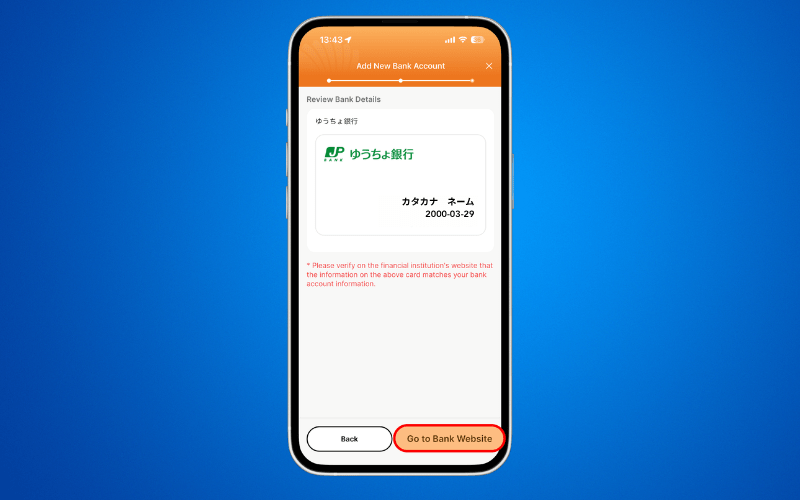
Step 6: Press GO TO BANK WEBSITE.
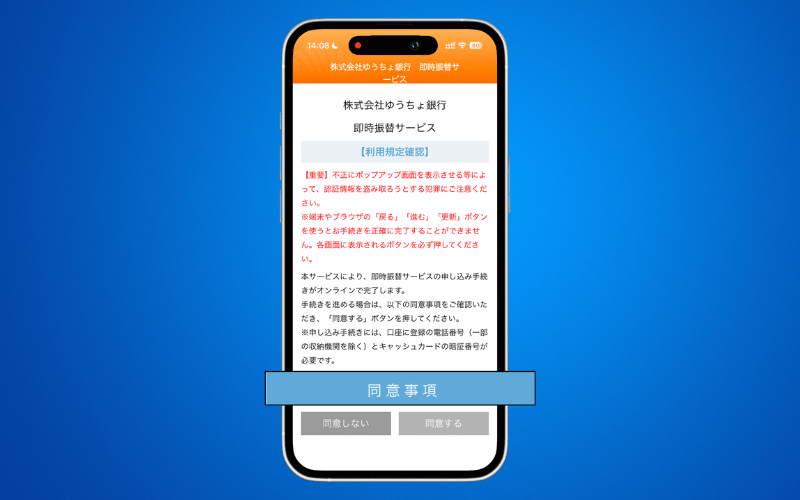
Step 7: Click 同意事項 and a pop-up screen will appear. Read the content and press 同意する to proceed.
Step 8: Input the MIDDLE 3-DIGITS of your 5-digits 記号 or symbol of your Yucho Account and press 進む. i.e. 19870 → 987.
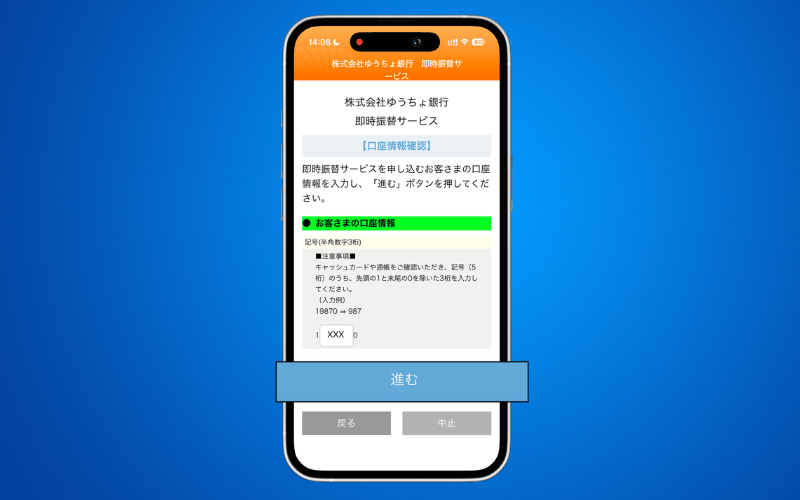
Step 9: Input the FIRST 7-DIGITS of your 8-digits 番号 or number of your Yucho Account and press 進む. i.e. 19870-1-12345671 → 1234567.
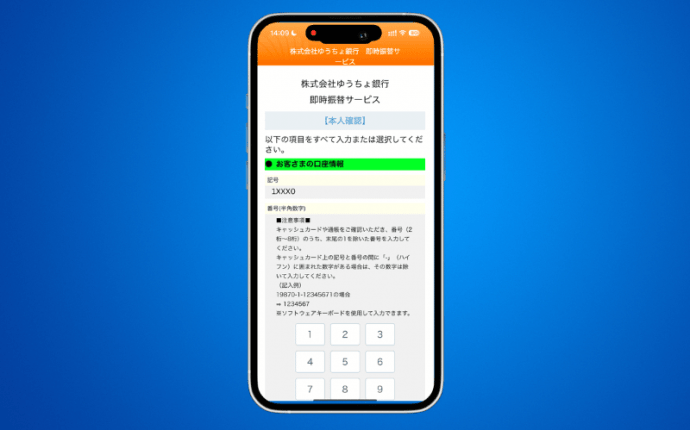
Step 10: Input the PHONE NUMBER you used to register your Yucho Account. Press 進む.
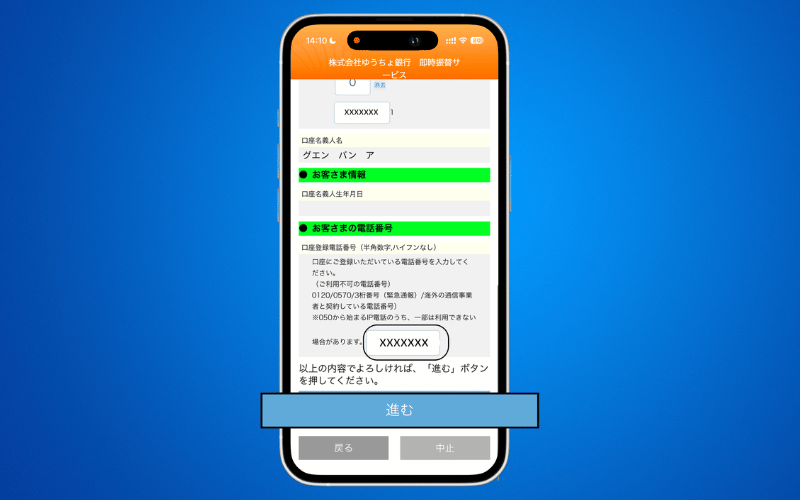
Step 11: Your Yucho Account details will be reflected. Check the details and press 進む.
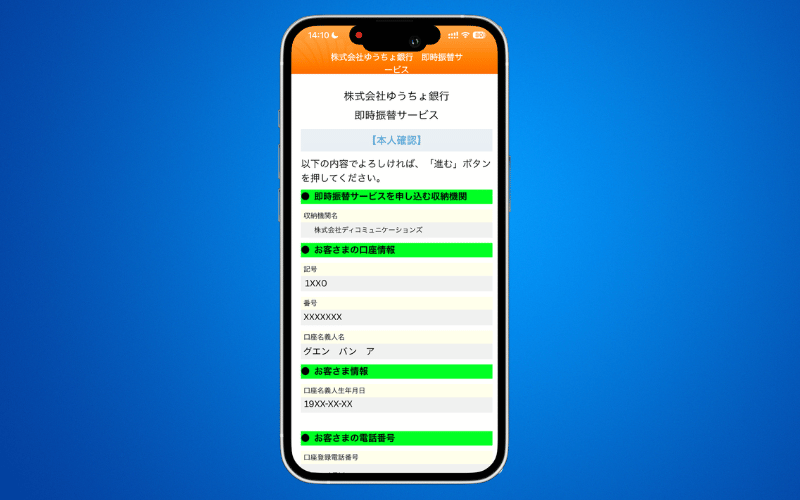
Step 12: Press 進む.
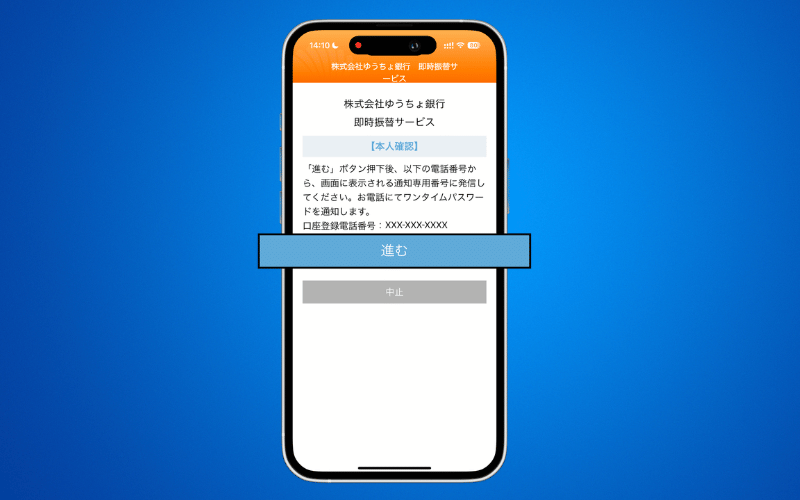
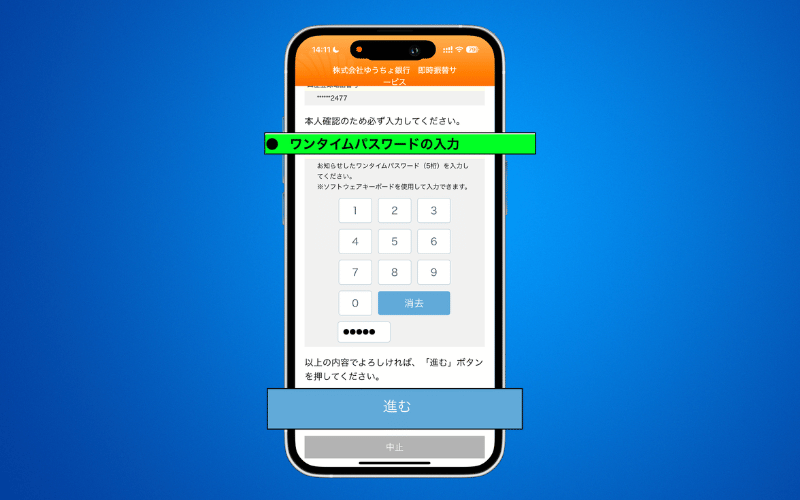
Step 13: Input the 5-DIGITS OTP you received via SMS or phone call and press 進む.
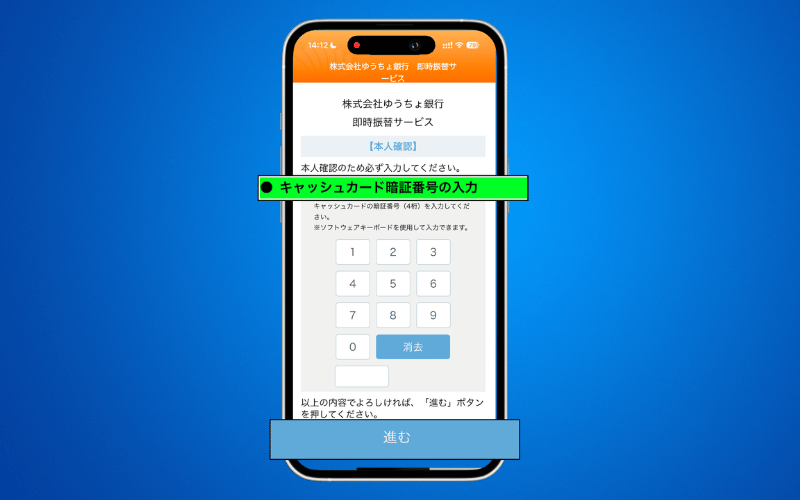
Step 14: Input your 4-DIGIT YUCHO ACCOUNT PIN CODE and press 進む.
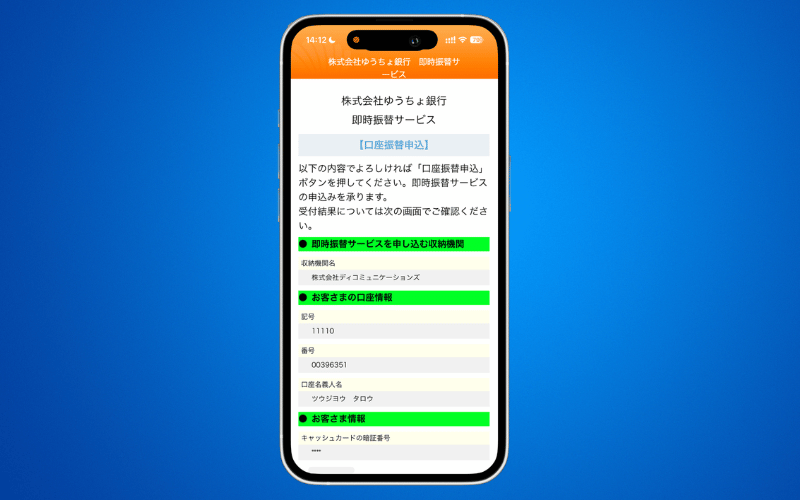
Step 15: Check all the details and press 口座振替申込.
Ready to Go!
Congratulations! Your account is linked. You are now ready to fund your transfers instantly.
Please take note of the following transaction limits for Bank Direct Service:
● Top-Up Limit: Up to ¥1,000,000 per transaction, inclusive of the ¥150 transaction fee.
● Withdrawal Limit: Up to ¥100,000 per transaction, inclusive of the ¥350 transaction fee.
Please ensure that your transaction amount stays within the applicable limit.
How to Top-Up via Linked Bank Account
How to Send Money via DCOM Money Express App