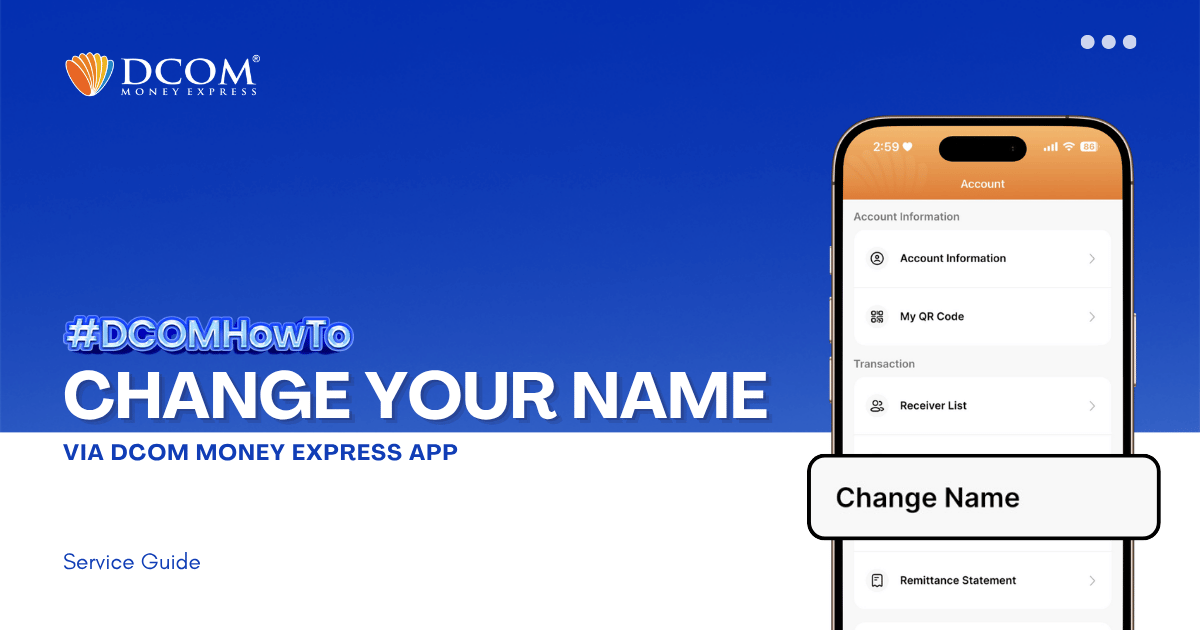
Learn how to easily update your registered name on the DCOM App. Follow our step-by-step guide to submit your Residence Card for verification and keep your account information accurate.
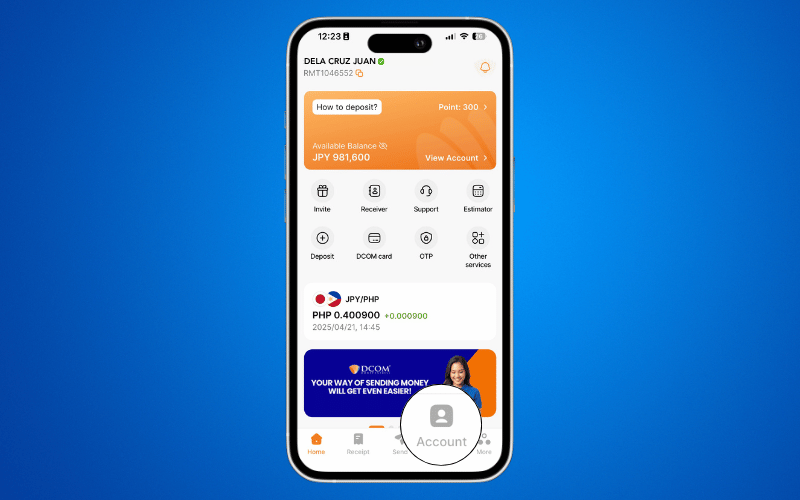
Step 1: From the Main Screen, tap on the ACCOUNT.
Step 2: Select ACCOUNT INFORMATION.
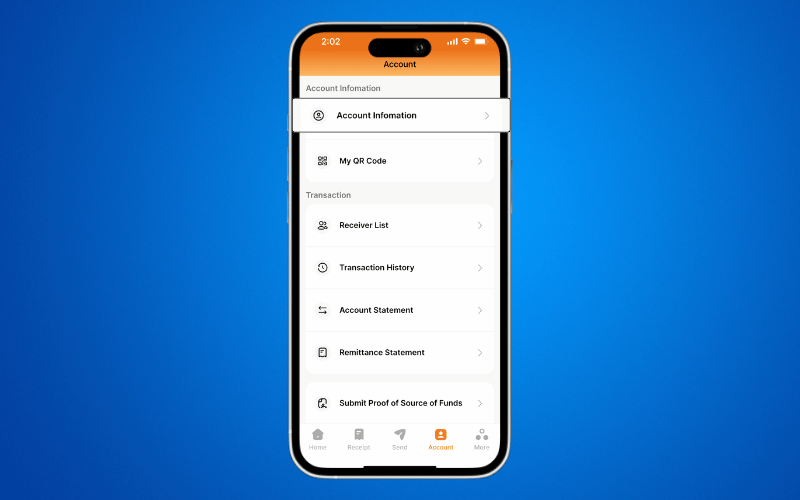
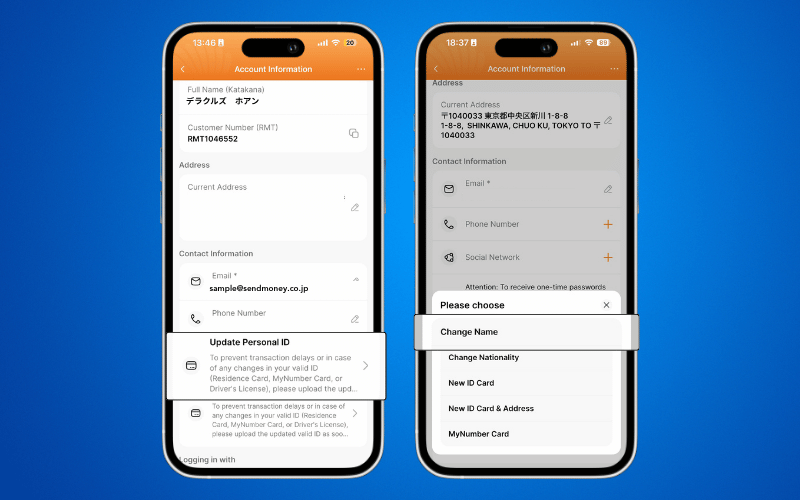
Step 3: Tap UPDATE PERSONAL ID and select CHANGE NAME.
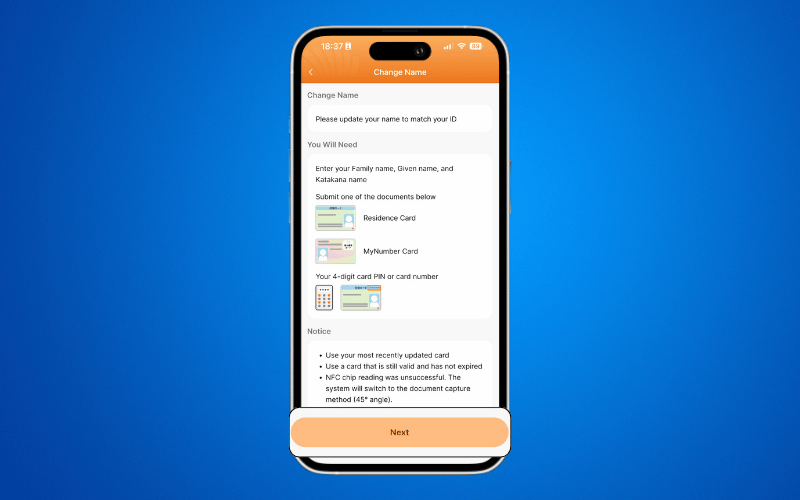
Step 4: Prepare the required identification documents and tap NEXT.
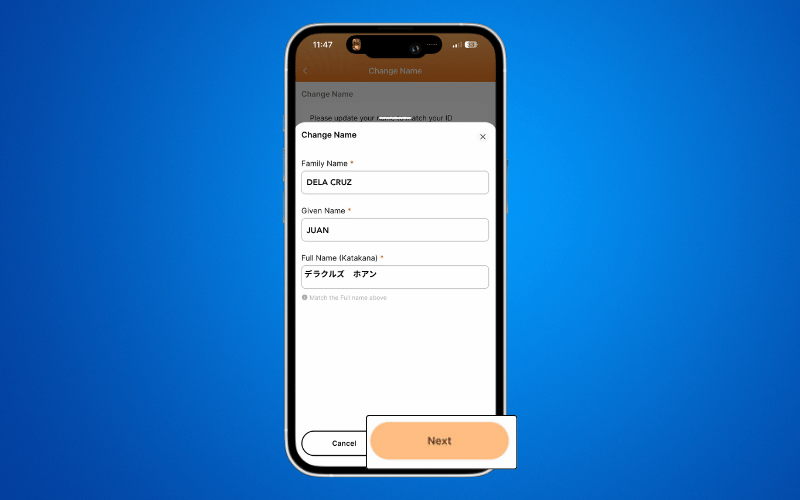
Step 5: Enter your new name and other required details, then tap NEXT.
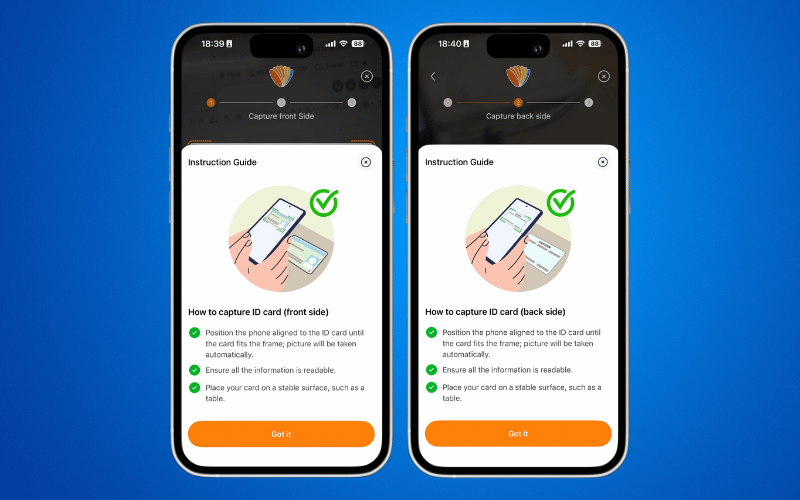
Step 6: Capture clear photos of your Residence Card (Front and Back) as prompted.
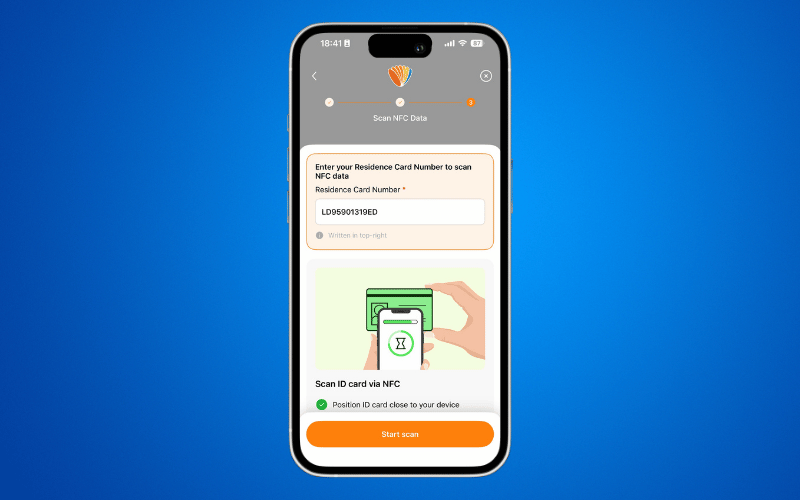
Step 7: Verify the Residence Card Number and tap Scan.