Sign Up

Continue with Facebook
Continue with Google
or use

Have an account? Sign In Now

Sign In

Continue with Facebook
Continue with Google
or use

Forgot Password?

Don't have account, Sign Up Here

Forgot Password

Lost your password? Please enter your email address. You will receive a link and will create a new password via email.

Have an account? Sign In Now

You must login to ask question.

Continue with Facebook
Continue with Google
or use

Forgot Password?

Need An Account, Sign Up Here
Sign InSign Up

DCOM Money Express

DCOM Money Express Logo DCOM Money Express Logo

DCOM Money Express Navigation

  • EnglishEnglish
    • Tiếng ViệtTiếng Việt
    • 日本語日本語
    • EnglishEnglish
    • TagalogTagalog
    • Bahasa IndonesiaBahasa Indonesia
Search
Ask A Question

Mobile menu

Close
Ask a Question
  • Home
  • New Registration
  • DCOM Card
  • DCOM App
  • OTP and Password
  • Service fee and Exchange rate
  • Remittance Statement
  • Send Money
  • Receive Money
  • Submit Identify Documents
  • Others
  • EnglishEnglish
    • Tiếng ViệtTiếng Việt
    • 日本語日本語
    • EnglishEnglish
    • TagalogTagalog
    • Bahasa IndonesiaBahasa Indonesia
Home/ Questions/Q 365162
DCOM Filipino Help Center

DCOM Filipino Help Center

  • 31 Questions
  • 1 Answer
  • 0 Best Answers
  • 319 Points
View Profile
  • 0
DCOM Filipino Help Center
Asked: 11-02-20262026-02-11T18:00:00+09:00 2026-02-11T18:00:00+09:00In: Others

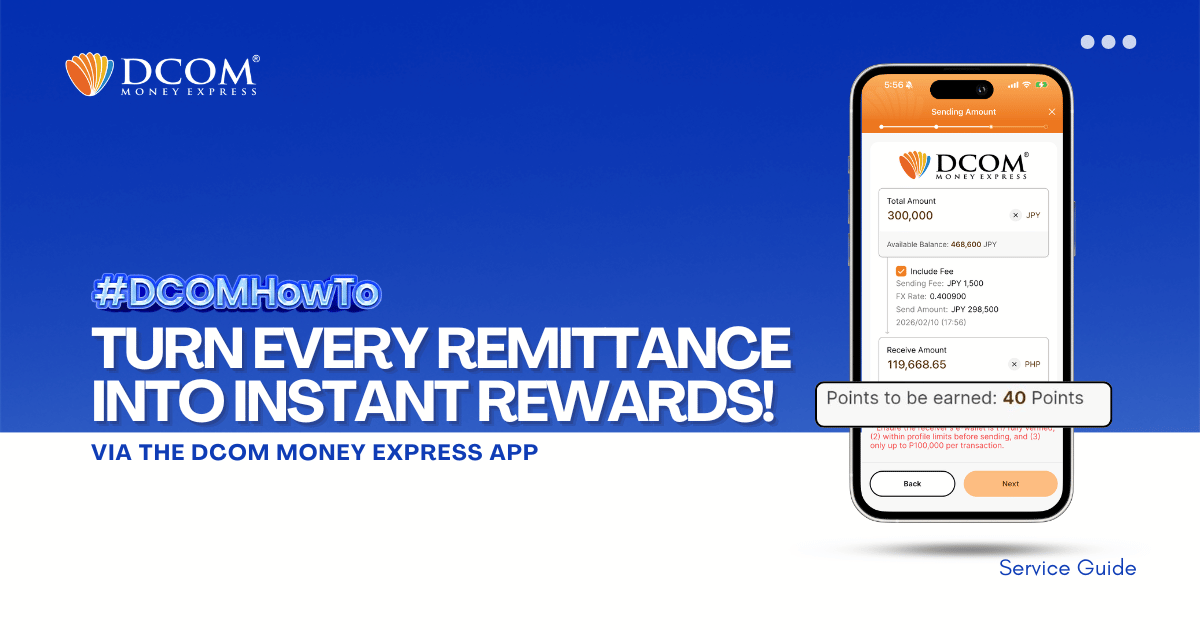
Your Remittance, Your Rewards: Earn Points Now

Share
  • Facebook

  • 0

Here’s how to get points for every successful remittance transaction made through the DCOM Money Express App.

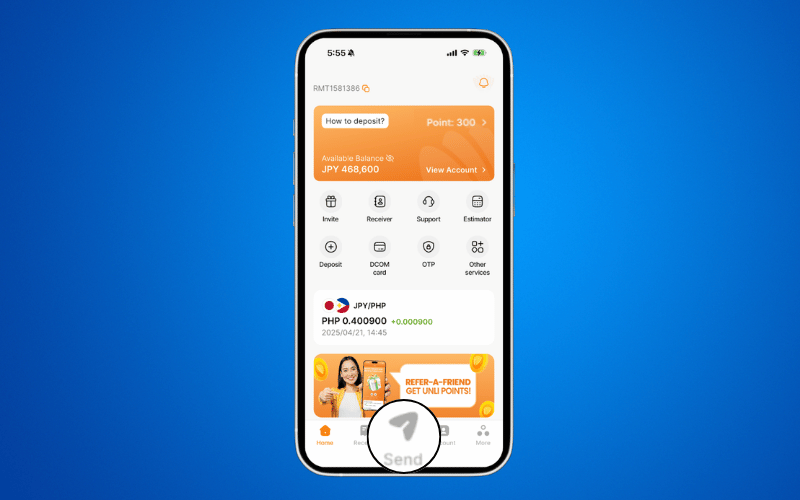
STEP 1: Open the DCOM Money Express App and log in to your account.

STEP 2: Create a Remittance Transaction.
From the Home screen, press the SEND button and proceed with your remittance transaction as usual.
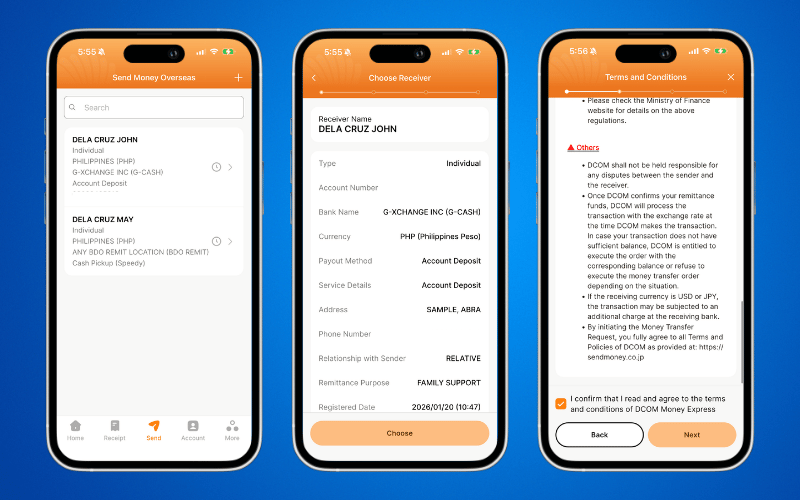
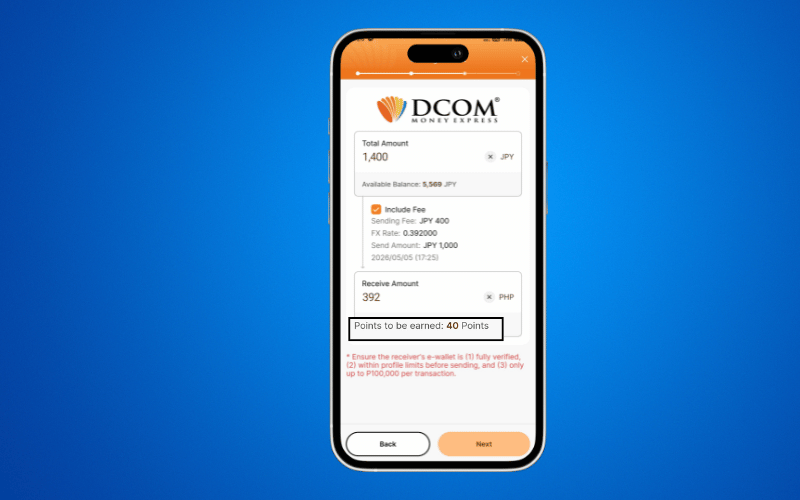
STEP 3: Review Your Earning Points.

  • Review the Sending Amount and Sending Fee.
  • Check the Earning Points displayed at the bottom of the screen.
  • Confirm that the points shown are correct.
📌 You can see how many points you will earn before confirming. Make sure everything is correct, then tap Next.

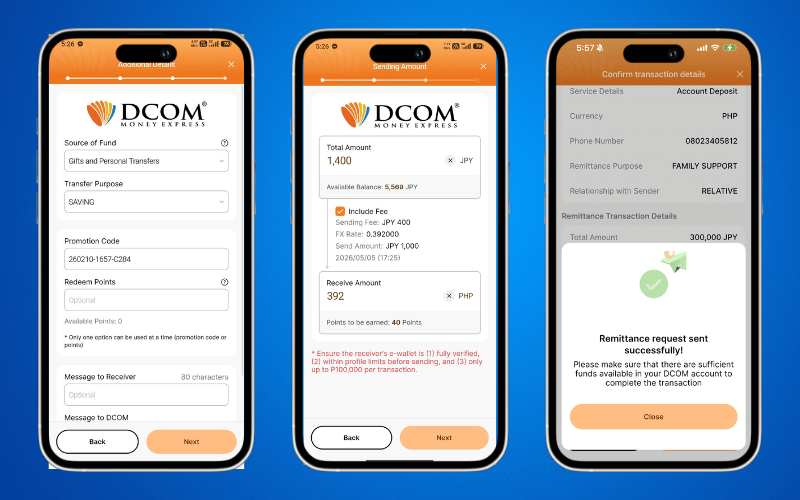
STEP 4: Complete and Confirm Your Remittance

On the confirmation screen, you may:

  • Apply a Promotion Code, or
  • Use your Bonus Points (if available).

Please review all transaction details carefully before submitting your remittance request. Tap Next to proceed.

📌 When will I receive my bonus points ? Bonus points are credited after your remittance is successfully completed.

📌Where can I check my bonus points?

  1. From Home page, tap Invite
  2. Then click Referral Details to view your earned points.

  • 0 0 Answers
  • 83 Views
  • 0 Followers
  • 0
Answer
    Leave an answer

    Leave an answer
    Cancel reply

    Browse

    Sidebar

    Ask A Question

    User Ranking

    DCOM Vietnam Help Center

    DCOM Vietnam Help Center

    • 2 Questions
    • 1k Points
    DCOM Indonesia Help Center

    DCOM Indonesia Help Center

    • 0 Questions
    • 336 Points
    DCOM Filipino Help Center

    DCOM Filipino Help Center

    • 31 Questions
    • 319 Points
    DCOM Help Center

    DCOM Help Center

    • 0 Questions
    • 206 Points
    DCOM Vietnam Help Center

    DCOM Vietnam Help Center

    • 0 Questions
    • 170 Points
    • Popular
    • Answers
    • Customer

      Can I send dollars to the Philippines using DCOM?

      • 0 Answers
    • Customer

      Can I send money to Hongkong / US via DCOM

      • 1 Answer
    • Customer

      How to send money to banks in the Philippines?

      • 0 Answers
    • Customer

      Is there a fee for requesting Remittance Statement?

      • 0 Answers
    • Customer

      There is no issued date in my receiver's ID, what

      • 1 Answer
    • TERESA OOISHI VILLANUEVA
      TERESA OOISHI VILLANUEVA added an answer Please I need the transaction successful receipt here 12-09-2025 at 5:19 pm
    • Isabelita Fernandez Hatayama
      Isabelita Fernandez Hatayama added an answer Thanks. 06-12-2024 at 12:10 pm
    • DCOM Vietnam Help Center
      DCOM Vietnam Help Center added an answer You cannot use the DCOM card to withdraw money from… 04-12-2020 at 8:35 pm
    • DCOM Filipino Help Center
      DCOM Filipino Help Center added an answer Unfortunately, We don't have that service yet. Just follow our… 03-12-2020 at 11:36 pm
    • DCOM Help Center
      DCOM Help Center added an answer Choose ACCOUNT DEPOSIT > GCASH (PAYMAYA) 02-12-2020 at 5:39 pm

    Related Questions

    • DCOM Filipino Help Center

      How to Register on DCOM Money Express via Website

      • 0 Answers
    • Customer

      What promotion code will I write in DCOM App?

      • 10 Answers
    • Customer

      Do DCOM has walk-in office?

      • 1 Answer
    • Customer

      How can I contact DCOM?

      • 2 Answers
    • Customer

      Until what time is DCOM open today?

      • 1 Answer

    Question Tags

    dcom direct card dcom fee dcom philippines dcom receive money dcom receiver dcom register dcom registration dcom remittance dcom remittance statement dcom remittance time dcom send money dcom verification how to register dcom one-time password otp

    Explore

    • Home
    • New Registration
    • DCOM Card
    • DCOM App
    • OTP and Password
    • Service fee and Exchange rate
    • Remittance Statement
    • Send Money
    • Receive Money
    • Submit Identify Documents
    • Others

    Footer

    About


    DCOM Money Express, a money transfer service to more than 200 countries, based in Tokyo, Japan. Operated by D. COMMUNICATIONS, INC. under Money Transmitter Registered No. 00001 issued by the Hokuriku Local Finance Bureau of Japan since 2011.

    HEAD OFFICE

    Address: 6F Across Shinkawa Bldg.,
    1-8-8 Shinkawa, Chuo-ku, Tokyo.
    Tel: 03-6661-2477
    Fax: 03-6661-9181
    E-mail: cs@sendmoney.co.jp

    DCOM NAGOYA BRANCH

    Address: 1B, 1F Nagoya Sakae Bldg,
    5-1 Buheicho, Higashi-ku, Nagoya-shi, Aichi.

    Connect with us

    Copyright © 2021 D. Communications, Inc. All Rights Reserved.