
Sign Up

Continue with Facebook
Continue with Google
or use

Have an account? Sign In Now

Sign In

Continue with Facebook
Continue with Google
or use

Forgot Password?

Don't have account, Sign Up Here

Forgot Password

Lost your password? Please enter your email address. You will receive a link and will create a new password via email.

Have an account? Sign In Now

You must login to ask question.

Continue with Facebook
Continue with Google
or use

Forgot Password?

Need An Account, Sign Up Here
Sign InSign Up

DCOM Money Express

DCOM Money Express Logo DCOM Money Express Logo

DCOM Money Express Navigation

  • EnglishEnglish
    • Tiếng ViệtTiếng Việt
    • 日本語日本語
    • EnglishEnglish
    • TagalogTagalog
    • Bahasa IndonesiaBahasa Indonesia
Search
Ask A Question

Mobile menu

Close
Ask a Question
  • Home
  • New Registration
  • DCOM Card
  • DCOM App
  • OTP and Password
  • Service fee and Exchange rate
  • Remittance Statement
  • Send Money
  • Receive Money
  • Submit Identify Documents
  • Bank Direct Service
  • Others
  • EnglishEnglish
    • Tiếng ViệtTiếng Việt
    • 日本語日本語
    • EnglishEnglish
    • TagalogTagalog
    • Bahasa IndonesiaBahasa Indonesia
Home/ Questions/Q 827507
DCOM Filipino Help Center

DCOM Filipino Help Center

  • 53 Questions
  • 1 Answer
  • 0 Best Answers
  • 372 Points
View Profile
  • 0
DCOM Filipino Help Center
Asked: 28-09-20262026-09-28T16:26:35+09:00 2026-09-28T16:26:35+09:00

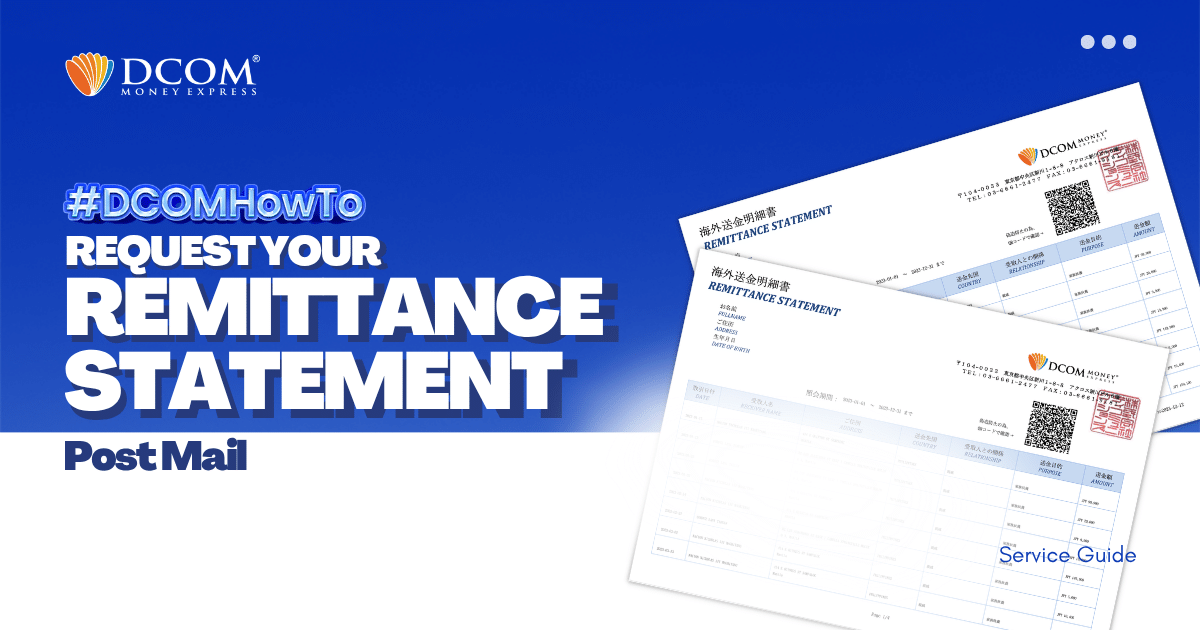
How to Request Your Remittance Statement via the DCOM App (Post-Mail)

Share
  • Facebook

  • 0

With DCOM, you can easily request to have your Remittance Statement sent by post. You can use it to review your remittance transactions or if you need it for your tax refund.

Follow the simple steps below:

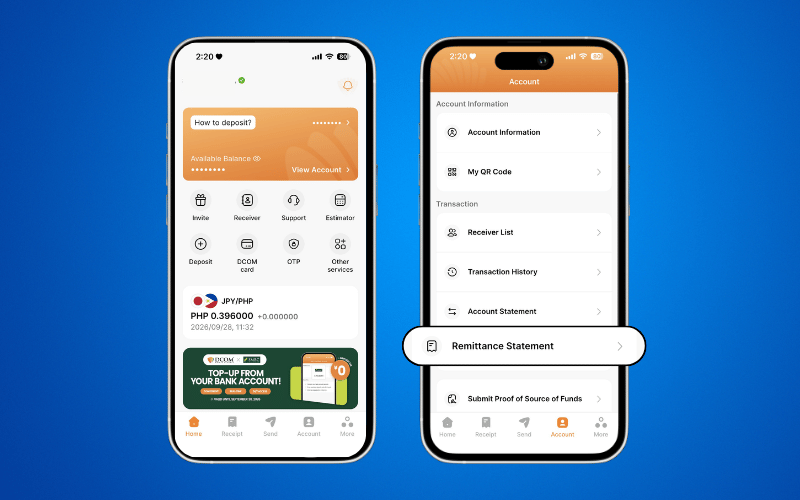
Step1: Open the DCOM App, tap ACCOUNT, then tap REMITTANCE STATEMENT.
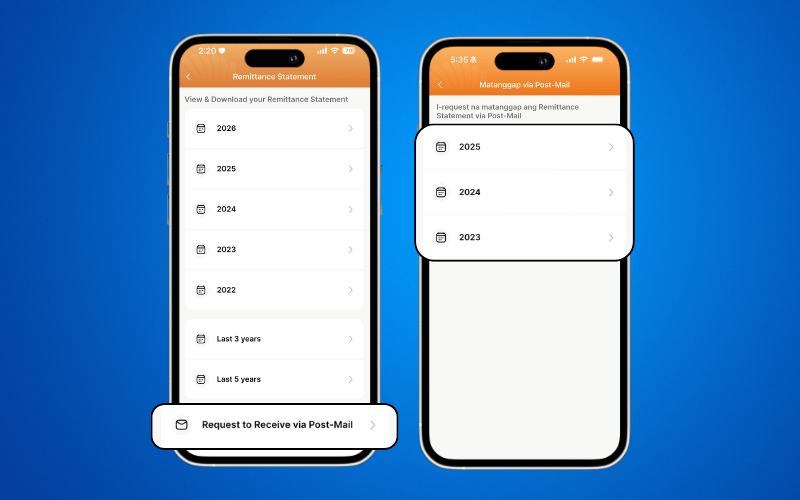
Step 2: At the bottom of the screen, tap RECEIVE VIA POST MAIL, then select the year you want to request.
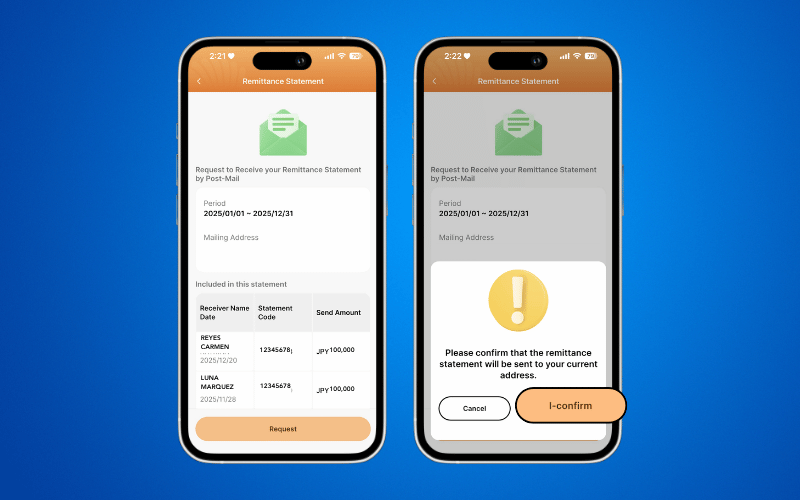
Step 3: Tap REQUEST and confirm the address where you want your Remittance Statement to be sent.
Important Note

When requesting a Remittance Statement via Post-Mail, you cannot select a specific receiver.

If you need a Remittance Statement for a specific receiver, you can request it using the PDF Version instead.

After submitting your request, please allow 2–3 Japan Post Office working days for your Remittance Statement to be delivered to your address.

Need a printed copy of your Remittance Statement? Check our guide on how to print it at 7-Eleven using the 7-Eleven Multicopy app.

  • 0 0 Answers
  • 26 Views
  • 0 Followers
  • 0
Answer
    Leave an answer

    Leave an answer
    Cancel reply

    Browse

    Sidebar

    Ask A Question

    User Ranking

    DCOM Vietnam Help Center

    DCOM Vietnam Help Center

    • 2 Questions
    • 1k Points
    DCOM Filipino Help Center

    DCOM Filipino Help Center

    • 53 Questions
    • 372 Points
    DCOM Indonesia Help Center

    DCOM Indonesia Help Center

    • 0 Questions
    • 347 Points
    DCOM Help Center

    DCOM Help Center

    • 0 Questions
    • 206 Points
    DCOM Vietnam Help Center

    DCOM Vietnam Help Center

    • 0 Questions
    • 200 Points
    • Popular
    • Answers
    • Customer

      Can I send dollars to the Philippines using DCOM?

      • 0 Answers
    • Customer

      Can I send money to Hongkong / US via DCOM

      • 1 Answer
    • Customer

      How to send money to banks in the Philippines?

      • 0 Answers
    • Customer

      Is there a fee for requesting Remittance Statement?

      • 0 Answers
    • Customer

      Can I change my DCOM App password to an easier

      • 7 Answers
    • Isabelita Fernandez Hatayama
      Isabelita Fernandez Hatayama added an answer Thanks. 06-12-2024 at 12:10 pm
    • DCOM Vietnam Help Center
      DCOM Vietnam Help Center added an answer You cannot use the DCOM card to withdraw money from… 04-12-2020 at 8:35 pm
    • DCOM Filipino Help Center
      DCOM Filipino Help Center added an answer Unfortunately, We don't have that service yet. Just follow our… 03-12-2020 at 11:36 pm
    • DCOM Help Center
      DCOM Help Center added an answer Choose ACCOUNT DEPOSIT > GCASH (PAYMAYA) 02-12-2020 at 5:39 pm
    • DCOM Help Center
      DCOM Help Center added an answer As of now, we are not yet available for the… 02-12-2020 at 5:37 pm

    Question Tags

    dcom direct card dcom fee dcom philippines dcom receive money dcom receiver dcom register dcom registration dcom remittance dcom remittance statement dcom remittance time dcom send money dcom verification how to register dcom one-time password otp

    Explore

    • Home
    • New Registration
    • DCOM Card
    • DCOM App
    • OTP and Password
    • Service fee and Exchange rate
    • Remittance Statement
    • Send Money
    • Receive Money
    • Submit Identify Documents
    • Bank Direct Service
    • Others

    Footer

    About


    DCOM Money Express, a money transfer service to more than 200 countries, based in Tokyo, Japan. Operated by D. COMMUNICATIONS, INC. under Money Transmitter Registered No. 00001 issued by the Hokuriku Local Finance Bureau of Japan since 2011.

    HEAD OFFICE

    Address: 6F Across Shinkawa Bldg.,
    1-8-8 Shinkawa, Chuo-ku, Tokyo.
    Tel: 03-6661-2477
    Fax: 03-6661-9181
    E-mail: cs@sendmoney.co.jp

    DCOM NAGOYA BRANCH

    Address: 1B, 1F Nagoya Sakae Bldg,
    5-1 Buheicho, Higashi-ku, Nagoya-shi, Aichi.

    Connect with us

    Copyright © 2021 D. Communications, Inc. All Rights Reserved.