


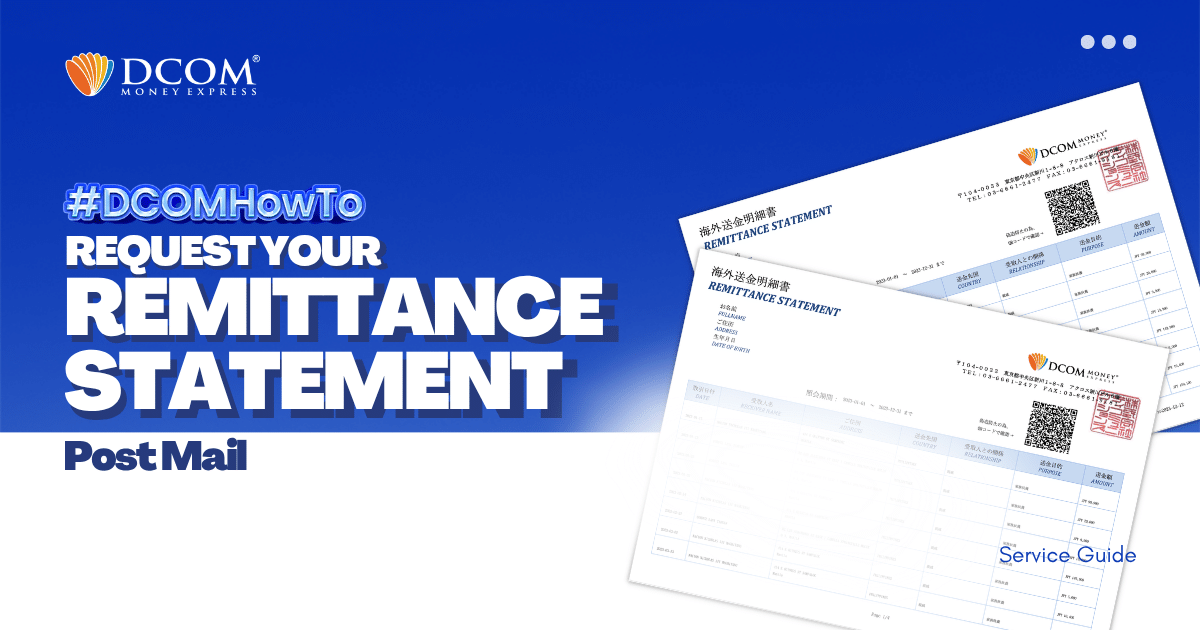
With DCOM, you can easily request to have your Remittance Statement sent by post. You can use it to review your remittance transactions or if you need it for your tax refund.
Follow the simple steps below:
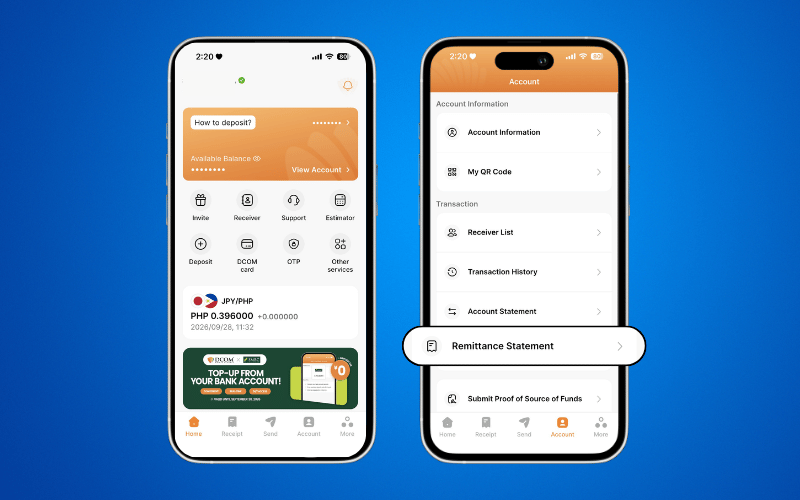
Step1: Open the DCOM App, tap ACCOUNT, then tap REMITTANCE STATEMENT.
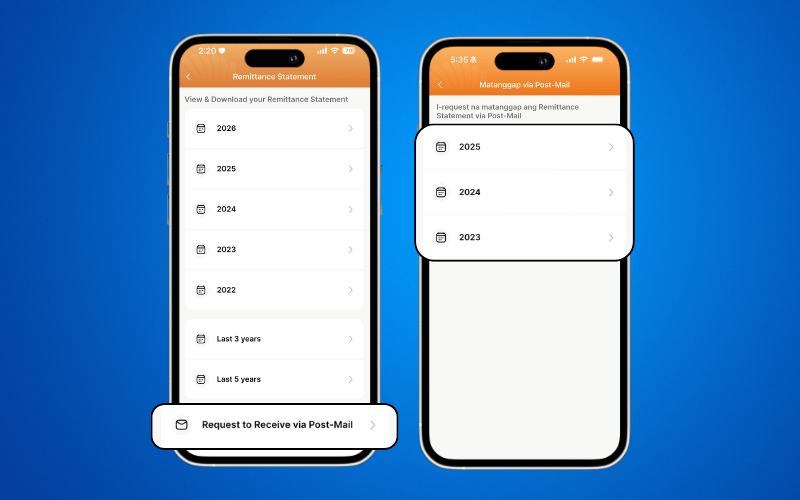
Step 2: At the bottom of the screen, tap RECEIVE VIA POST MAIL, then select the year you want to request.
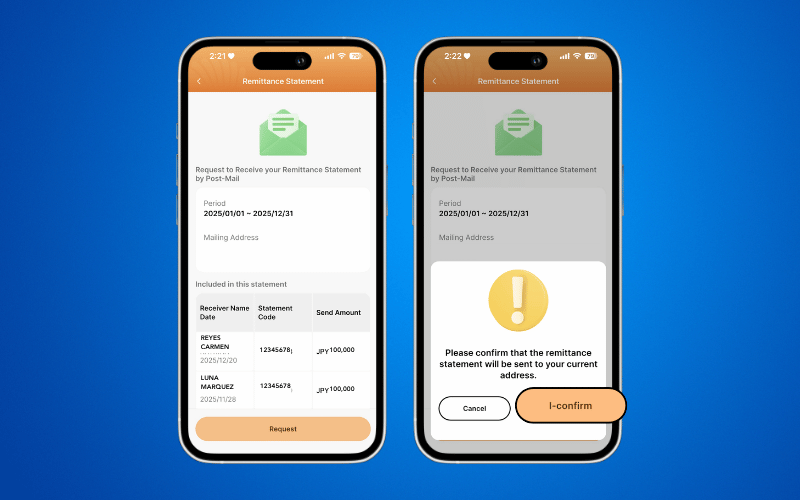
Step 3: Tap REQUEST and confirm the address where you want your Remittance Statement to be sent.
Important Note
When requesting a Remittance Statement via Post-Mail, you cannot select a specific receiver.
If you need a Remittance Statement for a specific receiver, you can request it using the PDF Version instead.
After submitting your request, please allow 2–3 Japan Post Office working days for your Remittance Statement to be delivered to your address.
Need a printed copy of your Remittance Statement? Check our guide on how to print it at 7-Eleven using the 7-Eleven Multicopy app.