


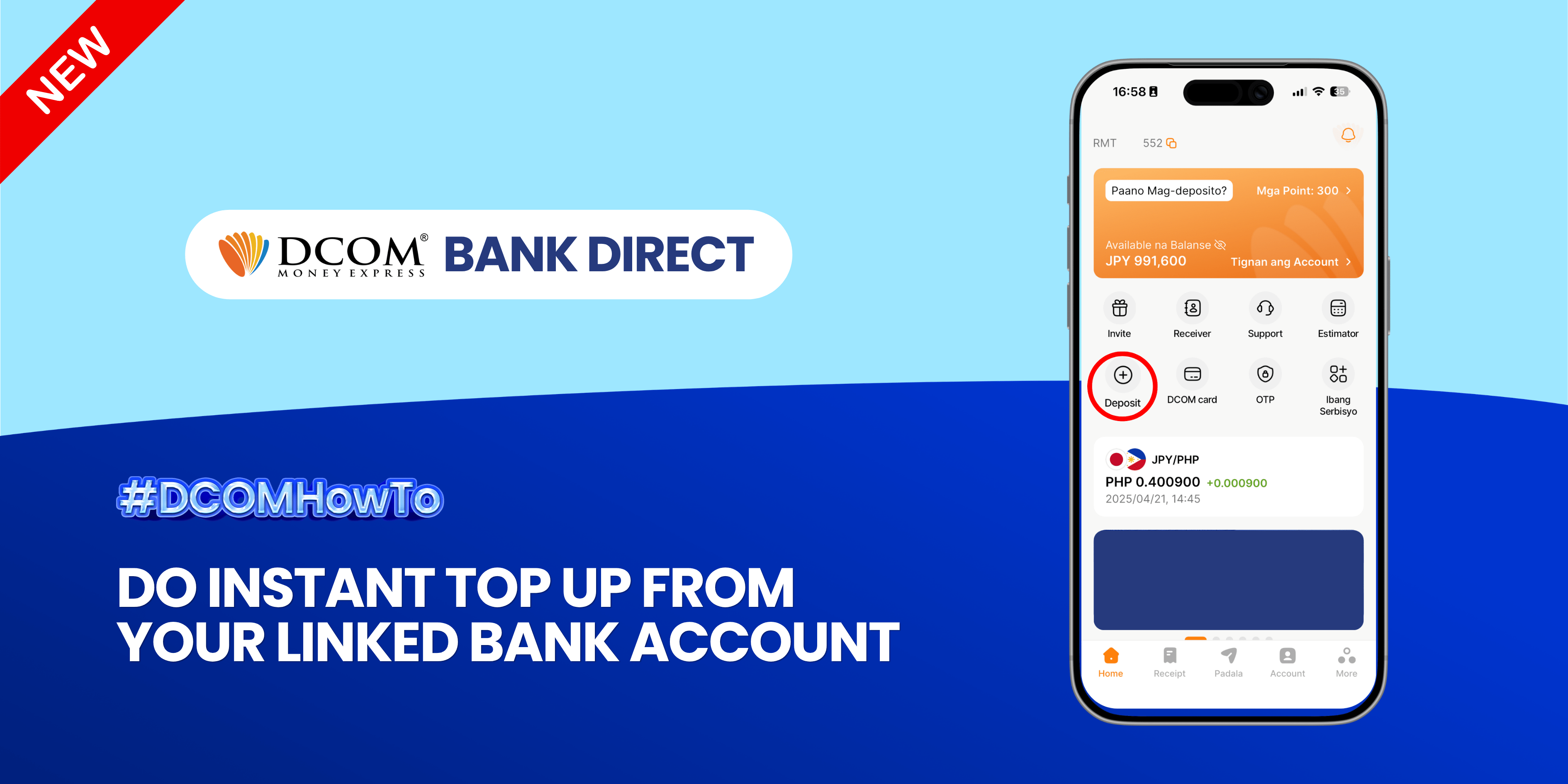
Experience the ultimate convenience of real-time transfers. Seamlessly move funds from your linked bank account to your DCOM account and keep your money moving as fast as you do. Follow the guide below:
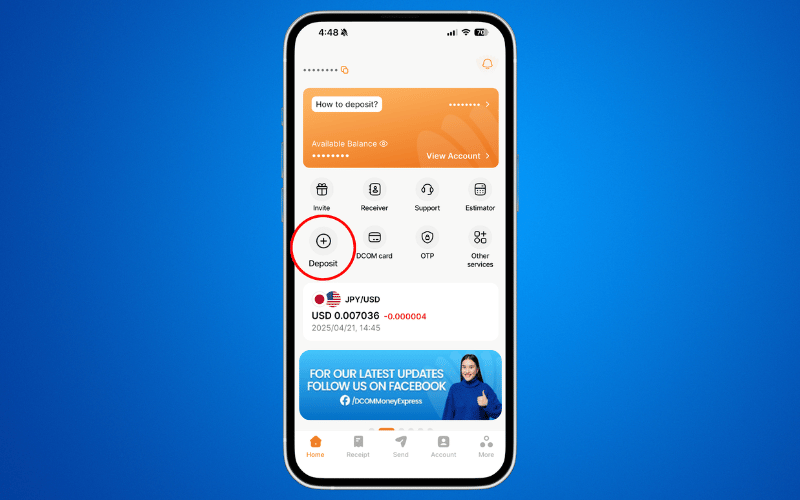
Step 1: Open the DCOM App and press DEPOSIT.
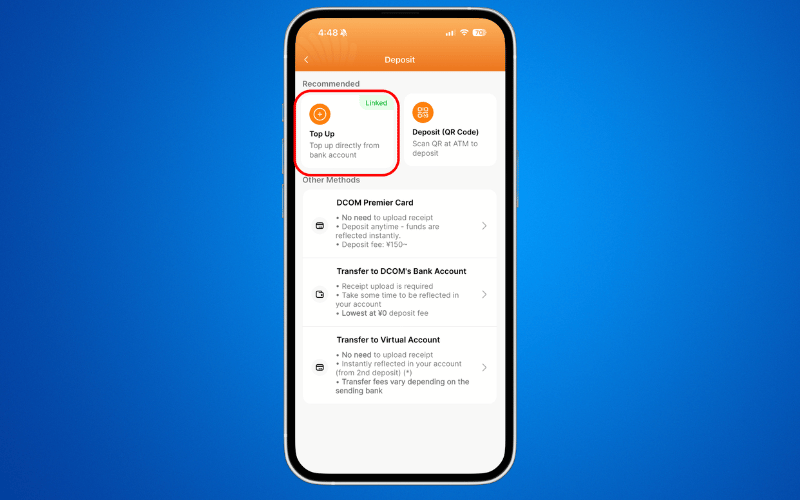
Step 2: Choose TOP-UP.
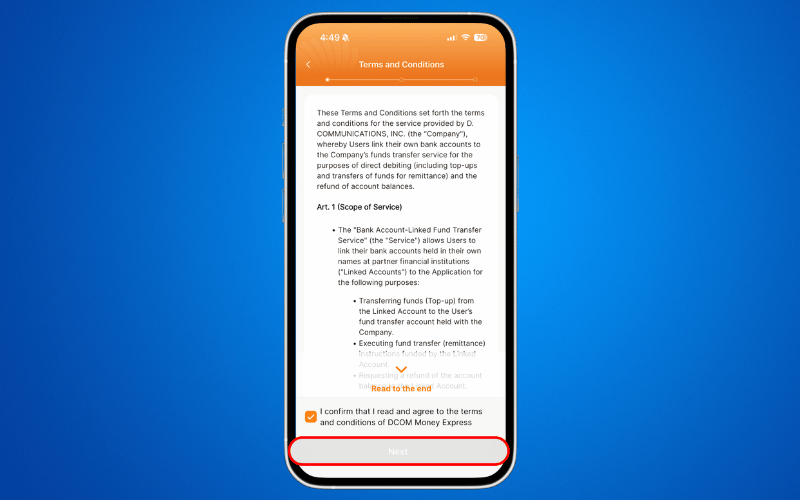
Step 3: Read and agree to the Terms and Condition. Then click NEXT.
Step 4: Enter your desired top-up AMOUNT and press NEXT.
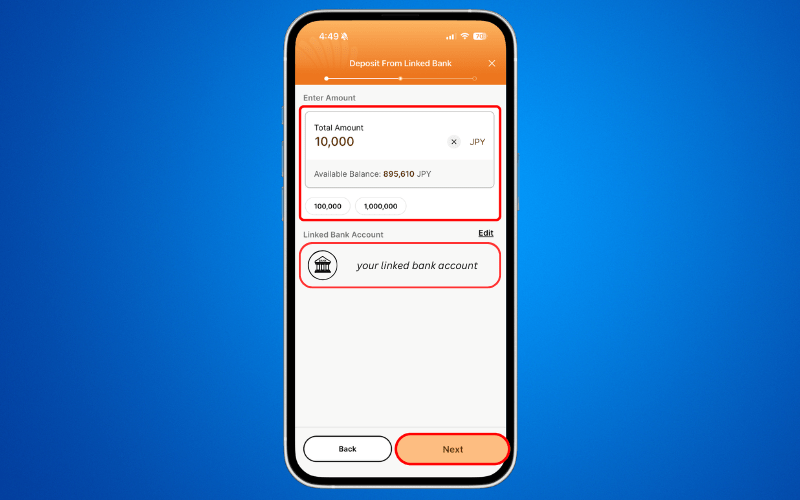
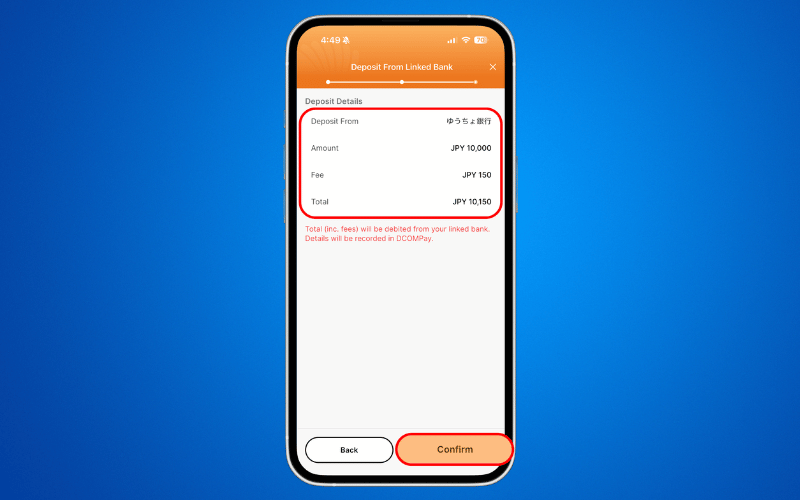
Step 5: Review the information and click CONFIRM.
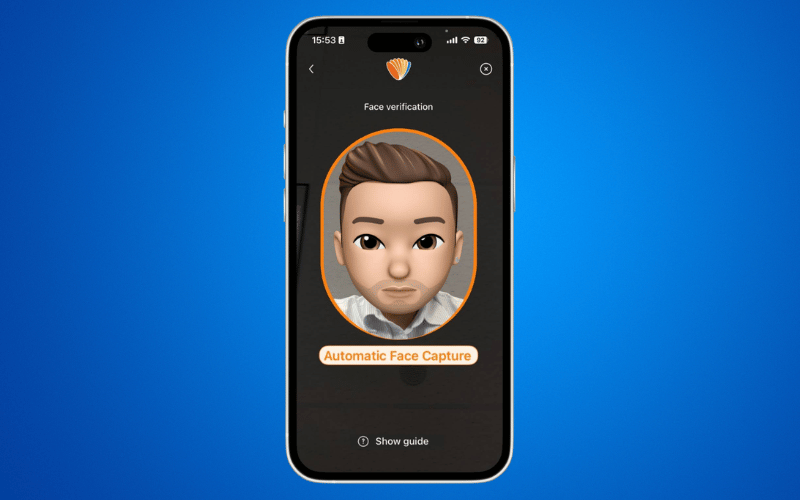
Step 6: Complete the FACE VERIFICATION.
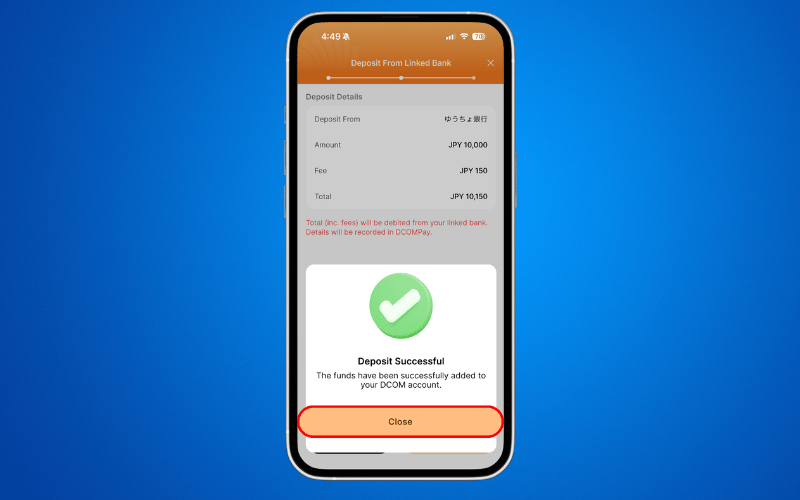
Step 7: Your deposit request has been submitted. Click CLOSE.
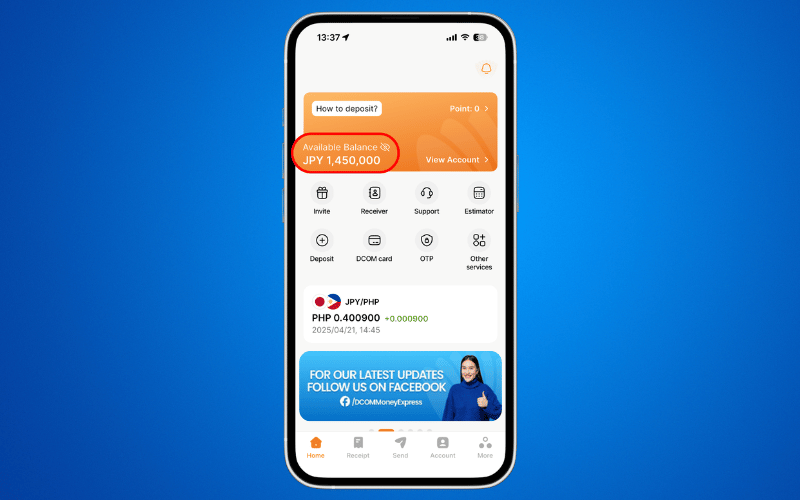
Step 8: Check your DCOM Balance by refreshing your DCOM app.
Ready to Send?
Your balance is topped up and you are now ready to send money to your loved ones !
Click here to learn how to send money via the DCOM Money Express App: https://help.sendmoney.jp/en-send-money/