Sign Up

Continue with Facebook
Continue with Google
or use

Have an account? Sign In Now

Sign In

Continue with Facebook
Continue with Google
or use

Forgot Password?

Don't have account, Sign Up Here

Forgot Password

Lost your password? Please enter your email address. You will receive a link and will create a new password via email.

Have an account? Sign In Now

You must login to ask question.

Continue with Facebook
Continue with Google
or use

Forgot Password?

Need An Account, Sign Up Here
Sign InSign Up

DCOM Money Express

DCOM Money Express Logo DCOM Money Express Logo

DCOM Money Express Navigation

  • EnglishEnglish
    • Tiếng ViệtTiếng Việt
    • 日本語日本語
    • EnglishEnglish
    • TagalogTagalog
    • Bahasa IndonesiaBahasa Indonesia
Search
Ask A Question

Mobile menu

Close
Ask a Question
  • Home
  • New Registration
  • DCOM Card
  • DCOM App
  • OTP and Password
  • Service fee and Exchange rate
  • Remittance Statement
  • Send Money
  • Receive Money
  • Submit Identify Documents
  • Others
  • EnglishEnglish
    • Tiếng ViệtTiếng Việt
    • 日本語日本語
    • EnglishEnglish
    • TagalogTagalog
    • Bahasa IndonesiaBahasa Indonesia
Home/ Questions/Q 793841
DCOM Filipino Help Center

DCOM Filipino Help Center

  • 49 Questions
  • 1 Answer
  • 0 Best Answers
  • 348 Points
View Profile
  • 0
DCOM Filipino Help Center
Asked: 14-07-20262026-07-14T10:00:33+09:00 2026-07-14T10:00:33+09:00

Upgrade the Way You Send Money: Link Your MUFG Account to DCOM

Share
  • Facebook

  • 0

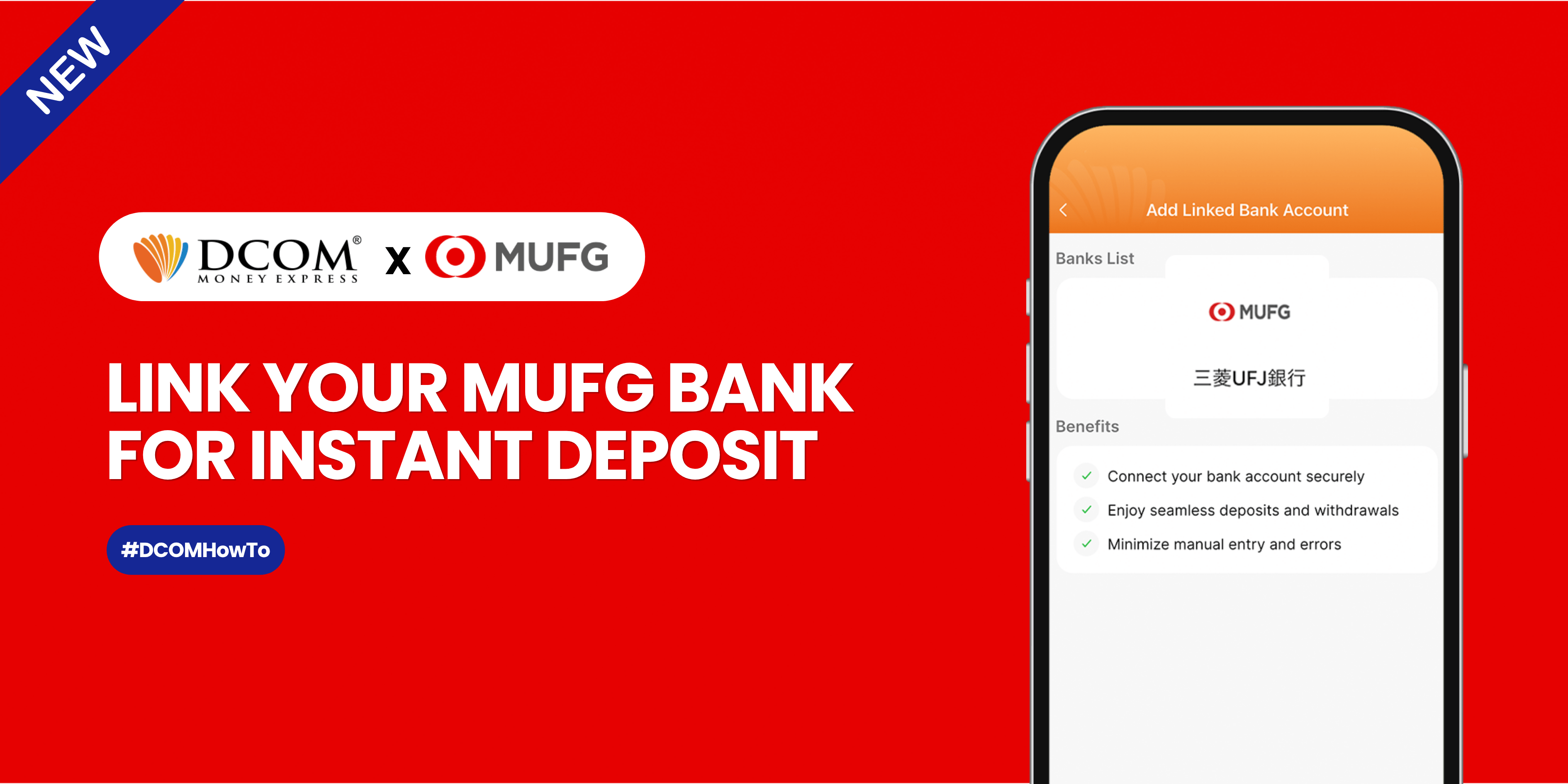
Sending money home should be effortless. By linking your MUFG Bank account to your DCOM app via Mitsubishi UFJ Trust Bank, you can instantly top up your balance whenever you need to.

Follow this quick, hassle-free guide to link your account today:

How to Link Your MUFG Account to DCOM

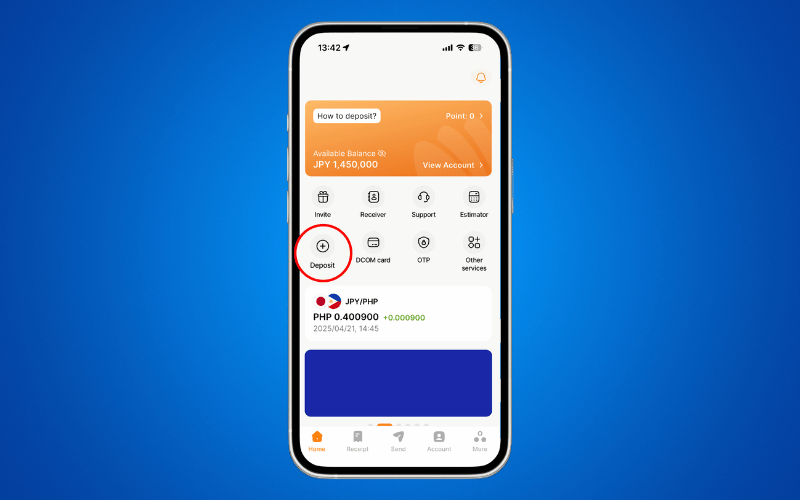
STEP 1: Open your DCOM App and tap DEPOSIT.
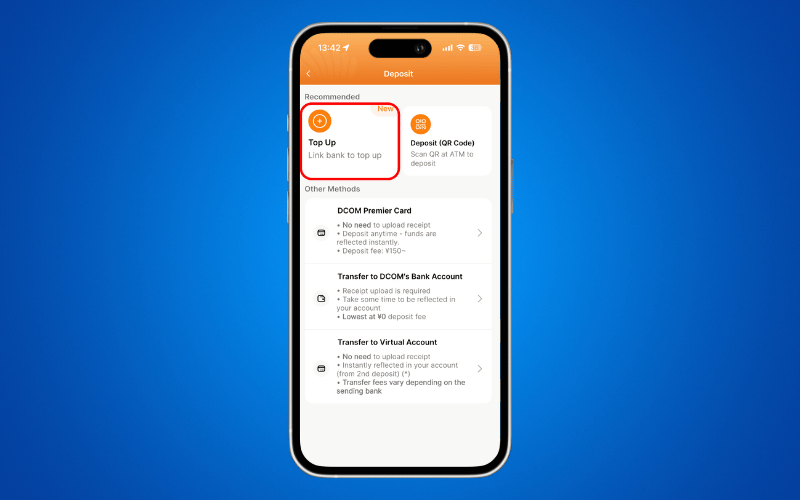
STEP 2: Select TOP-UP.
STEP 3: Choose 三菱UFJ信託銀行 from the options.
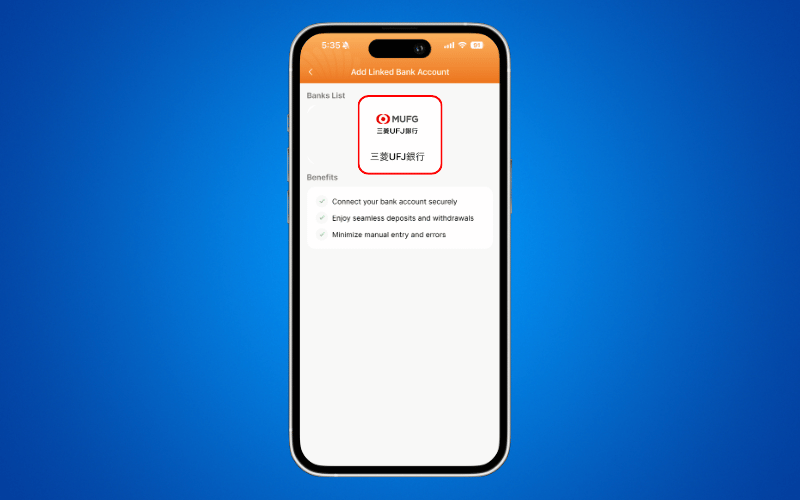
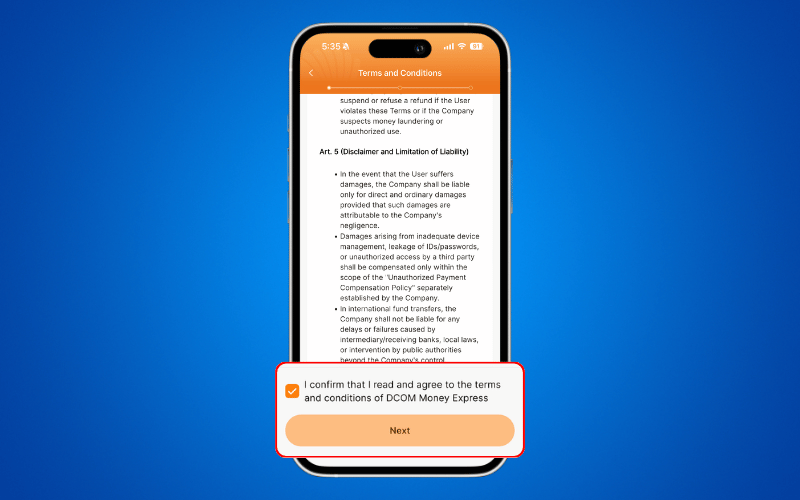
STEP 4: Read and agree to the Terms and Conditions, then click NEXT.
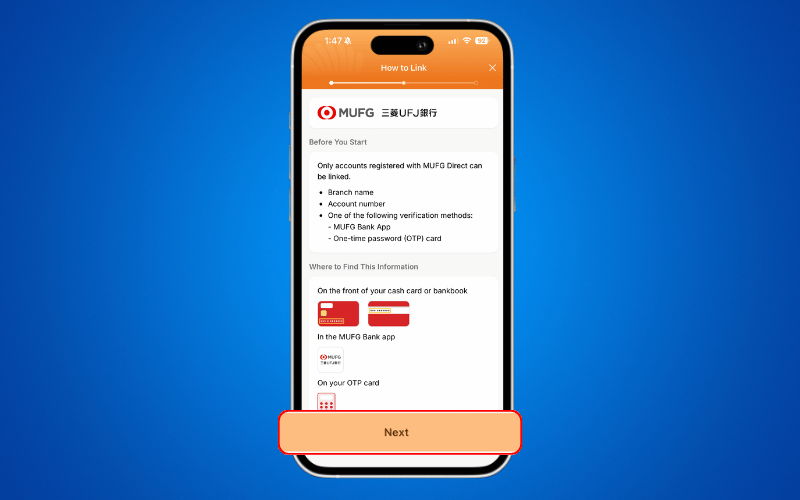
STEP 5: Review the requirements, prepare your details, and tap NEXT.
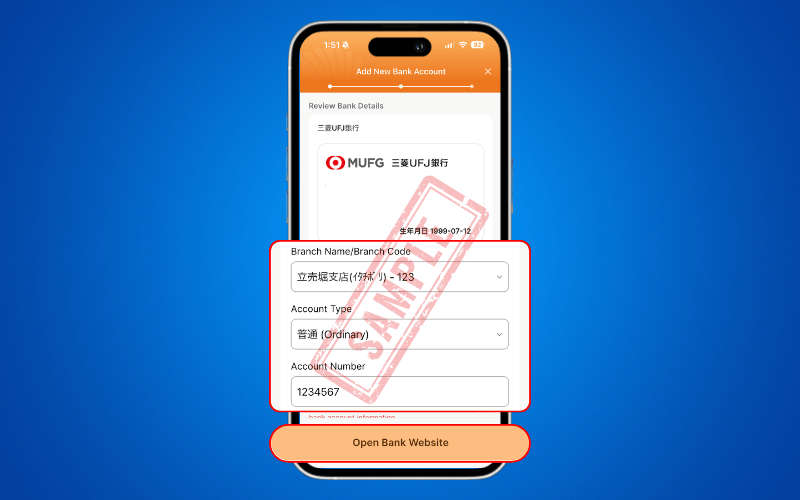
STEP 6: Enter your bank details and tap OPEN BANK WEBSITE.
STEP 7: Scroll down to the bottom of the page.
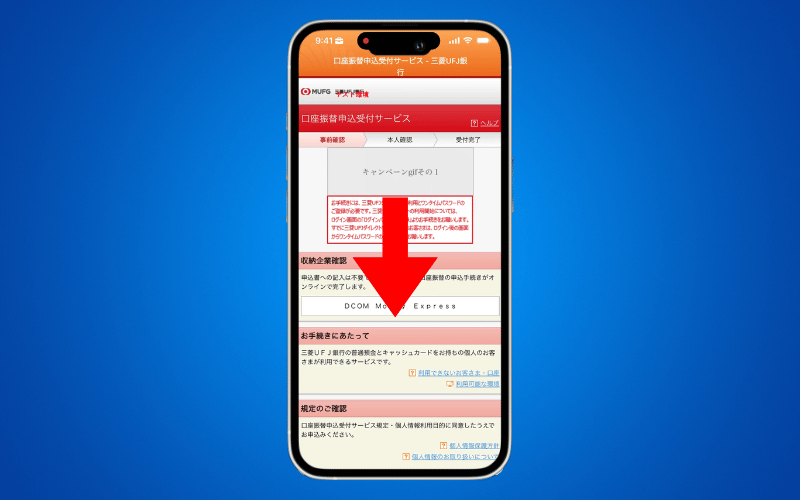
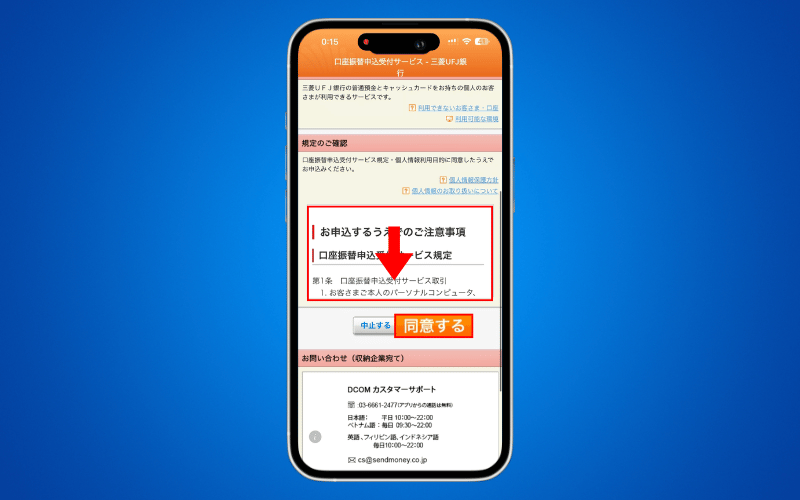
STEP 8: Read the TERMS AND CONDITIONS and press 同意する.
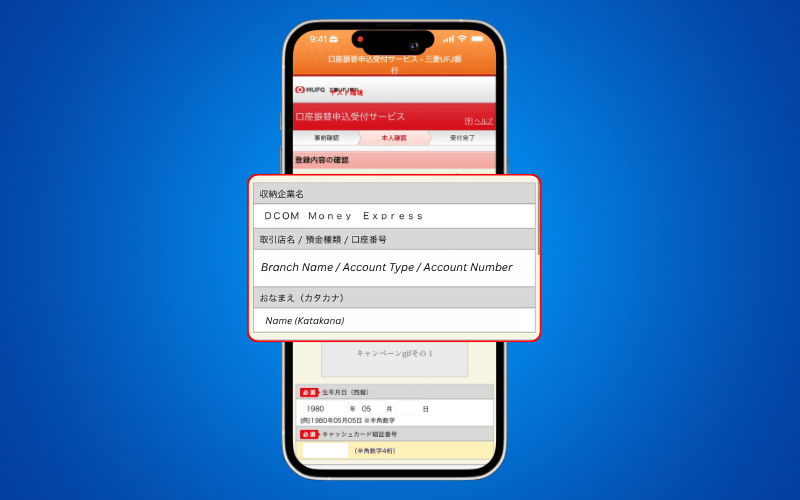
STEP 9: Review your ACCOUNT DETAILS carefully.
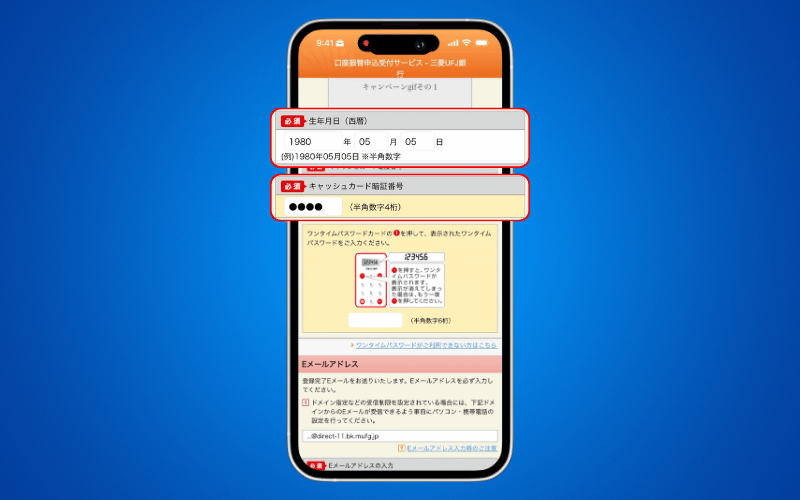
STEP 10: Enter your DATE OF BIRTH and your CASH CARD PIN.
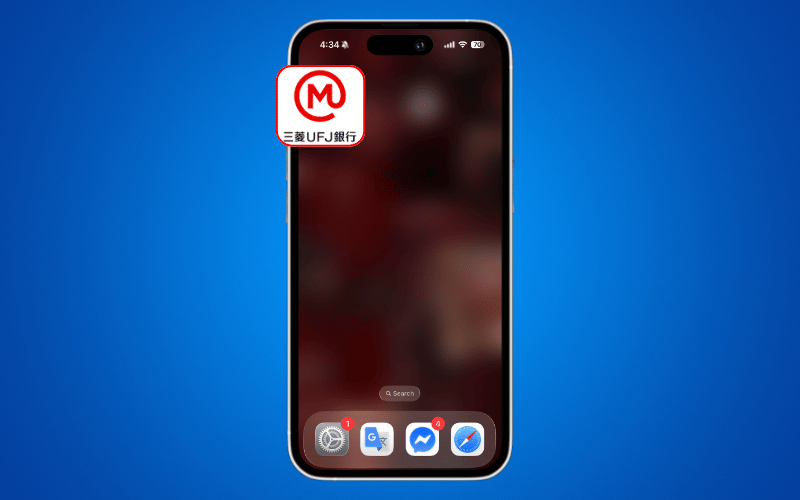
STEP 11: Open your 三菱UFJ信託銀行 App.
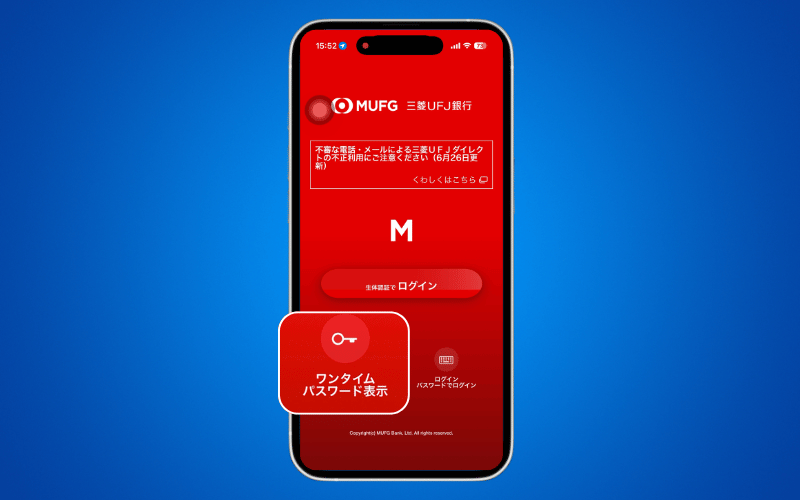
STEP 12: Press ワンタイムパスワード表示.
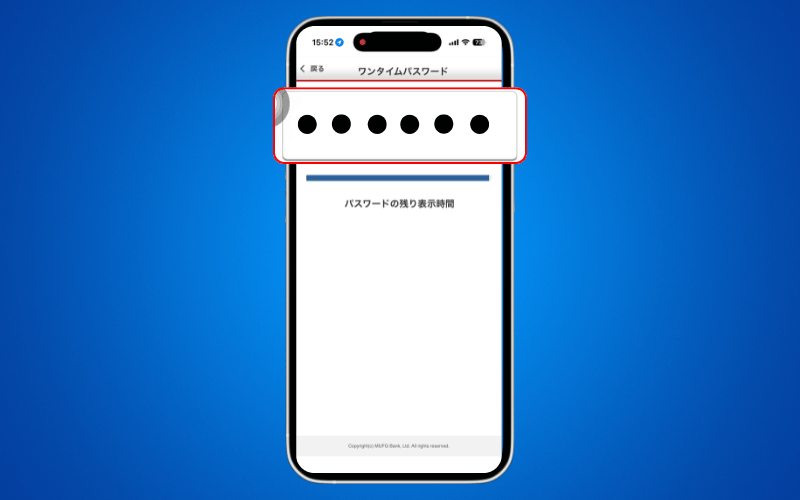
STEP 13: Copy the OTP from this page.
STEP 14: Go back to the DCOM App and enter your OTP.
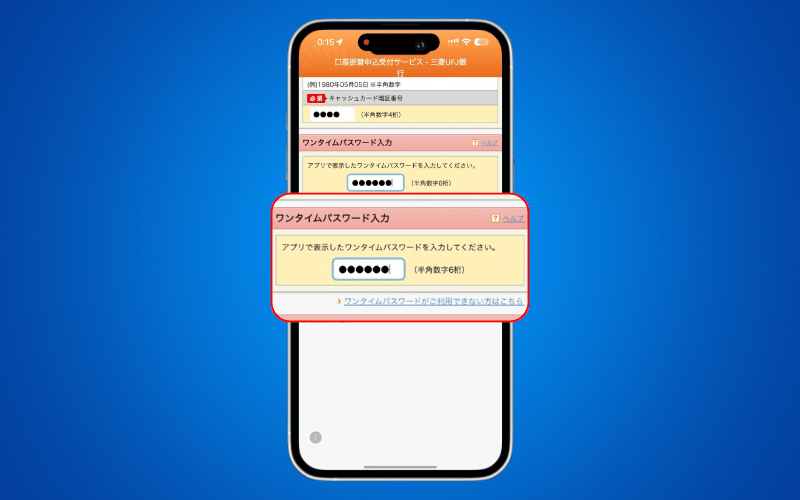
STEP 15: Enter your EMAIL ADDRESS and click 実行.
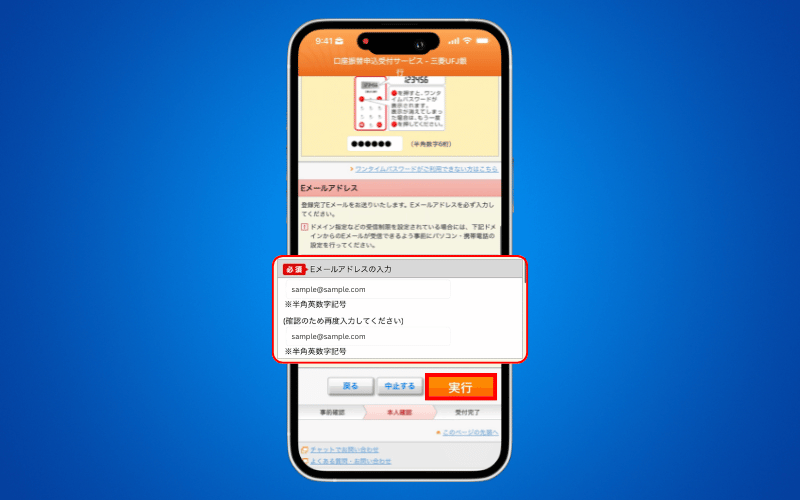
STEP 16: Press 収納企業に戻る (必ずタップしてください).
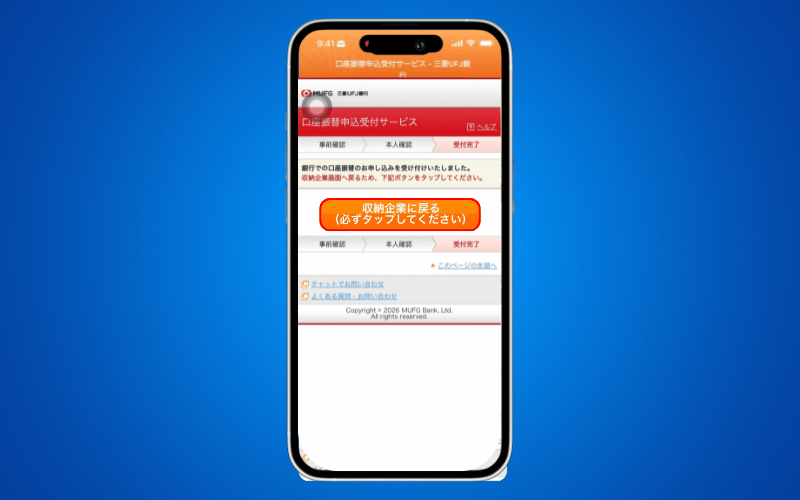
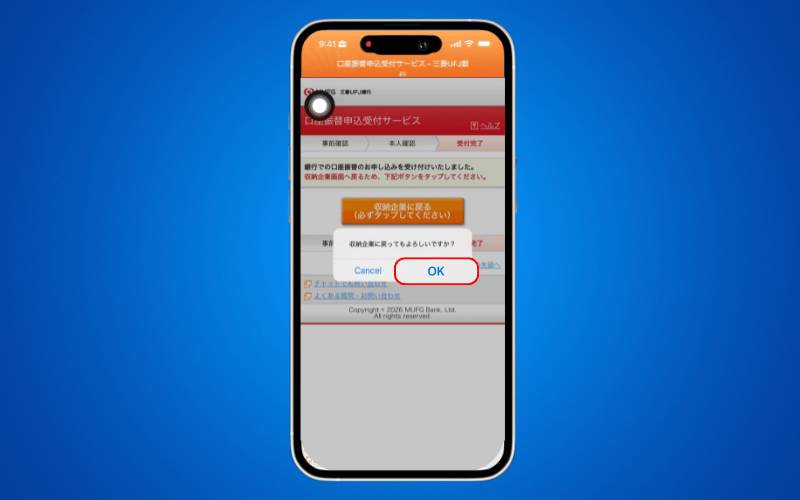
STEP 17: Press OK.
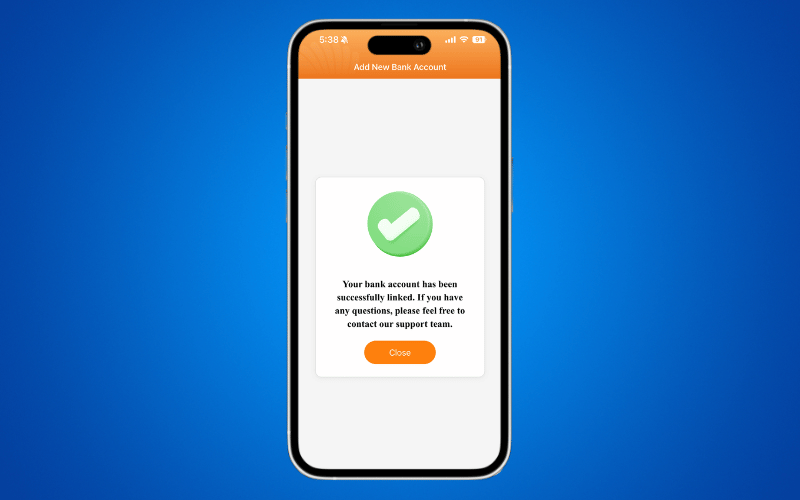
STEP 18: Your MUFG Bank Account is now linked. You can now top up directly from your DCOM account instantly!
What’s Next?

Your account is linked now experience seamless remittance! Why waste time visiting an ATM when you can manage everything right from your phone? Start enjoying instant, hassle-free transfers straight to your loved ones today.

  • Ready to fund your wallet? 👉 TOP-UP directly from your MUFG account for zero-fuss deposit.
  • Funds ready? 👉 SEND MONEY TO YOUR RECEIVER now and bring a happiness to your family instantly!
  • 0 0 Answers
  • 59 Views
  • 0 Followers
  • 0
Answer
    Leave an answer

    Leave an answer
    Cancel reply

    Browse

    Sidebar

    Ask A Question

    User Ranking

    DCOM Vietnam Help Center

    DCOM Vietnam Help Center

    • 2 Questions
    • 1k Points
    DCOM Indonesia Help Center

    DCOM Indonesia Help Center

    • 0 Questions
    • 349 Points
    DCOM Filipino Help Center

    DCOM Filipino Help Center

    • 49 Questions
    • 348 Points
    DCOM Help Center

    DCOM Help Center

    • 0 Questions
    • 206 Points
    DCOM Vietnam Help Center

    DCOM Vietnam Help Center

    • 0 Questions
    • 189 Points
    • Popular
    • Answers
    • Customer

      Can I send dollars to the Philippines using DCOM?

      • 0 Answers
    • Customer

      Can I send money to Hongkong / US via DCOM

      • 1 Answer
    • Customer

      How to send money to banks in the Philippines?

      • 0 Answers
    • Customer

      Is there a fee for requesting Remittance Statement?

      • 0 Answers
    • Customer

      How to register in DCOM?

      • 0 Answers
    • Isabelita Fernandez Hatayama
      Isabelita Fernandez Hatayama added an answer Thanks. 06-12-2024 at 12:10 pm
    • DCOM Vietnam Help Center
      DCOM Vietnam Help Center added an answer You cannot use the DCOM card to withdraw money from… 04-12-2020 at 8:35 pm
    • DCOM Filipino Help Center
      DCOM Filipino Help Center added an answer Unfortunately, We don't have that service yet. Just follow our… 03-12-2020 at 11:36 pm
    • DCOM Help Center
      DCOM Help Center added an answer Choose ACCOUNT DEPOSIT > GCASH (PAYMAYA) 02-12-2020 at 5:39 pm
    • DCOM Help Center
      DCOM Help Center added an answer As of now, we are not yet available for the… 02-12-2020 at 5:37 pm

    Question Tags

    dcom direct card dcom fee dcom philippines dcom receive money dcom receiver dcom register dcom registration dcom remittance dcom remittance statement dcom remittance time dcom send money dcom verification how to register dcom one-time password otp

    Explore

    • Home
    • New Registration
    • DCOM Card
    • DCOM App
    • OTP and Password
    • Service fee and Exchange rate
    • Remittance Statement
    • Send Money
    • Receive Money
    • Submit Identify Documents
    • Others

    Footer

    About


    DCOM Money Express, a money transfer service to more than 200 countries, based in Tokyo, Japan. Operated by D. COMMUNICATIONS, INC. under Money Transmitter Registered No. 00001 issued by the Hokuriku Local Finance Bureau of Japan since 2011.

    HEAD OFFICE

    Address: 6F Across Shinkawa Bldg.,
    1-8-8 Shinkawa, Chuo-ku, Tokyo.
    Tel: 03-6661-2477
    Fax: 03-6661-9181
    E-mail: cs@sendmoney.co.jp

    DCOM NAGOYA BRANCH

    Address: 1B, 1F Nagoya Sakae Bldg,
    5-1 Buheicho, Higashi-ku, Nagoya-shi, Aichi.

    Connect with us

    Copyright © 2021 D. Communications, Inc. All Rights Reserved.