


Seamlessly connect your bank to the DCOM App for the fastest way to top up. No paperwork, no delays just a few taps to get your balance ready for your next transaction. Follow this guide below:
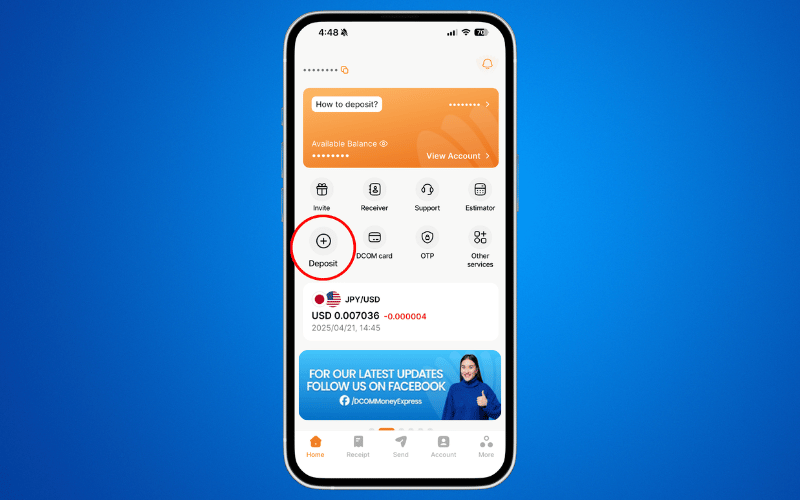
Step 1: Open the DCOM App and press DEPOSIT.
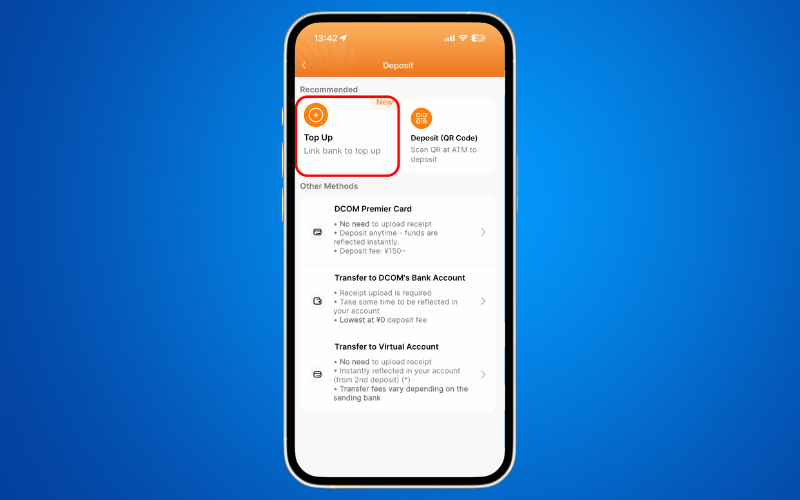
Step 2: Choose TOP-UP.
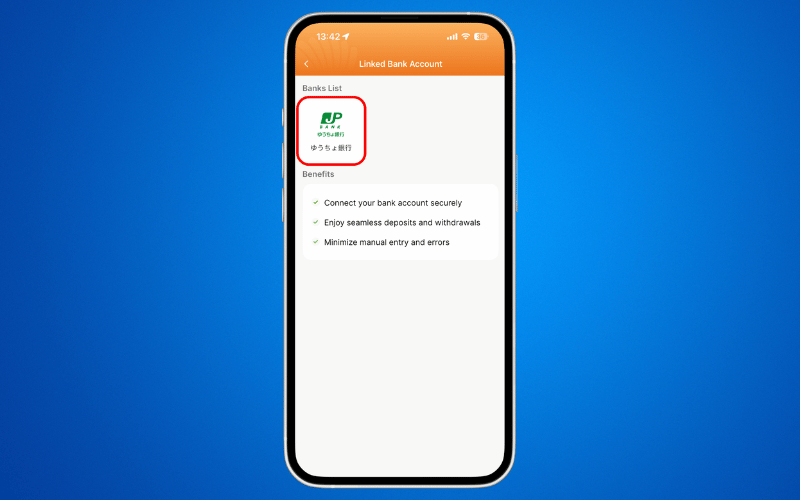
Step 3: Press JP POST BANK.
Step 4: Read and agree to the TERMS AND CONDITIONS and click NEXT.
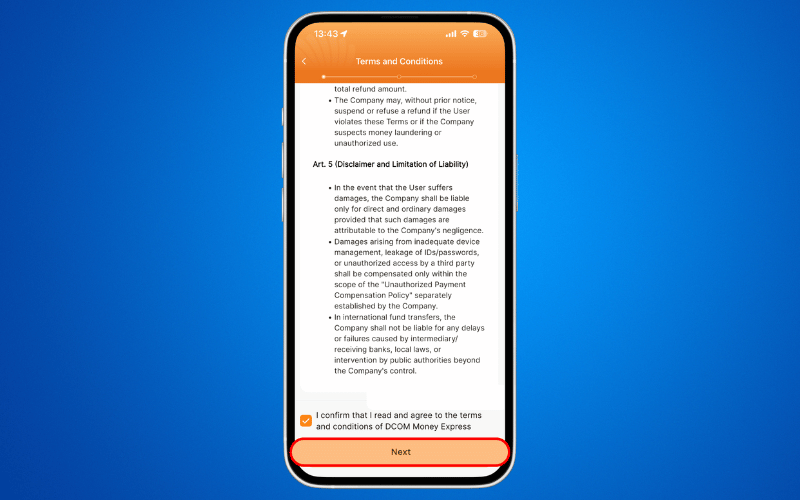
Step 5: Read and prepare the requirements and press NEXT.
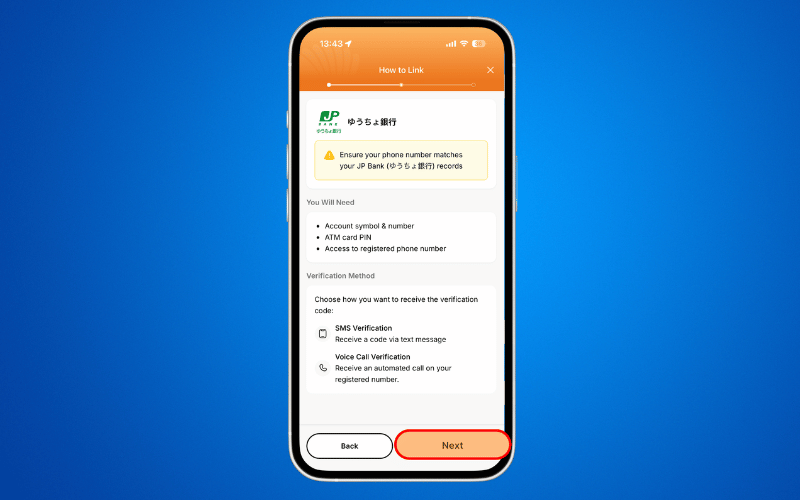
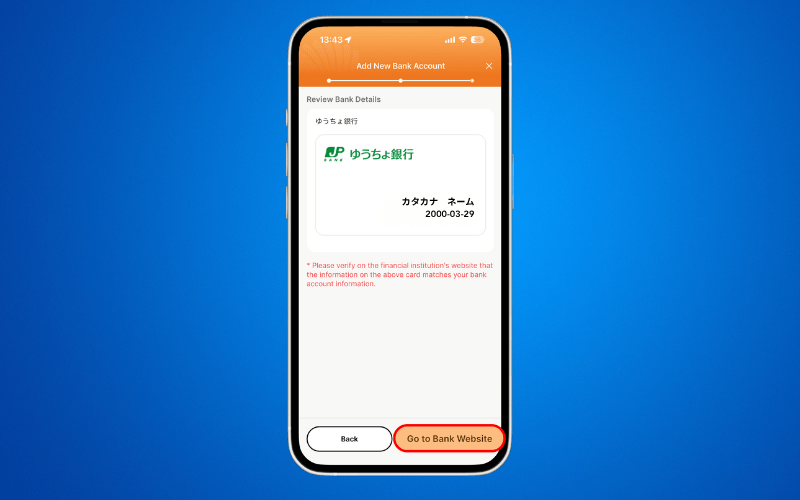
Step 6: Press GO TO BANK WEBSITE.
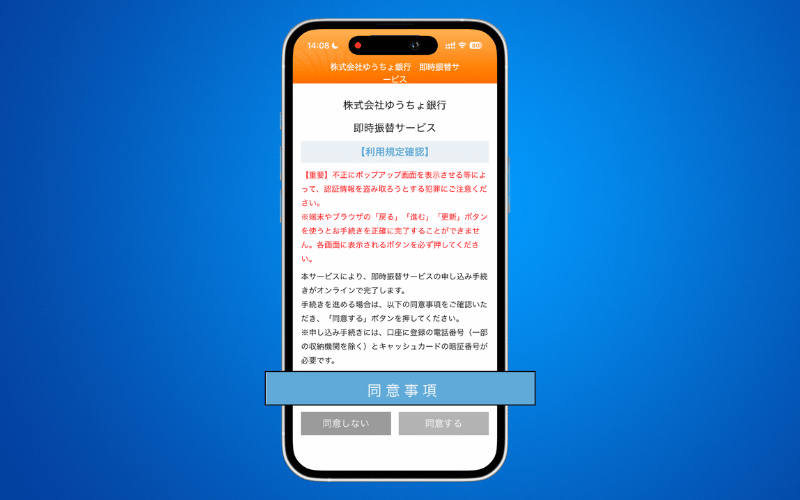
Step 7: Click 同意事項 and a pop-up screen will appear. Read the content and press 同意する to proceed.
Step 8: Input the MIDDLE 3-DIGITS of your 5-digits 記号 or symbol of your Yucho Account and press 進む. i.e. 19870 → 987.
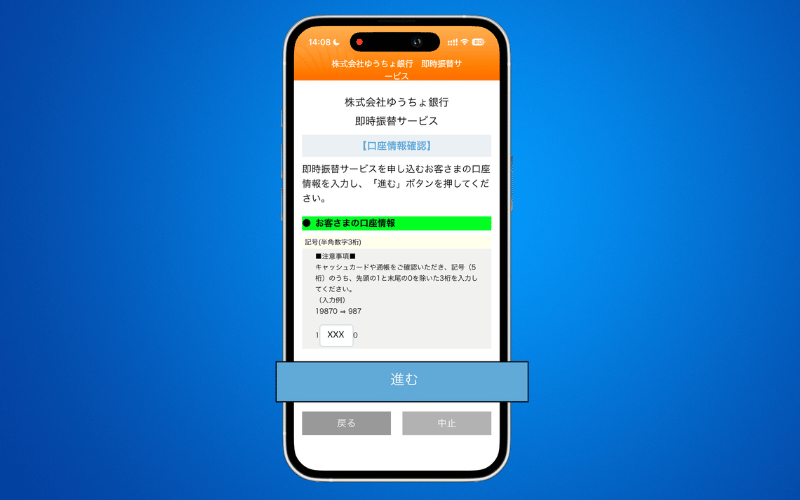
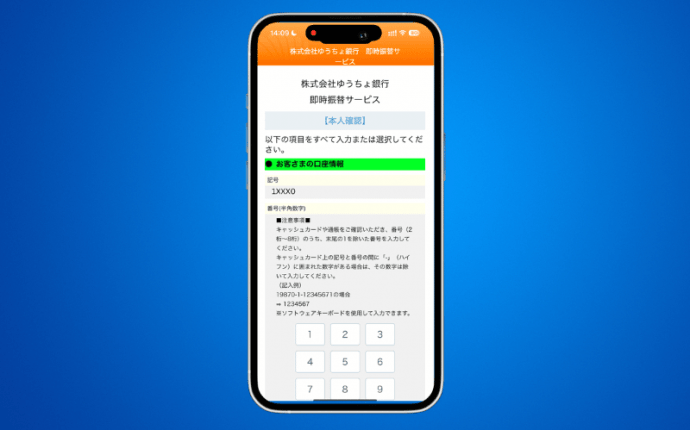
Step 9: Input the FIRST 7-DIGITS of your 8-digits 番号 or number of your Yucho Account and press 進む. i.e. 19870-1-12345671 → 1234567.
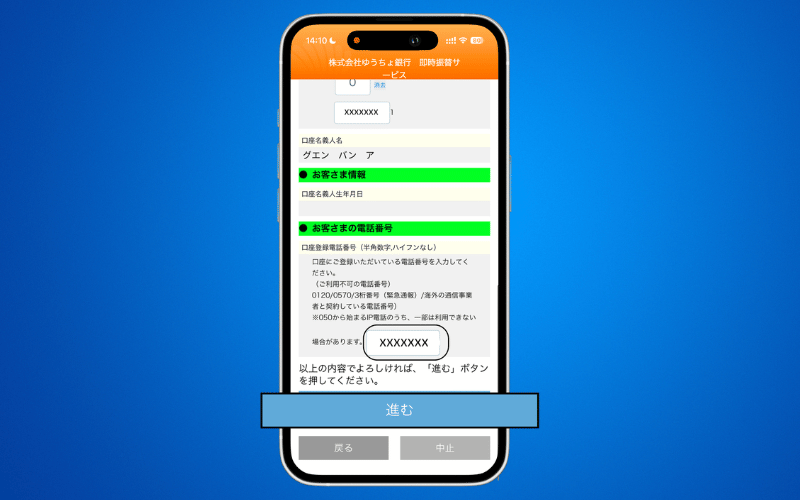
Step 10: Input the PHONE NUMBER you used to register your Yucho Account. Press 進む.
Step 11: Your Yucho Account details will be reflected. Check the details and press 進む.
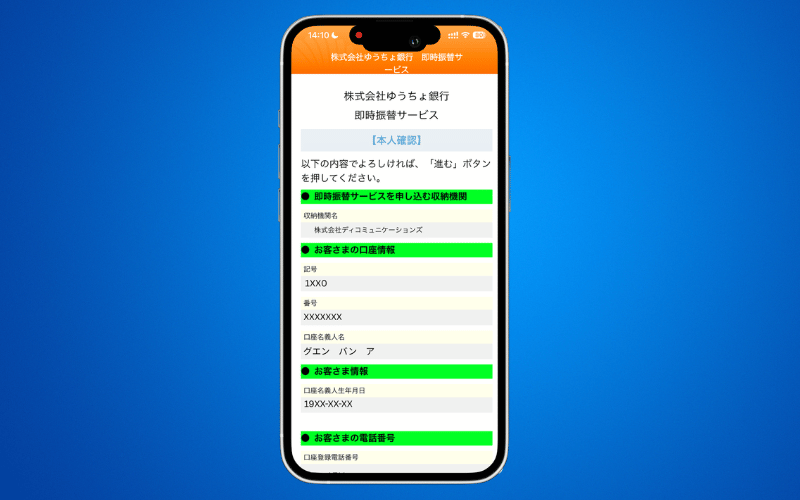
Step 12: Press 進む.
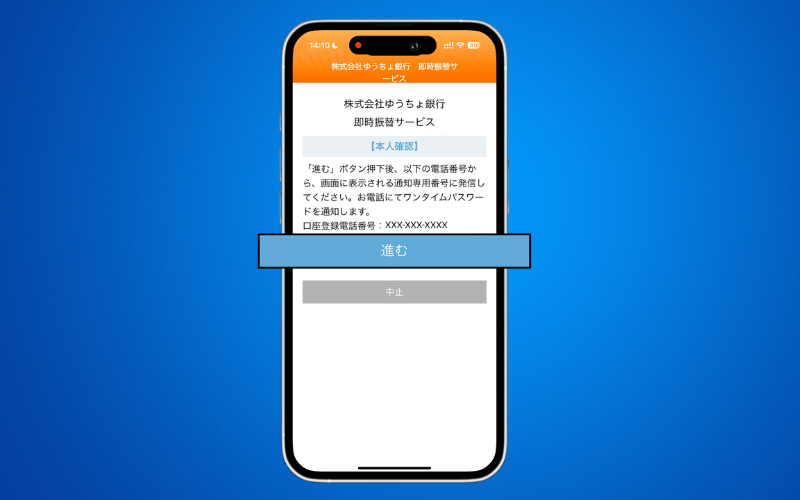
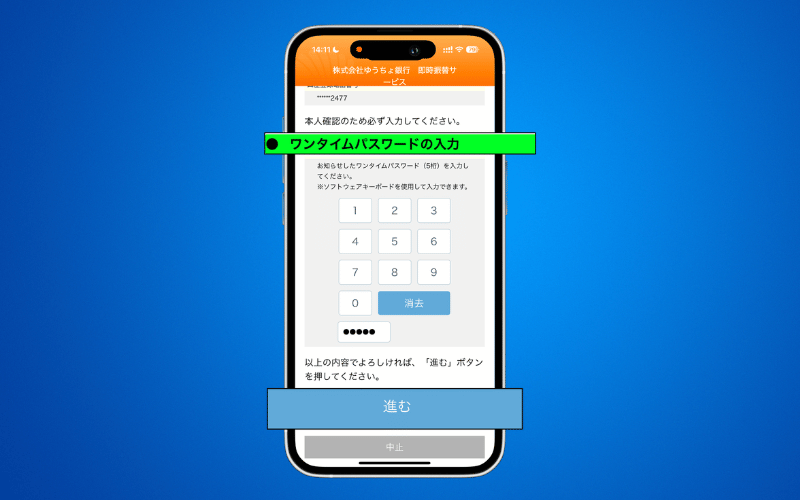
Step 13: Input the 5-DIGITS OTP you received via SMS or phone call and press 進む.
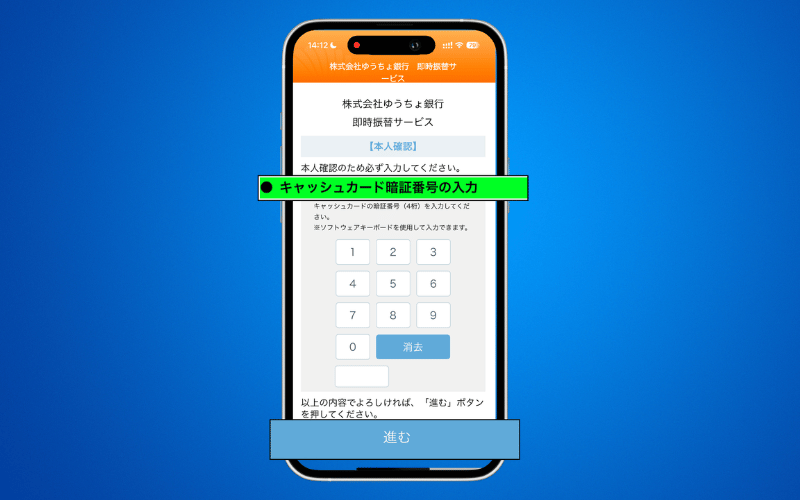
Step 14: Input your 4-DIGIT YUCHO ACCOUNT PIN CODE and press 進む.
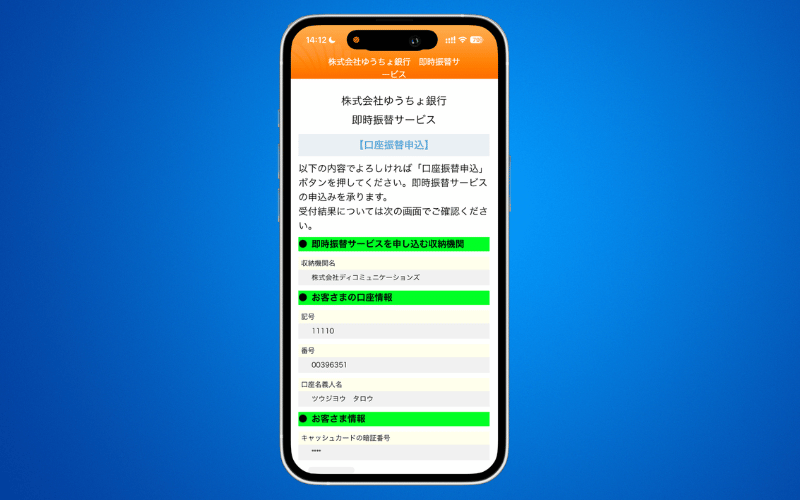
Step 15: Check all the details and press 口座振替申込.
Ready to Go!
Congratulations! Your account is linked. You are now ready to fund your transfers instantly.
How to Top-Up via Linked Bank Account
How to Send Money via DCOM Money Express App