



Say goodbye to manual transfers. Follow this quick 12-step guide to connect your Sumitomo Mitsui Banking Corporation (SMBC) account and enjoy seamless, direct top-ups.
Before you begin: Please ensure you have your SMBC online banking credentials, branch number, account number, and your One-Time Password (OTP) token or app ready.
STEP 1: Open the DCOM App and tap DEPOSIT.
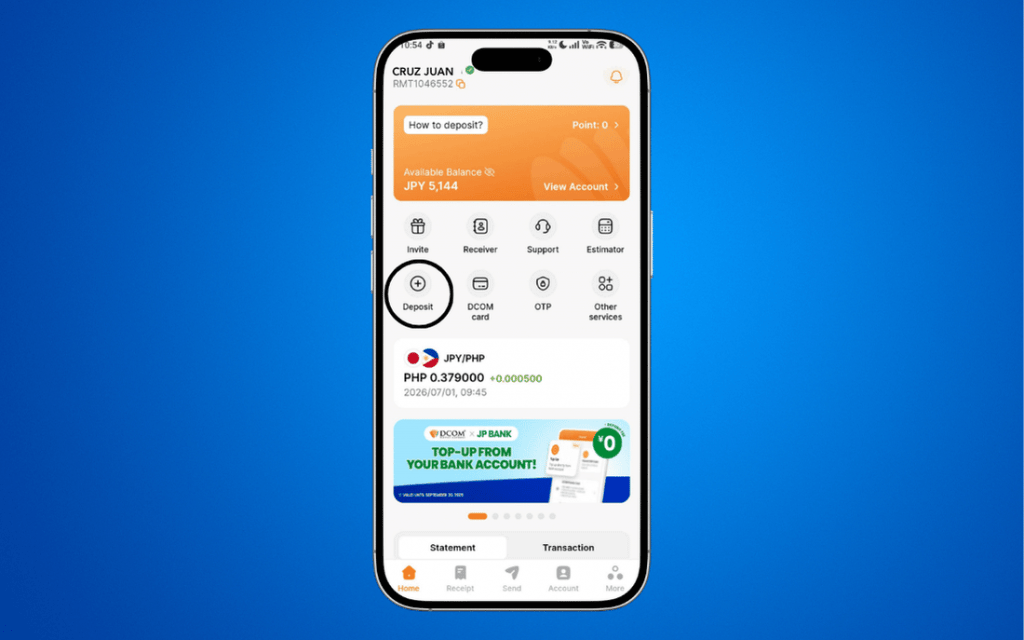
STEP 2: Select TOP-UP.
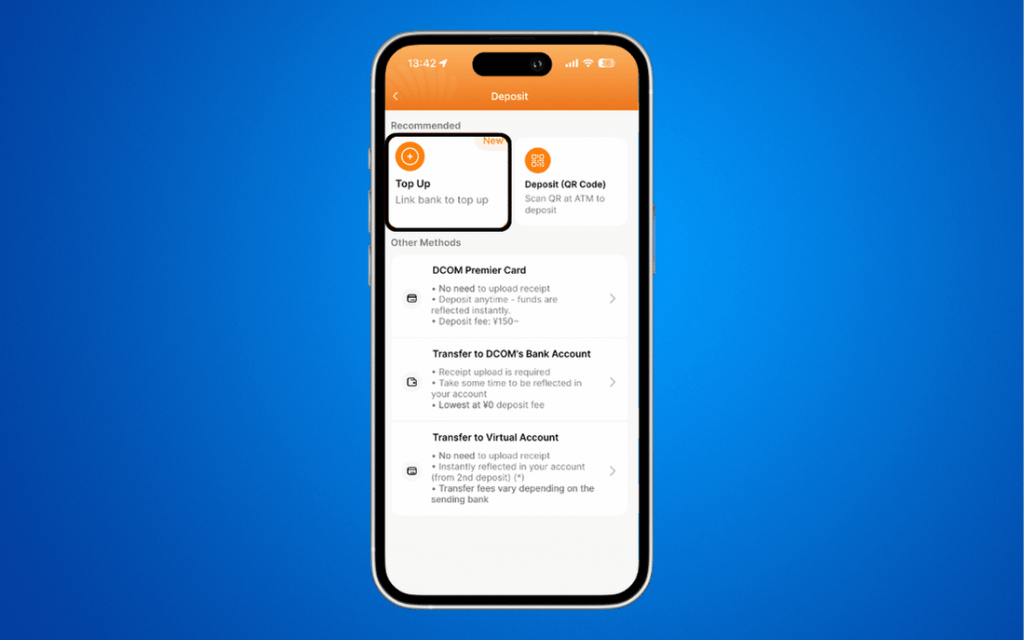
STEP 3: Choose SMBC (三井住友銀行) from the bank list.
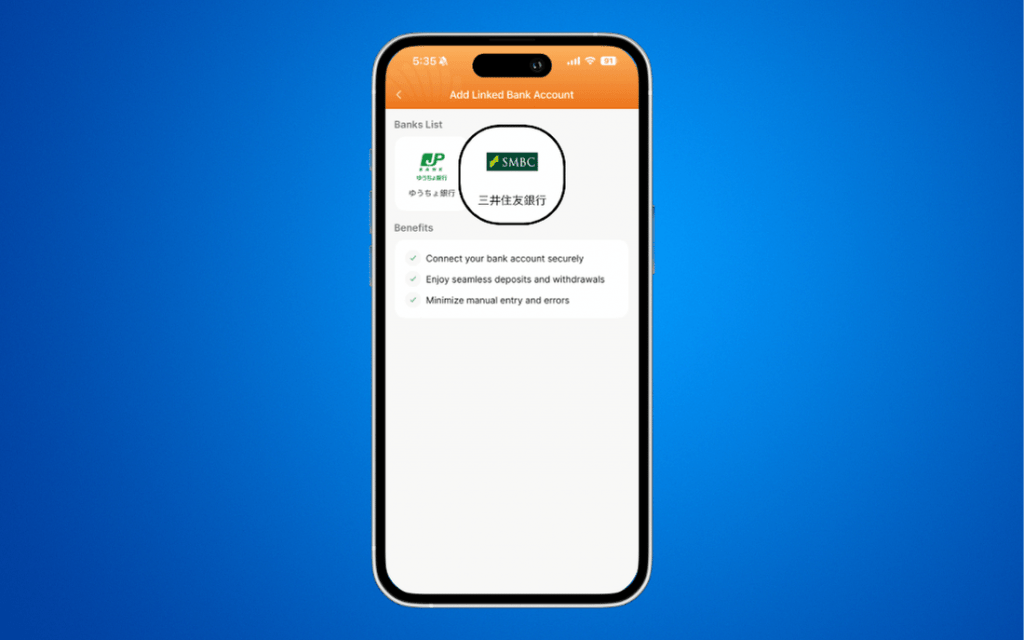
STEP 4: Review and confirm Terms and Conditions, then tap NEXT.
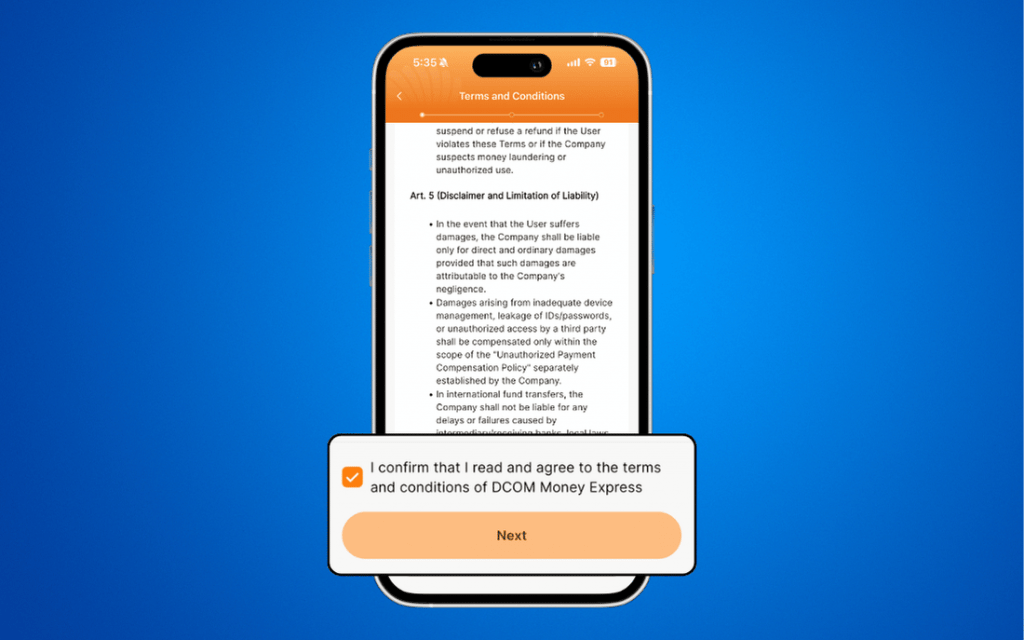
STEP 5: Read the preparation checklist and tap NEXT.
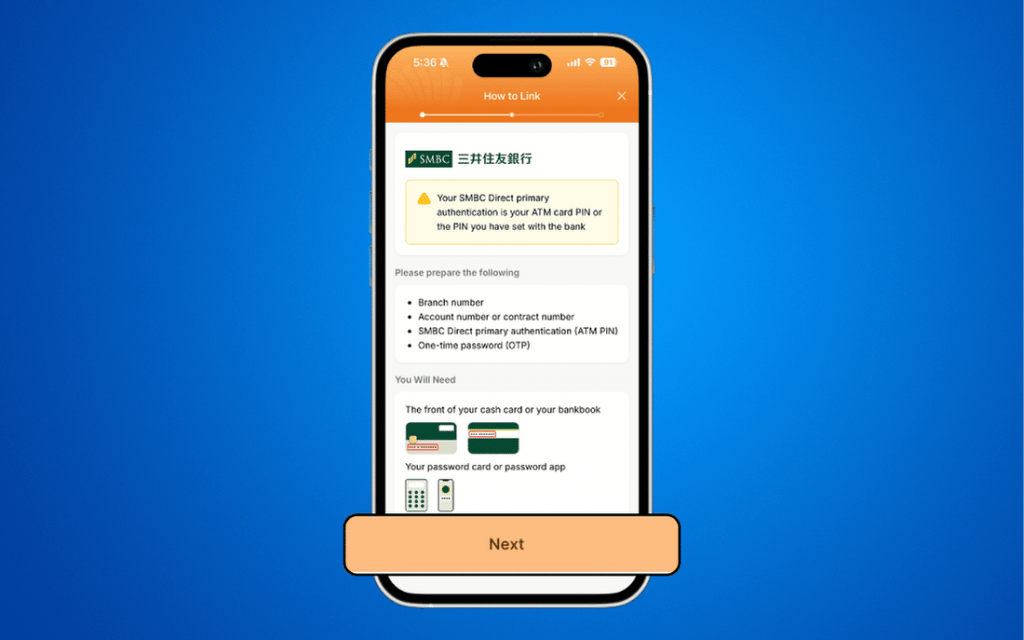
STEP 6: Enter your bank details and tap OPEN BANK WEBSITE.
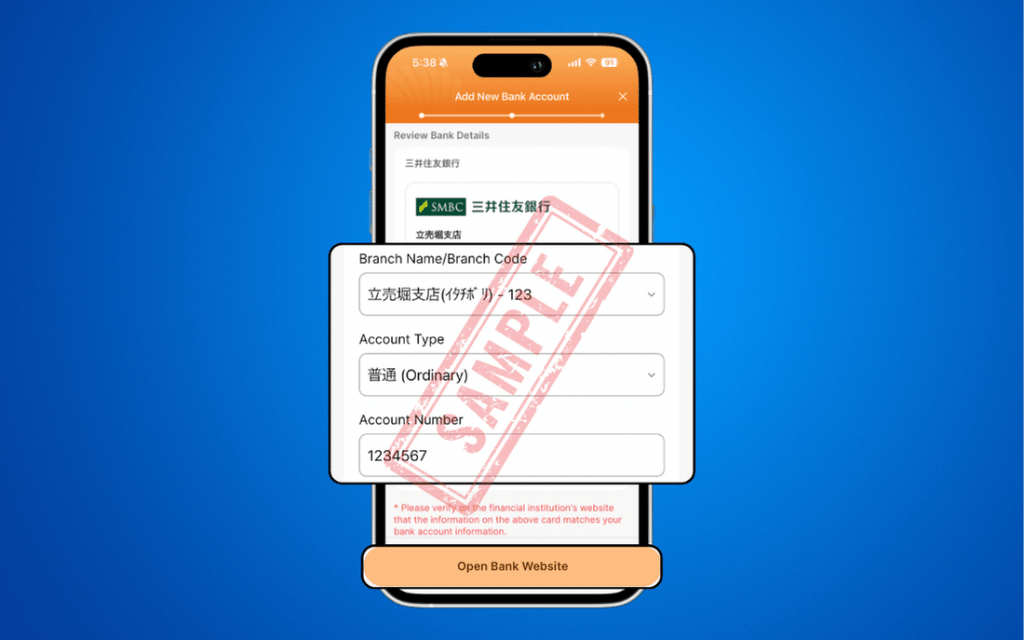
STEP 7: On the SMBC portal, input your BRANCH NUMBER and ACCOUNT NUMBER.
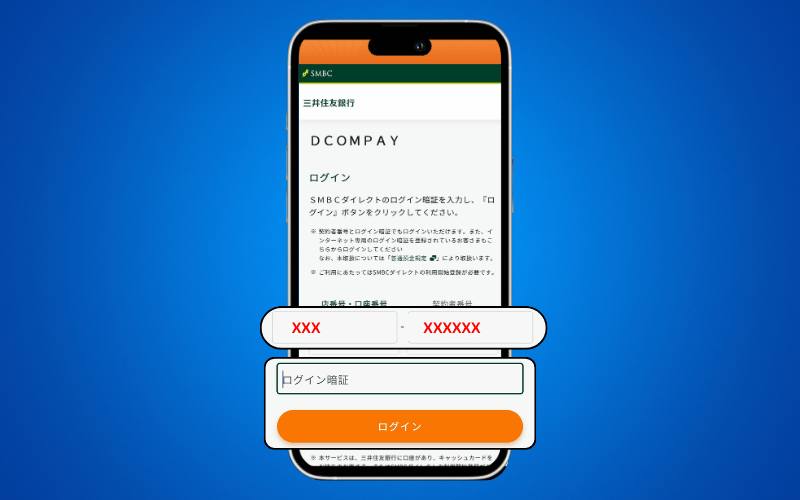
STEP 8: Enter your LOGIN PIN and click ログイン.
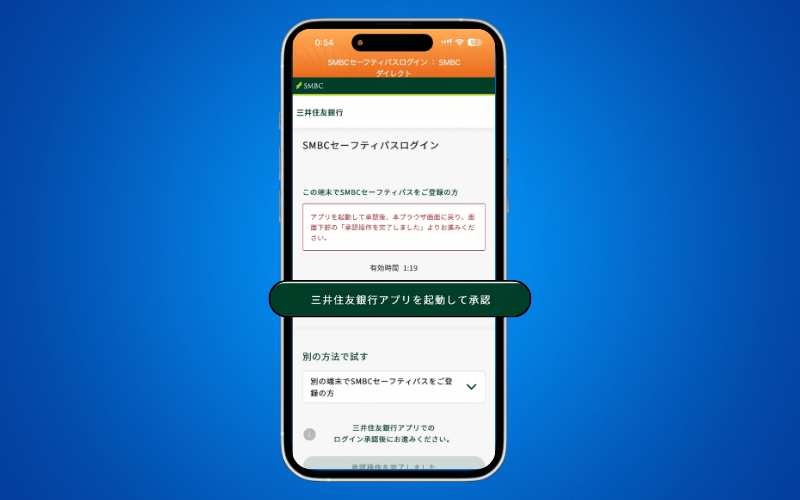
STEP 9: Input your OTP (One-Time Password) and click ログイン .
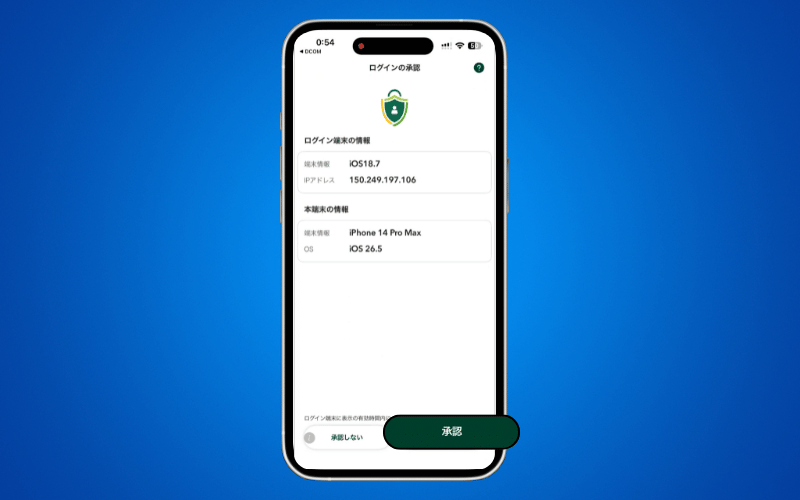
STEP 10: Review and confirm your account details, then scroll to the bottom of the page.
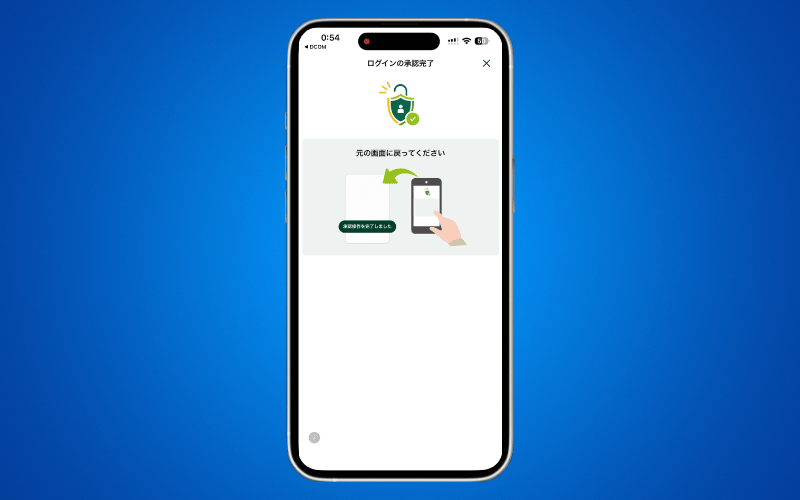
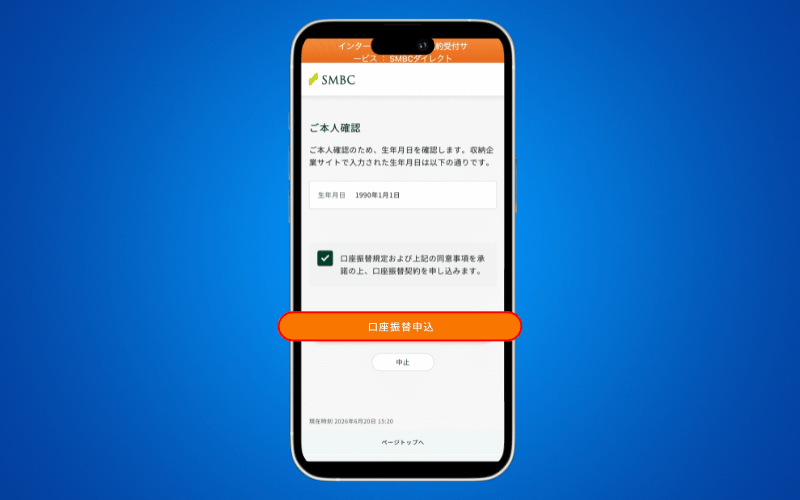
STEP 11: Check the box to agree to the terms, then tap 口座振替申込 to finalize.
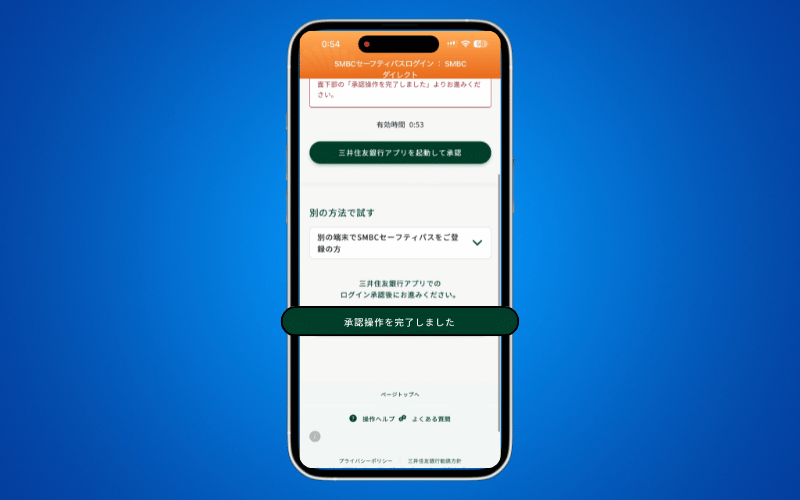
STEP 12: Scroll down to the bottom and press 承認操作を完了しました.
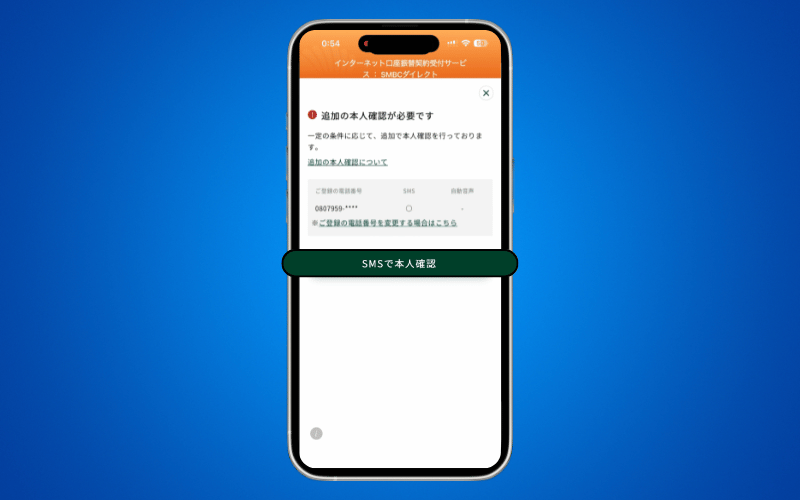
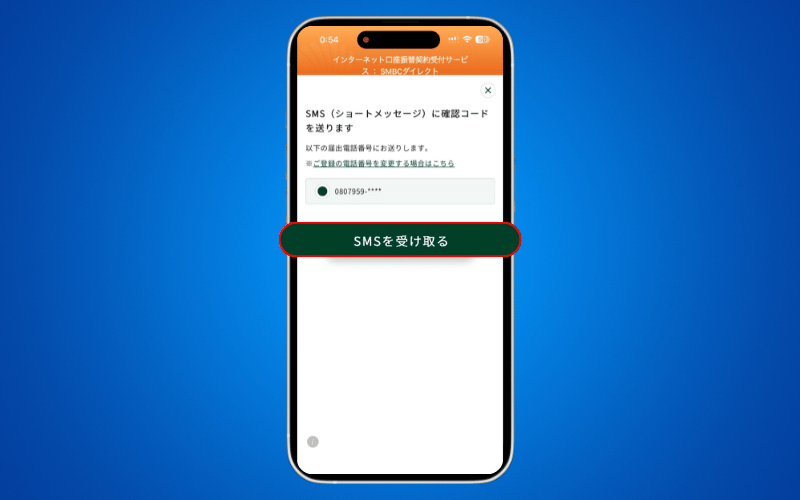
STEP 13: Press SMSで本人確認.
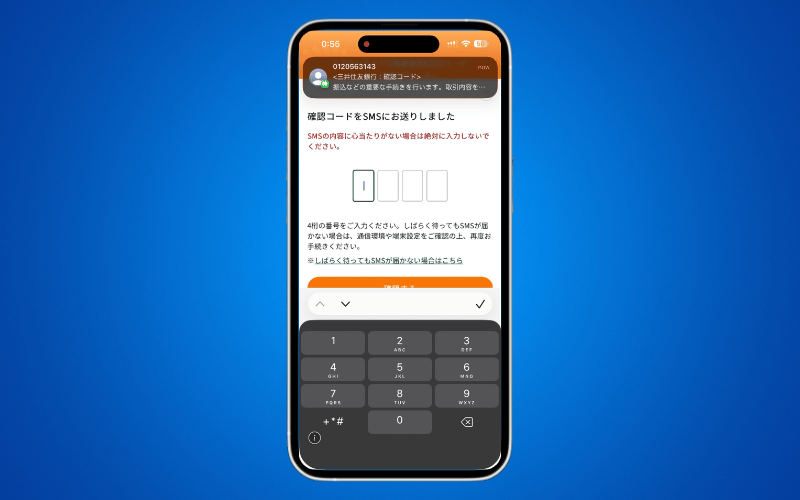
STEP 14: Enter your OTP and press 確認する.
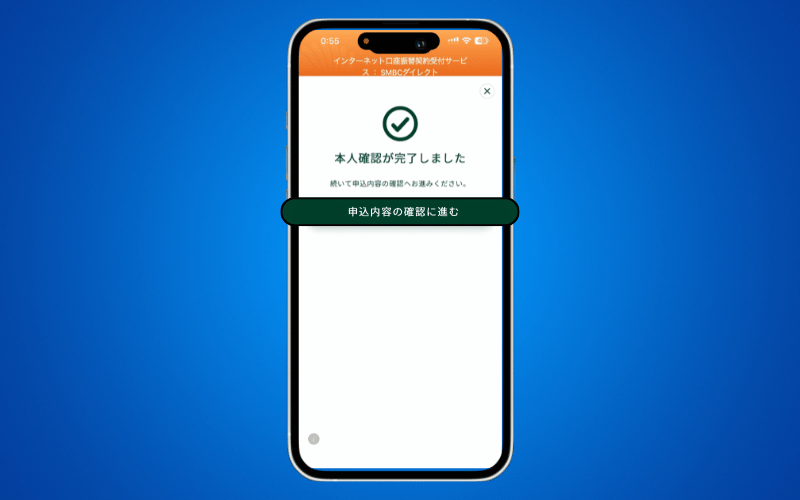
STEP 15: Press 申込内容の確認に進む.
STEP 16: Review and CONFIRM your ACCOUNT DETAILS and scroll down to the bottom.
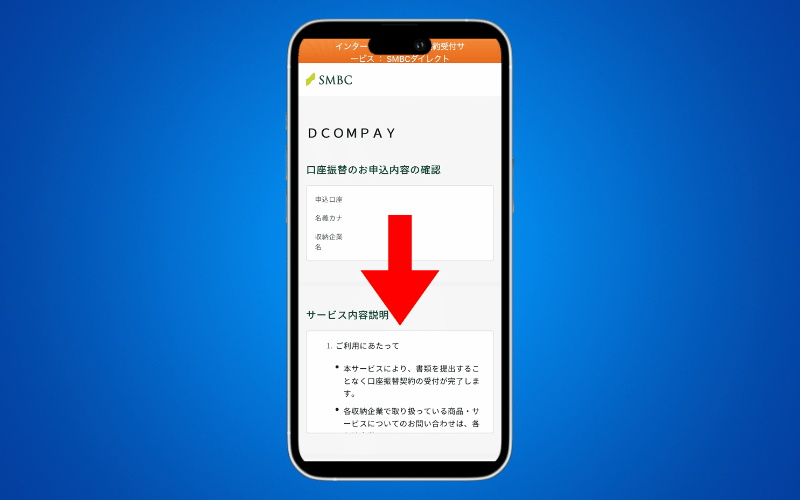
STEP 17: Tick the checkbox to agree to the TERMS AND CONDITIONS. Press 口座振替申込 to proceed.
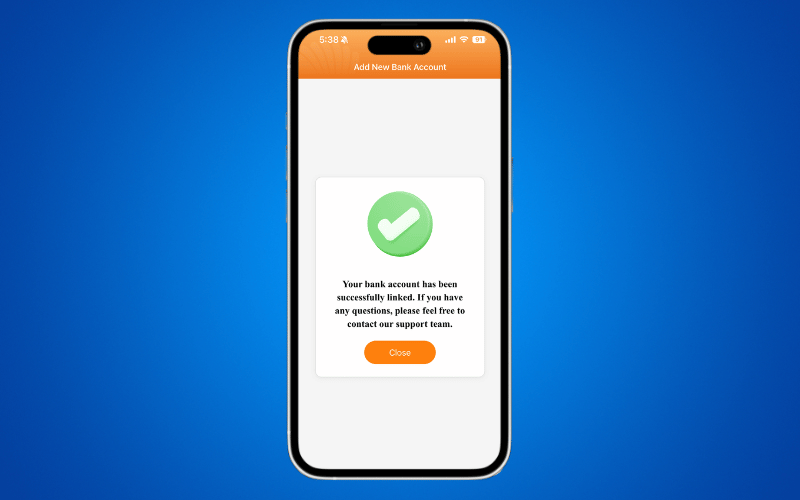
STEP 18: You have successfully linked your SMBC Bank Account! You may now Top-Up Directly from your DCOM Account.
What’s Next?
Your account is linked now experience seamless remittance! Why waste time visiting an ATM when you can manage everything right from your phone? Start enjoying instant, hassle-free transfers straight to your loved ones today.
- Ready to fund your wallet? 👉 TOP-UP directly from your SMBC account for zero-fuss deposit.
- Funds ready? 👉 SEND MONEY TO YOUR RECEIVER now and bring a happiness to your family instantly!