With the DCOM App, you can cash-out or withdraw money from your DCOM Account via Seven Bank ATM!
To cash-out your DCOM funds, you have to log-in to your DCOM Account and make a cash-out request. Follow the step-by-step guide below:
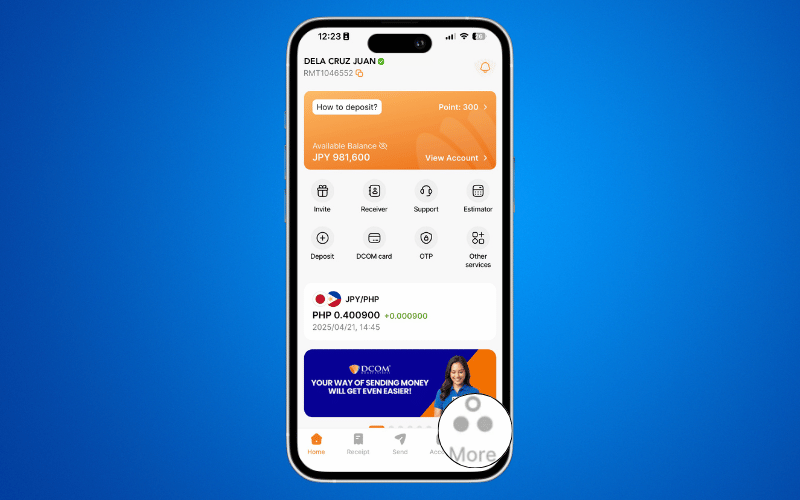
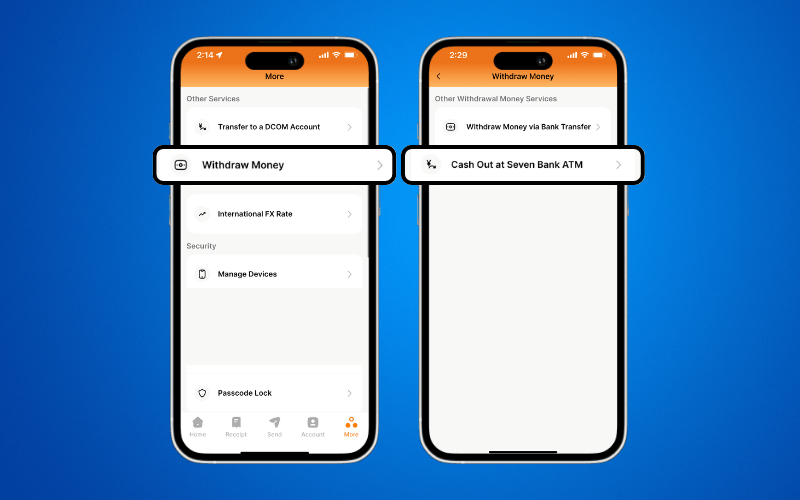
Step 1: From the Home screen, press MORE.
Step 2: Press WITHDRAW MONEY and click CASH OUT AT SEVEN BANK ATM.
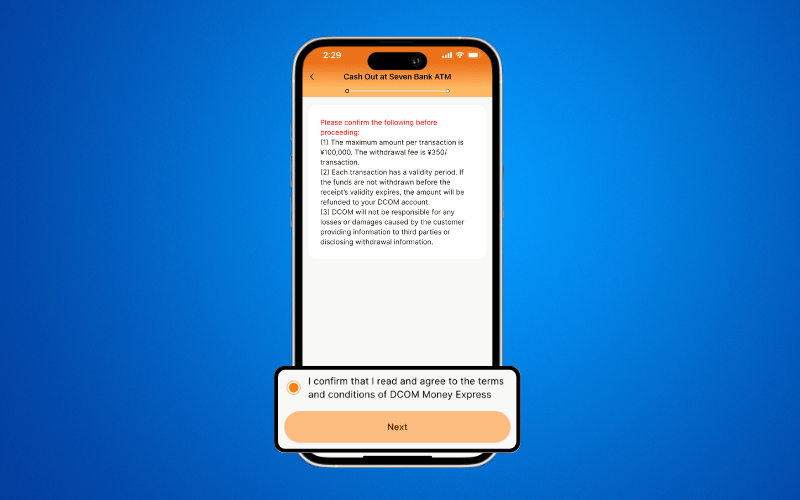
Step 3: Read and confirm the Terms and Conditions. Then press NEXT.
Step 4: Input the desired amount you with to withdraw and click NEXT.
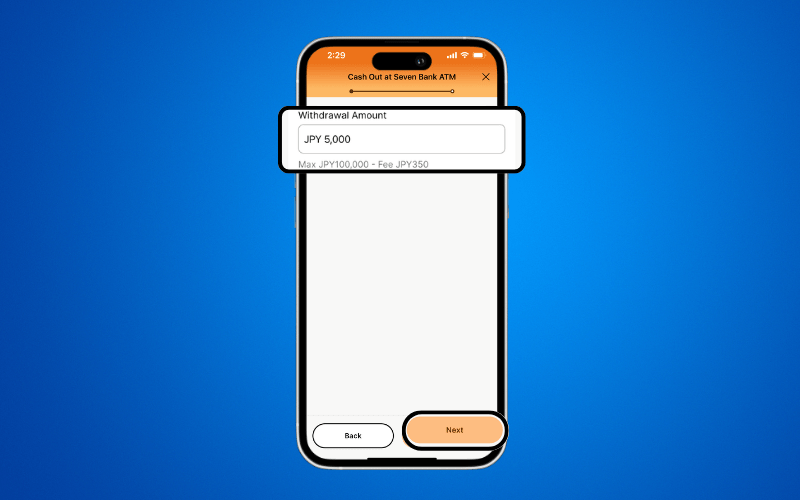
- The maximum amount to cash out is ¥100,000 per day and ¥1,000,000 per month.
- There is a service fee of 350 per transaction. This will be added on top of the desired withdrawal amount.
- There is an expiration for cash-out requests. Make sure to withdraw the money within the valid period.
SAMPLE COMPUTATION:
¥5,000 (Desired withdrawal amount) + ¥350 (Withdrawal fee)
= ¥5,350 (Total Amount that should be in DCOM Balance)
Thus, if you want to receive ¥5,000, there should be ¥5,350 on your DCOM Account.
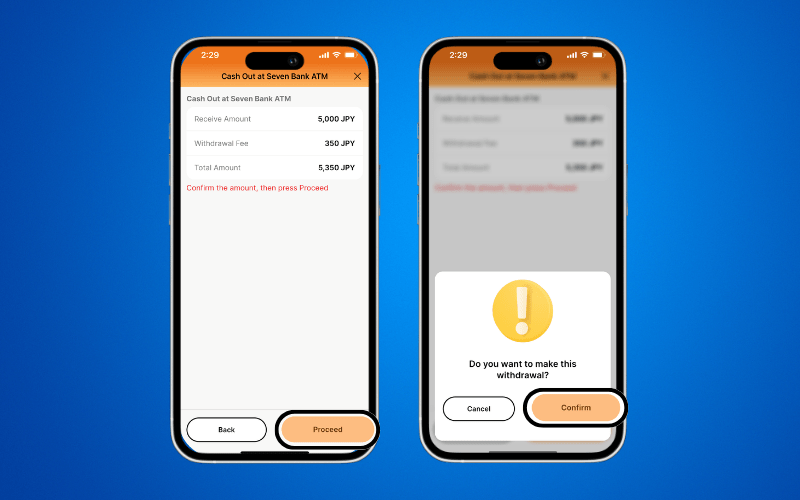
Step 5: Confirm the withdrawal details and press PROCEED. Click CONFIRM to process the request.
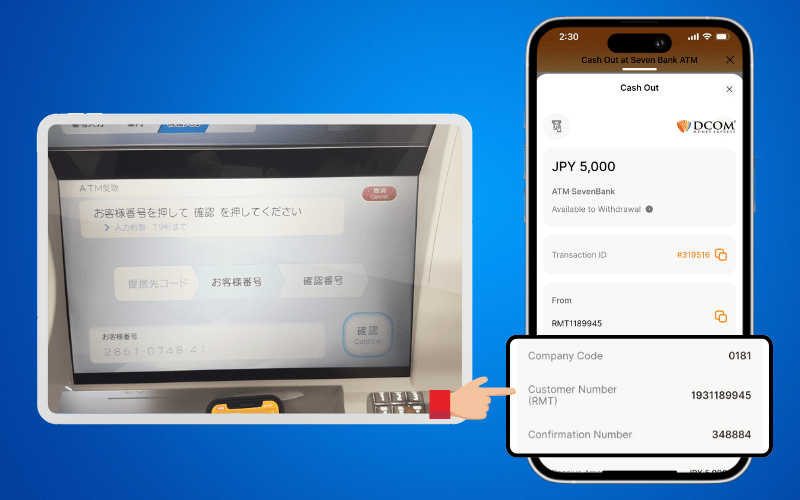
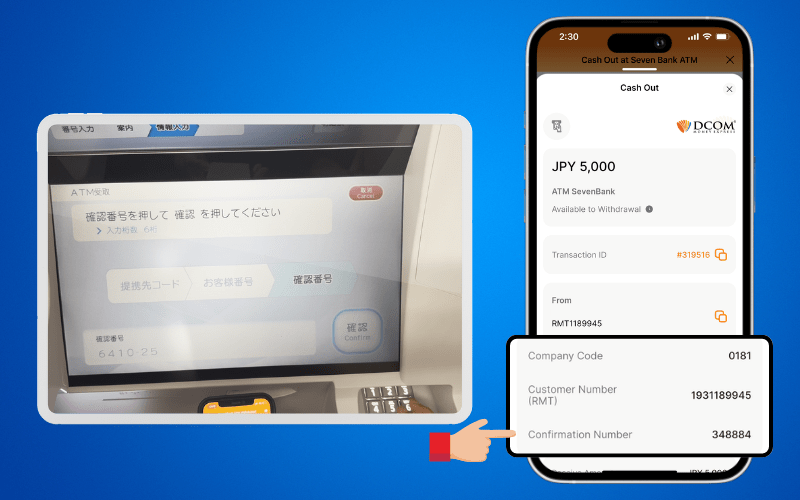
Step 6: Scroll down to the bottom and save the COMPANY CODE, CUSTOMER NUMBER and CONFIRMATION NUMBER.
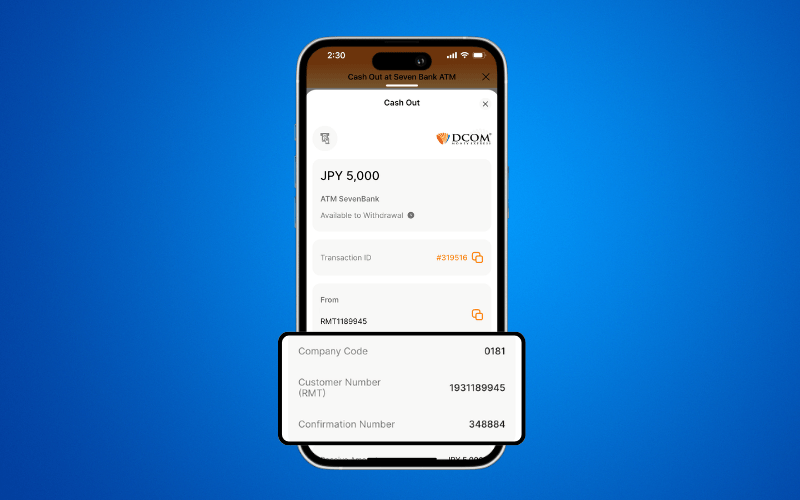
Go to the nearest Seven Bank ATM to withdraw your money.
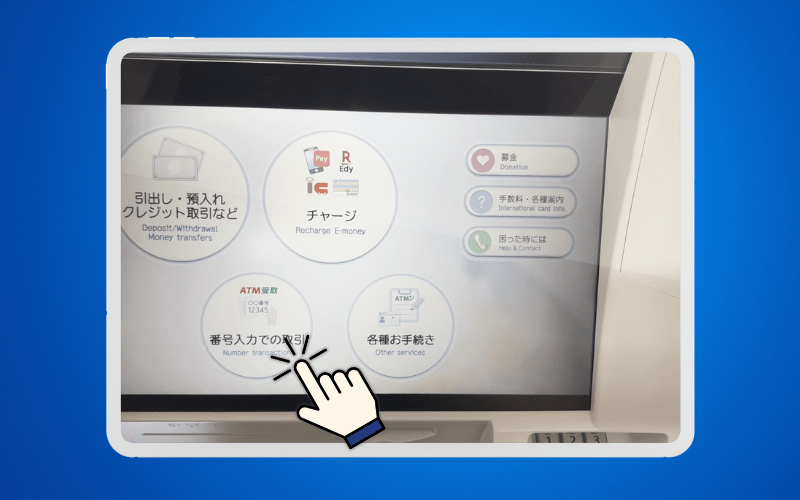
Step 7: Press Number Transactions or 番号入力の取引 (bangō nyūryoku no torihiki).
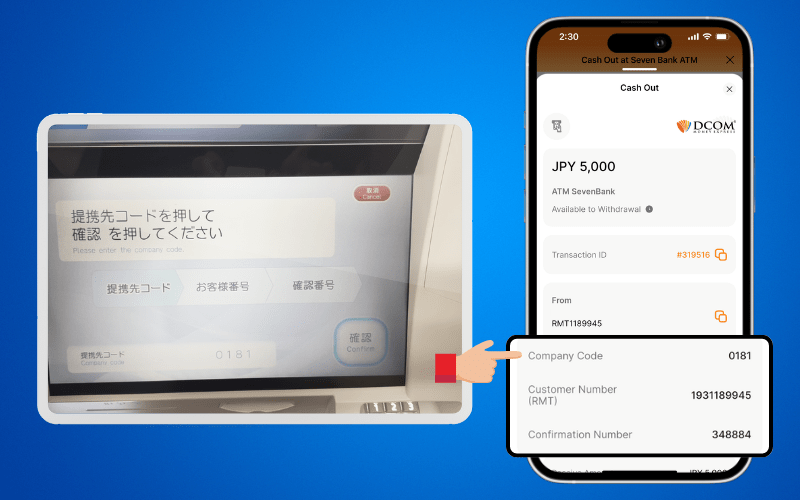
Step 8: Input Company Code on the 提携先コード (teikei-saki kōdo) screen and then press CONFIRM.
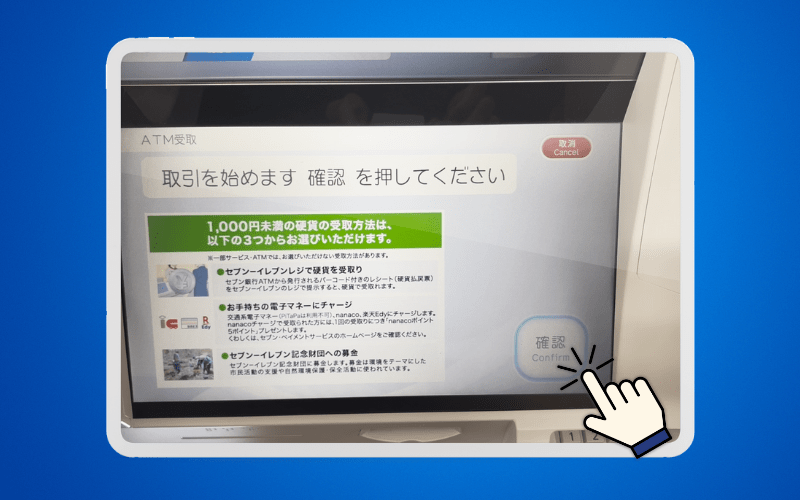
Step 9: Press CONFIRM to proceed.
Step 10: Input CUSTOMER NUMBER on the お客様番号 (okyakusama bangō) screen. Press CONFIRM to proceed.
Step 11: Input the Confirmation Number on the 確認番号 (kakunin bangō) screen. Press CONFIRM to proceed.
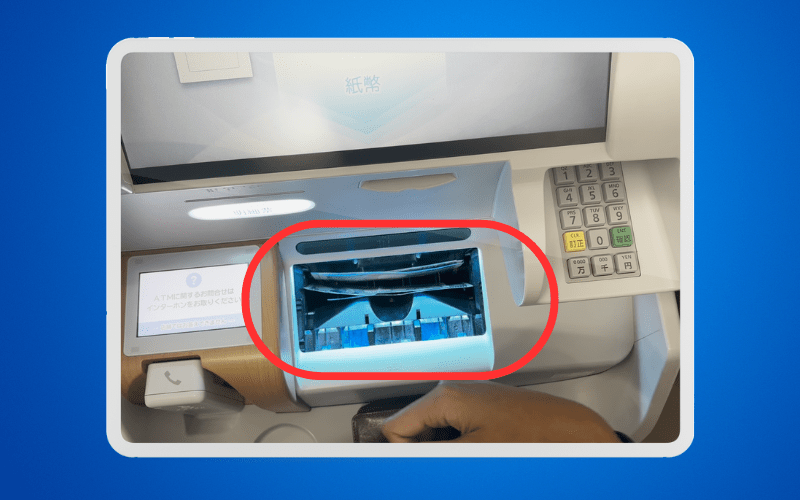
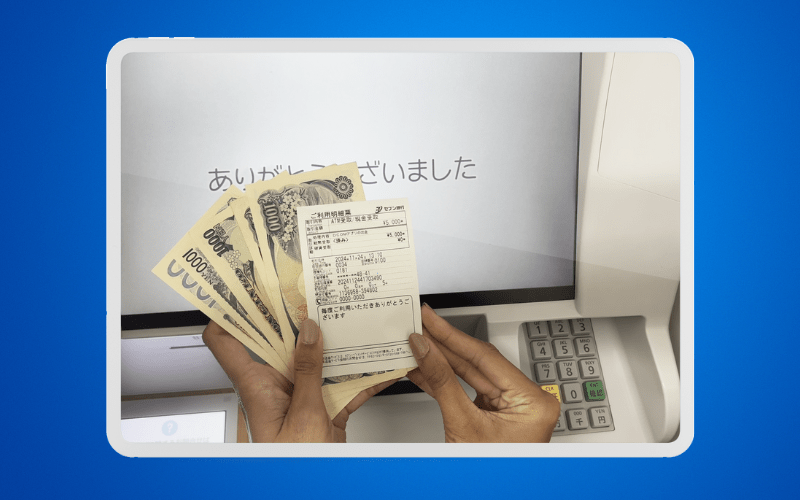
Step 12: Get the cash and your receipt.