



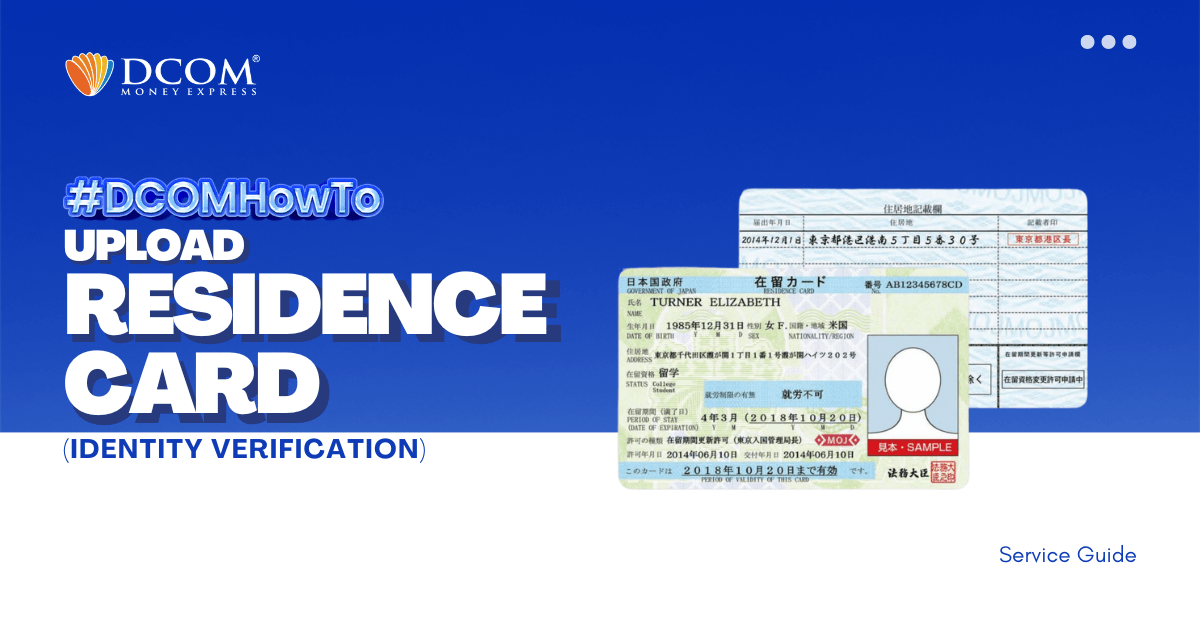
To complete your registration, here are the steps to easily upload your Residence Card using the DCOM APP through Online Verification.
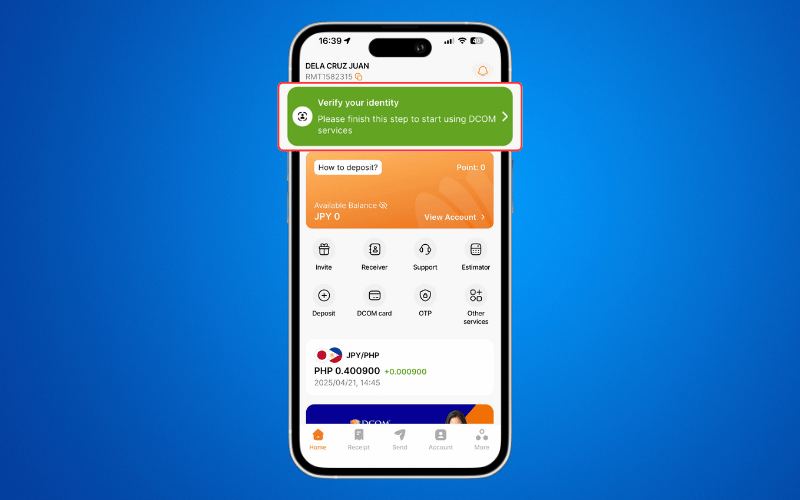
Step 1: Tap the “VERIFY YOUR IDENTITY notification on the DCOM App.
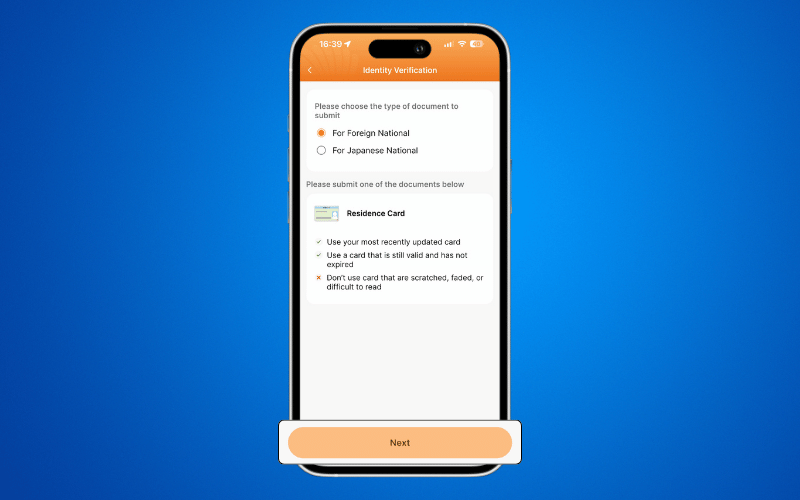
Step 2: Select your Nationality to view the list of required documents, then click Next.
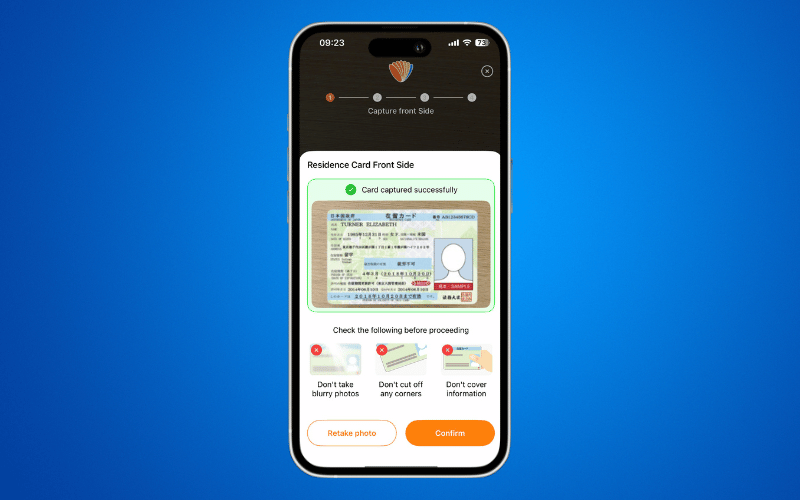
Step 3: Capture a clear image of the front of your Residence Card.
Step 4: Capture a clear image of the back of your Residence Card.
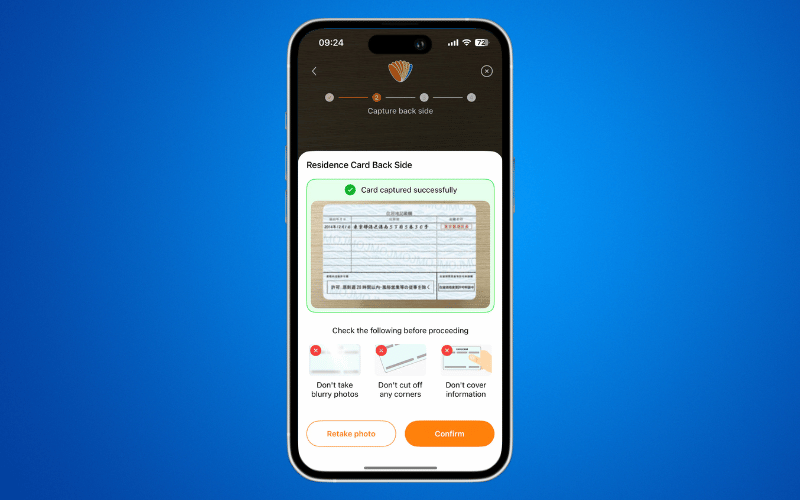
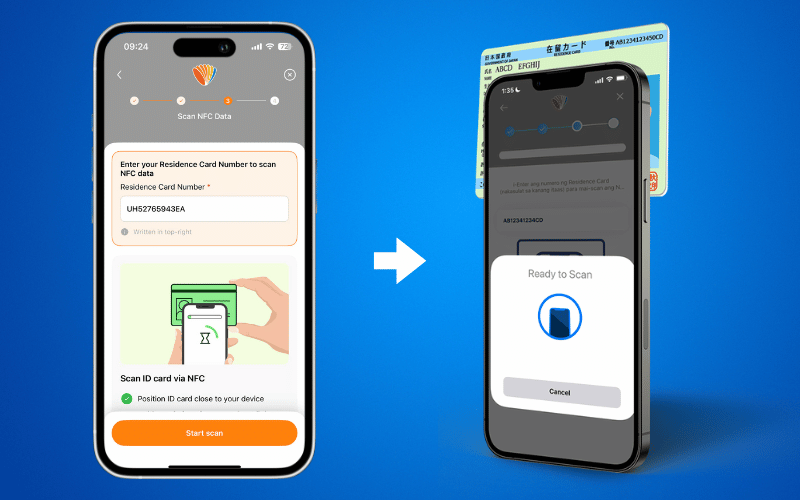
Step 5: Perform NFC Scanning. Enter the Residence Card Number located at the upper-right corner of your card.
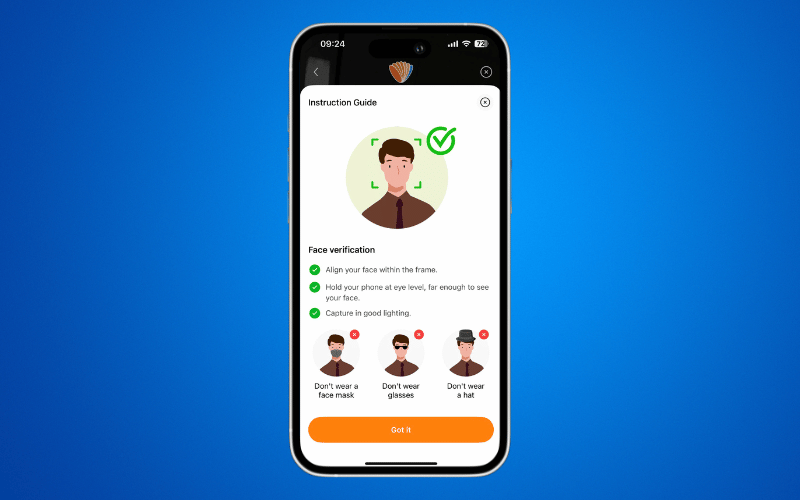
Step 6: Review the instructions provided for Face Verification.
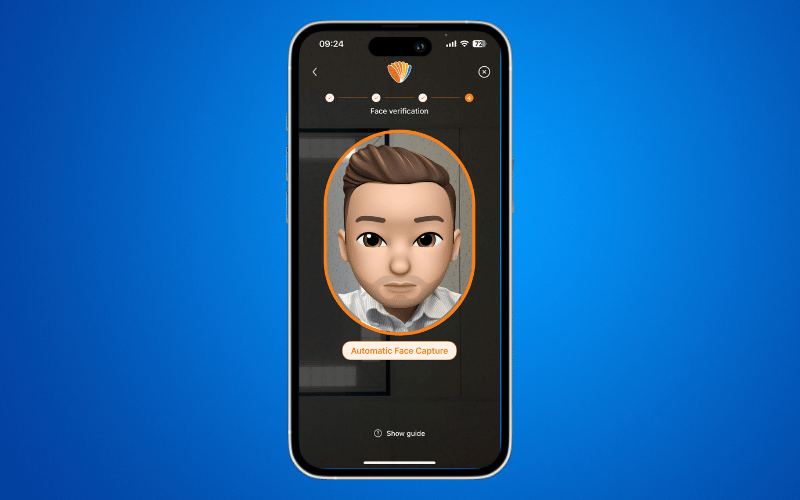
Step :7 Complete the Face Verification process.
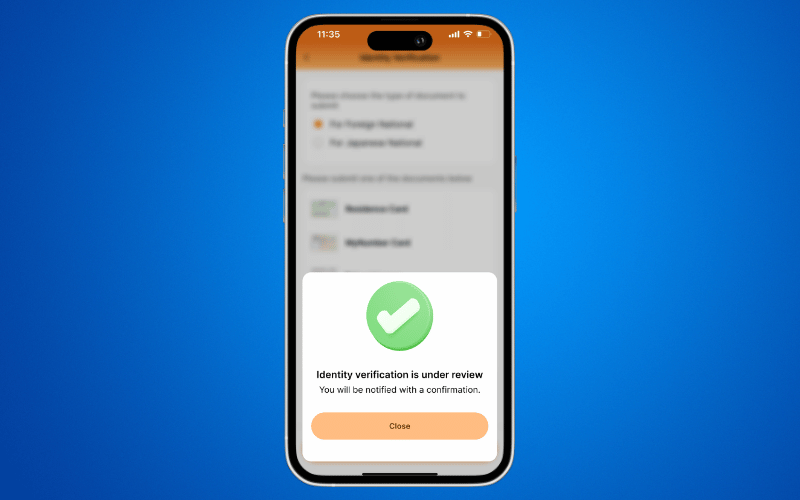
Step 8: Identity verification complete!
Once your DCOM Account has been verified and activated, you can now send money to your loved ones.